SCM asset operations
Source Code Management (SCM) assets cover Source Code repositories integrated via GitHub, GitLab, or GitLab Server.
For general asset actions (Disable, Enable, Delete), see Manage assets.
Add an SCM asset
- In Workspace, click Add Asset.
- Select GitHub, GitLab, or GitLab Server.
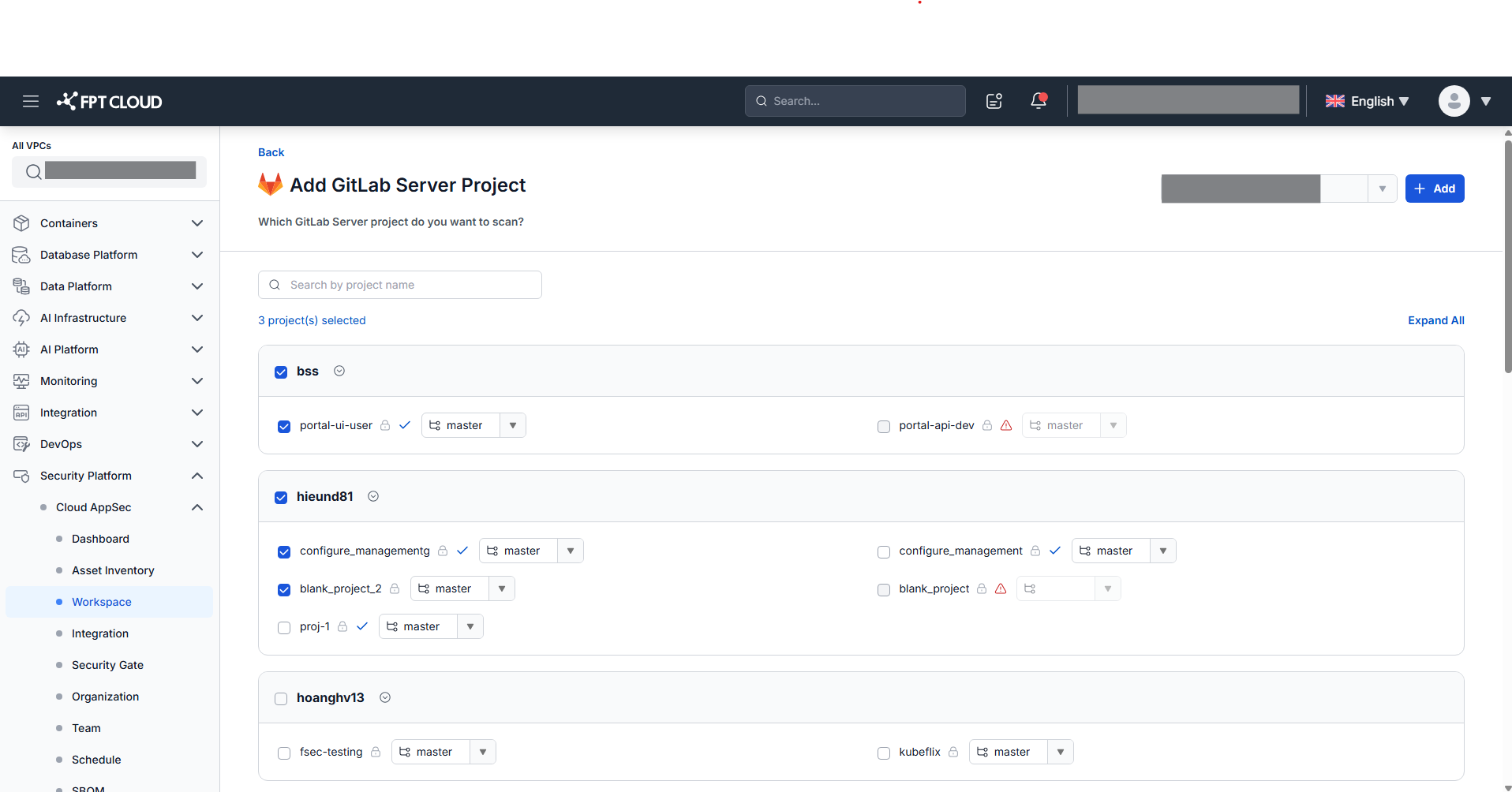
The Add Asset popup only shows sources that have been integrated in the Integration screen. Clicking an unintegrated source redirects to the Integration tab.
- Select the repo/project and branch, then click Add.
After adding, the system automatically runs the first scan and displays results in the All Assets tab.
View asset overview
Click any SCM asset name in the asset list to open the Asset Overview screen.
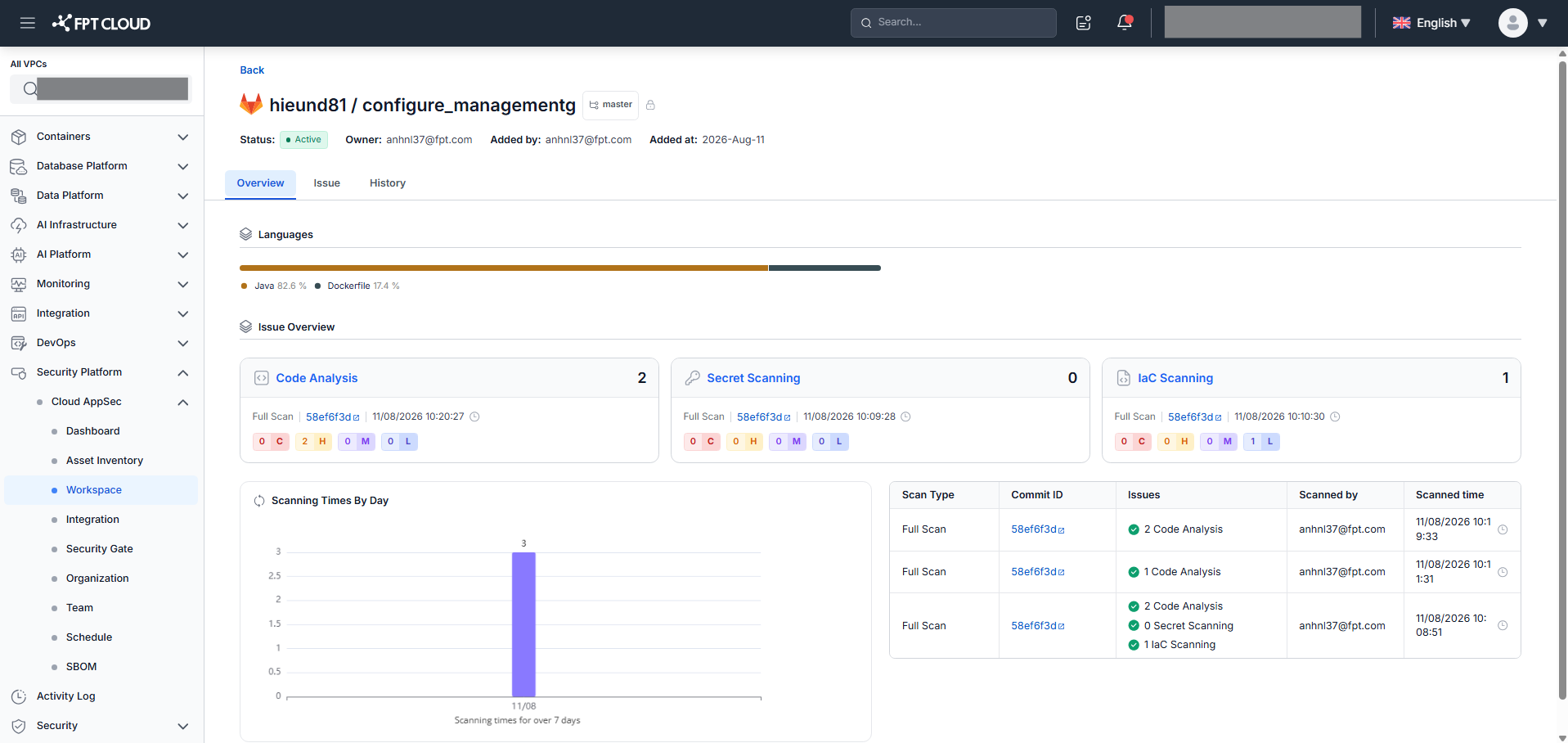
The overview shows:
- General information: Asset Status, Language, Owner, Added By, Added At
- Language chart: horizontal bar showing language percentages (top 5 + "Other")
- Issue overview: Scan Type, Commit + Scan Time, Total Open Issues, Severity counts, Scanning Times By Day (last 7 days)
- Latest requests: up to 3 most recent scan requests
View scan history
Select the History tab on the Asset Overview screen.
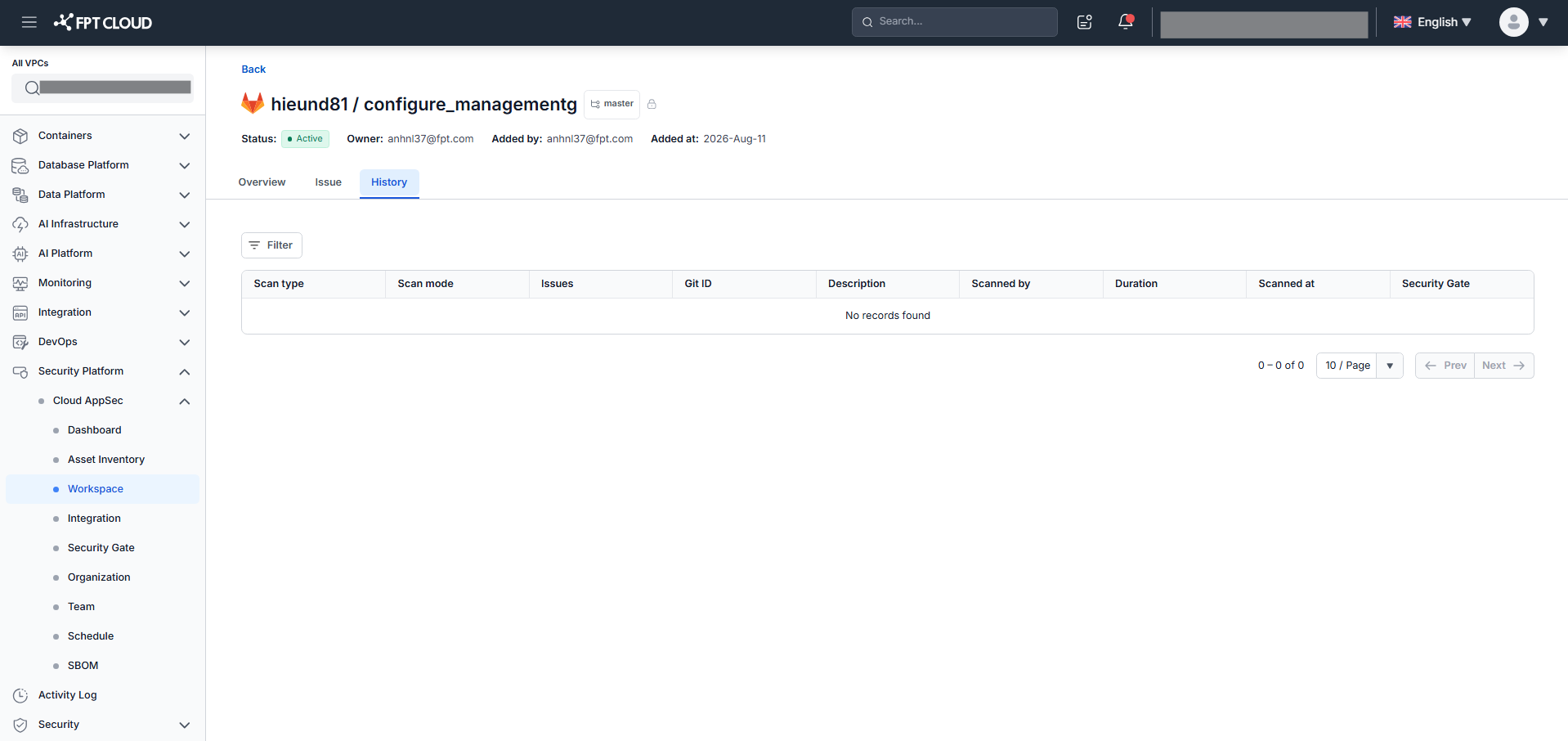
Filter scan history by Scan type and Time range.
View the issue list
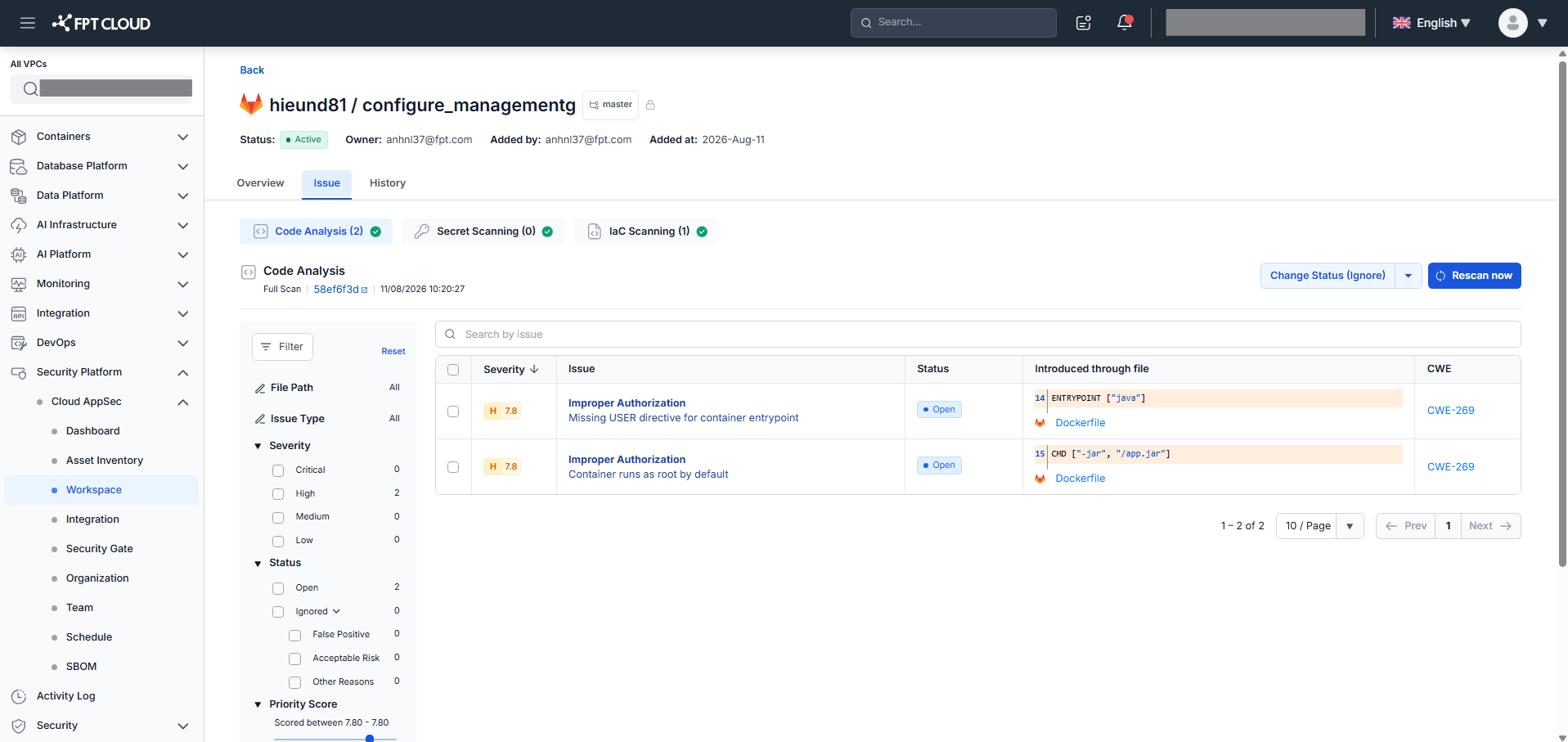
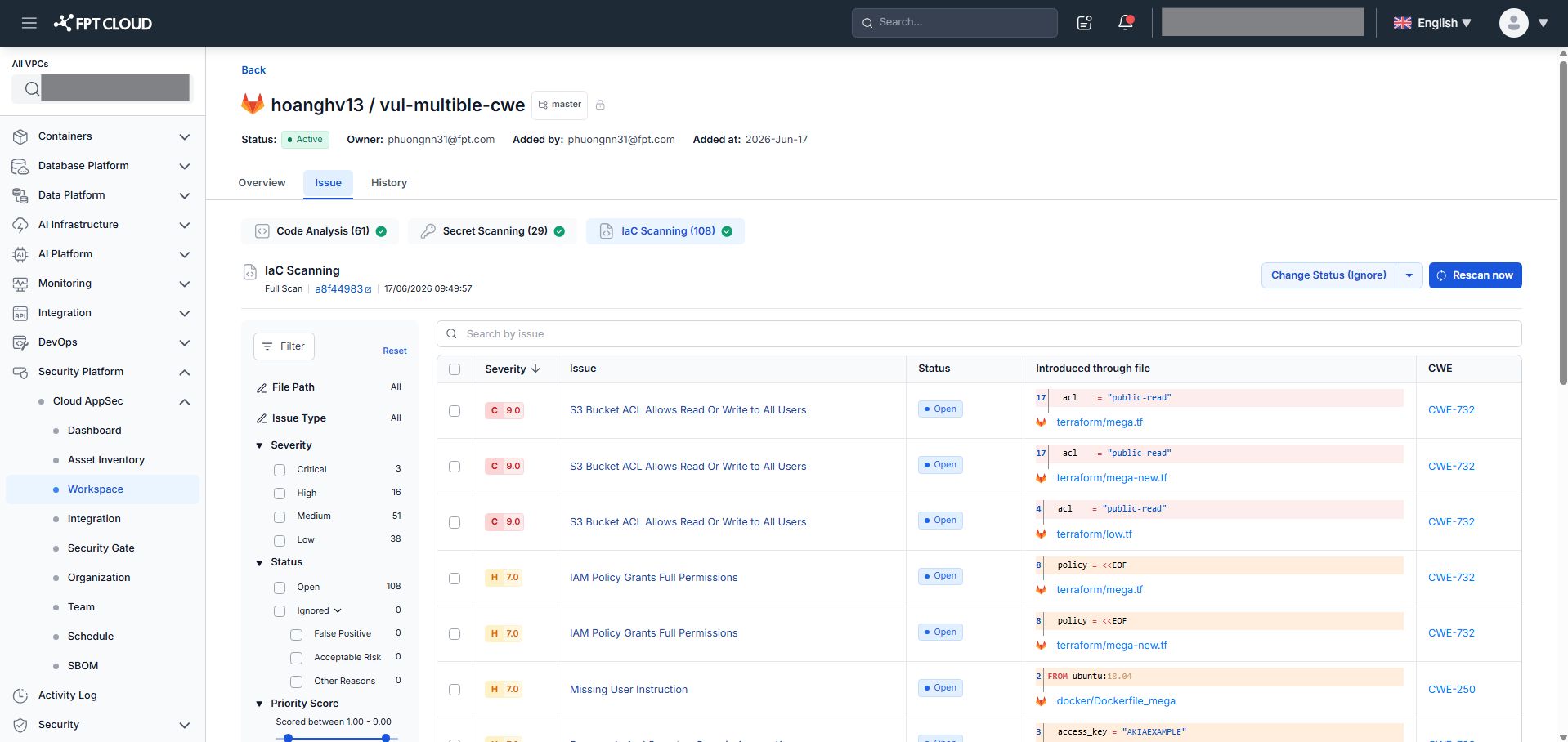
Select the Issue tab on an asset to view issues. Each scan type (Code Analysis, IaC Scanning, Secret Scanning) has its own sub-tab.
Code Analysis:
IaC Scanning:
Secret Scanning:
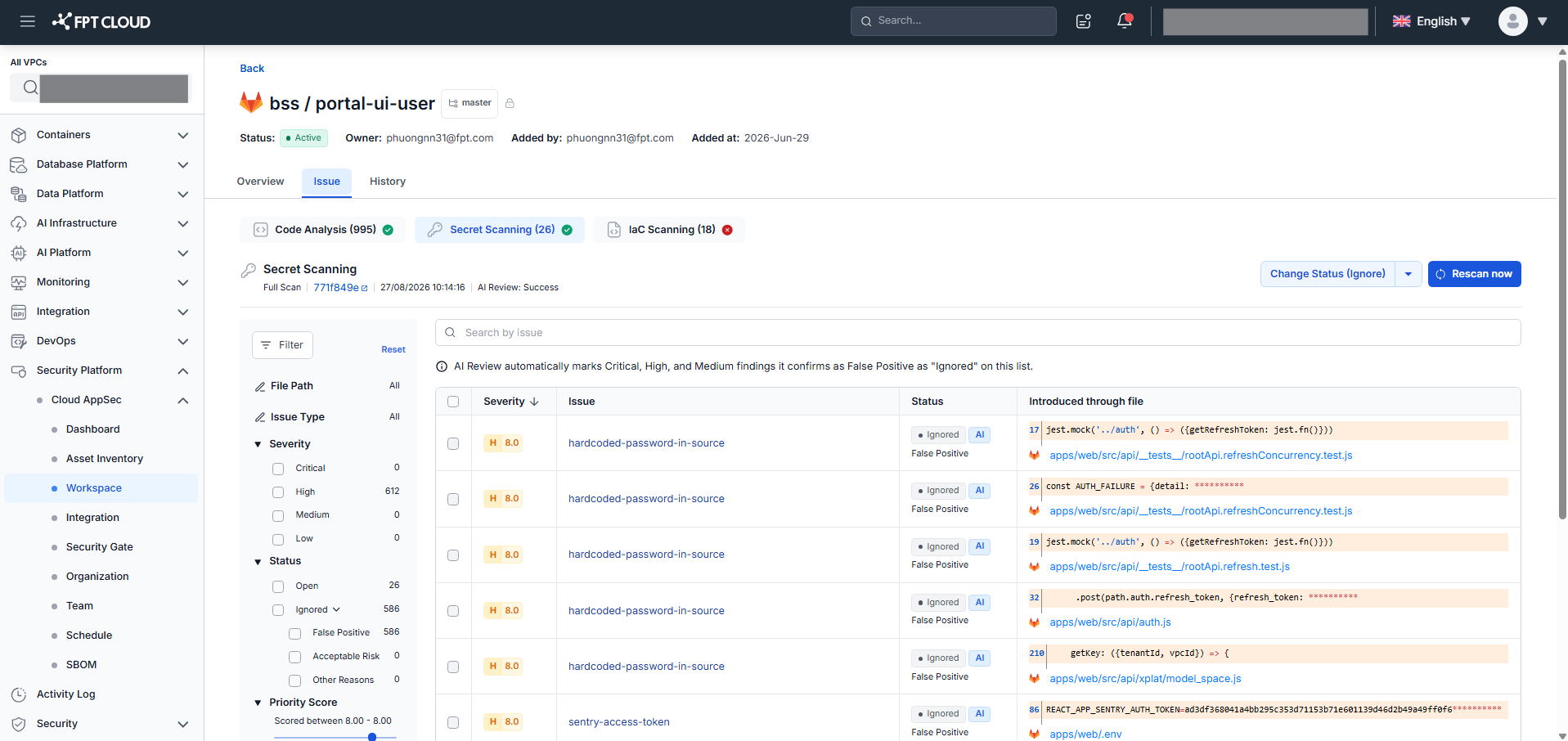
Each issue card shows: Severity, Vulnerability Type, Issue ID, CWE references, Score (0–10), Issue Status, and Code Block.
Filter by: Severity, Status, Priority Score, Security Category, Vulnerability Type, OWASP Top 10, CWE.
Sort by: Severity (C→H→M→L), Score, Created Time. Default: Score descending.
View issue details
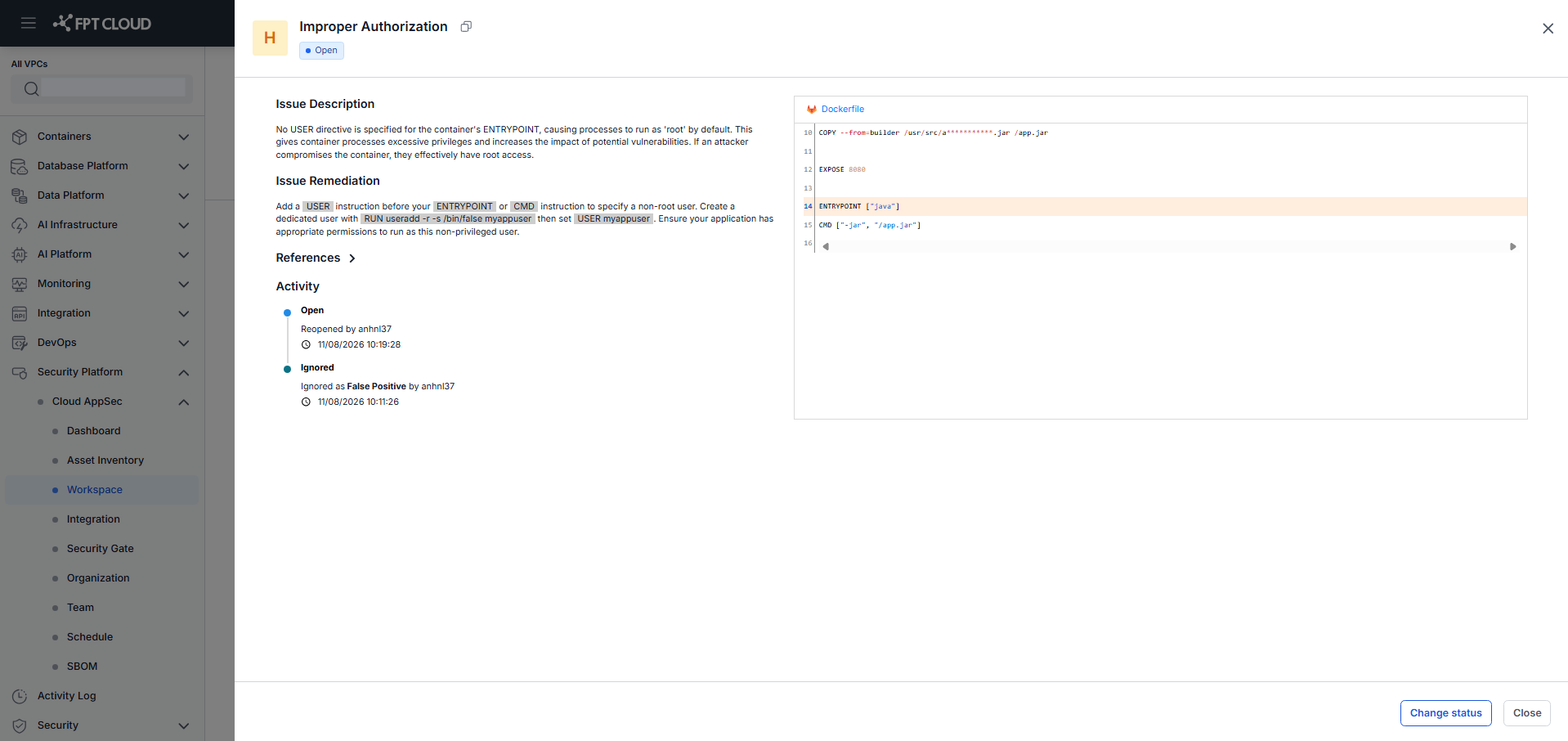
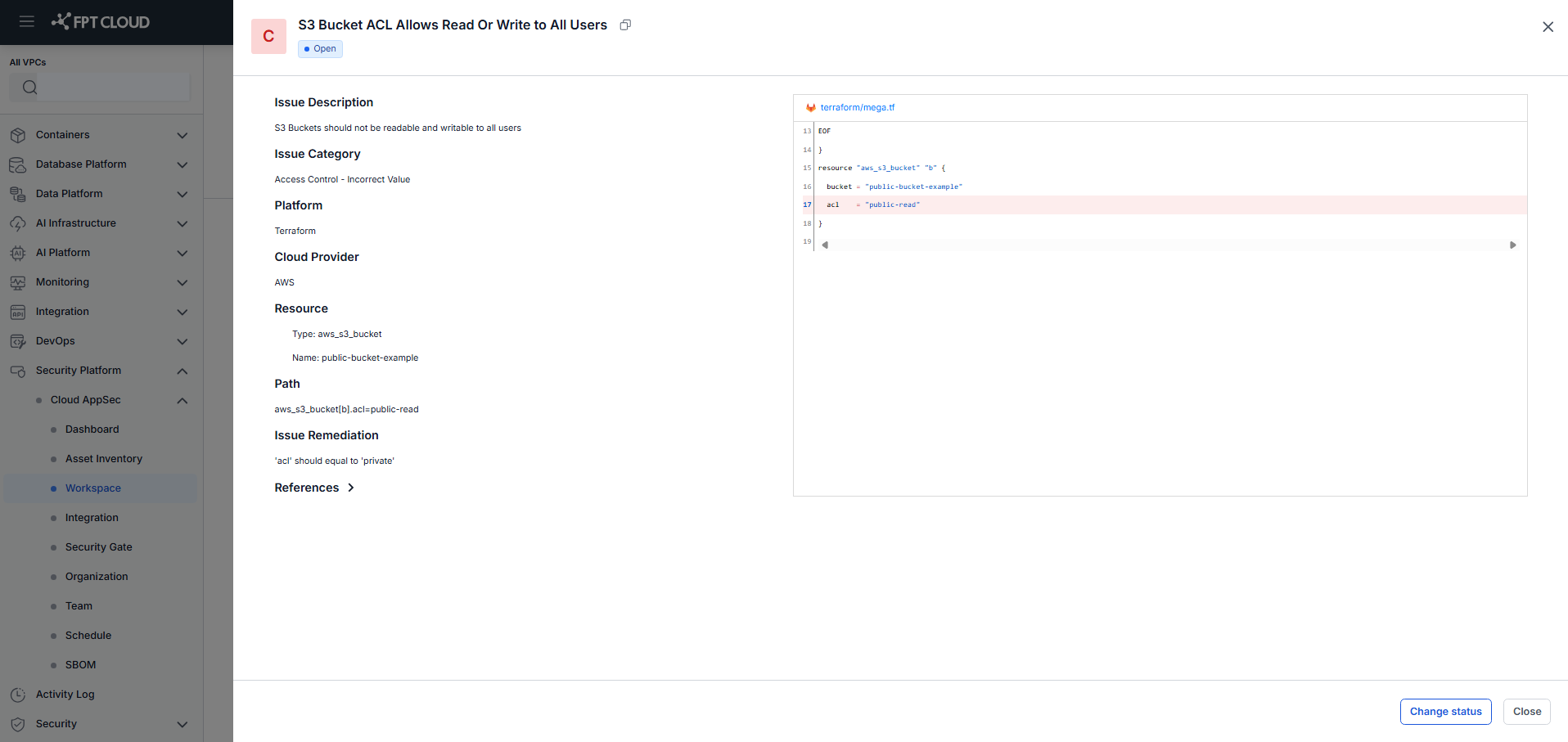
Click Details on any issue card to open the Issue Detail popup.
Code Analysis detail:
IaC Scanning detail:
Secret Scanning detail:
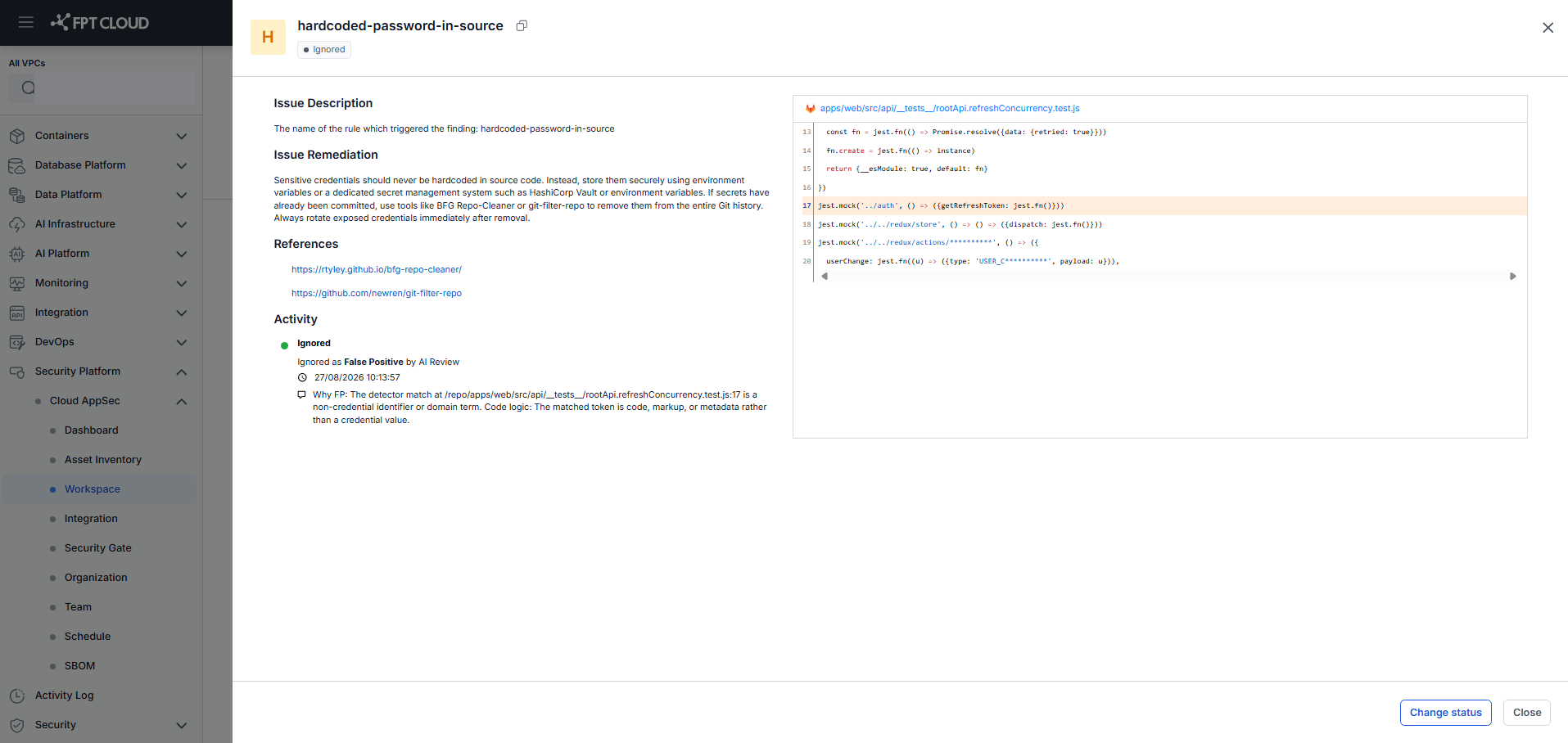
The Issue Detail shows: Severity, Vulnerability Type, Issue Status, Issue Description, Issue Remediation, References, Issue File, Code Block (with highlighted error line), and Activity log.