Create Firewall
Create a new Cloud Native Firewall and integrate it with a VPC in a single flow.
Steps
-
On the Firewall Management screen, click Create Firewall.
-
Fill in the Firewall details:
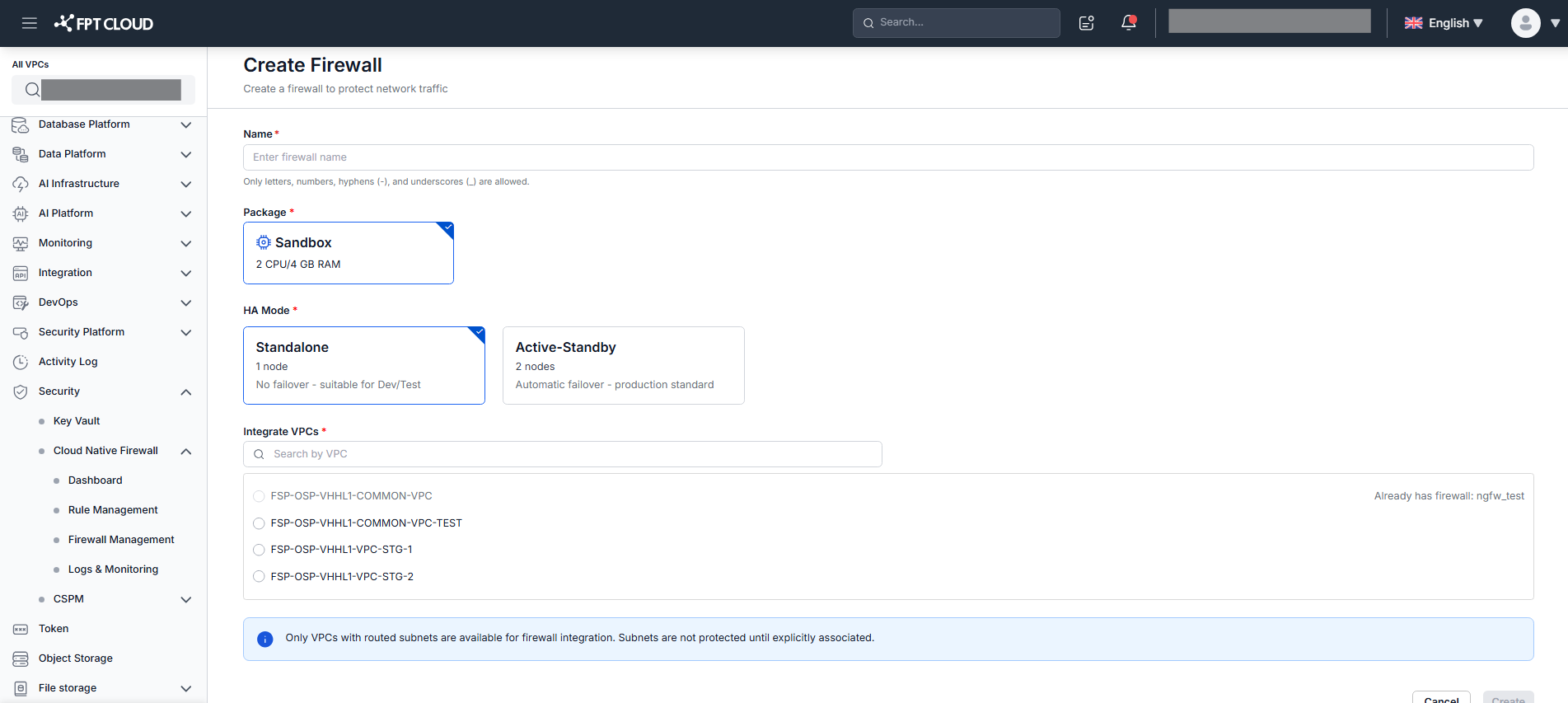
Field Description Name Firewall name. Max 50 characters; a–z, A–Z, 0–9, hyphens, underscores. Must be unique in the tenant. Package Service package (default: Sandbox — 4vCPU / 8GB RAM). HA Mode Standalone— 1 node, no failover, suitable for Dev/Test.Active-Standby— 2 nodes, automatic failover, recommended for production. Default: Standalone.Integrate VPC Select 1 VPC to integrate. Only VPCs with at least 1 routed subnet are shown. -
Click Create.
The system shows "Creating firewall. This may take a few minutes." and redirects to Firewall Management. The new Firewall appears with Status = Creating.
- Provisioning succeeds → Status = Integrated
- Provisioning fails → Status = Failed (use ⋮ → Retry or Delete)
warning
If the selected VPC already has a Firewall in the same network, a popup warns "This network already has a firewall." Click Integrate VPC to add this VPC to the existing Firewall instead, or Continue creating to proceed.