Firewall Management
Firewall Management lists all Firewalls in your tenant in a Firewall-centric view. Use it to check integration status, manage VPCs and subnets, and take quick actions.
Open Firewall Management
Select Firewall Management in the sidebar (Security → FPT Cloud Native Firewall → Firewall Management).
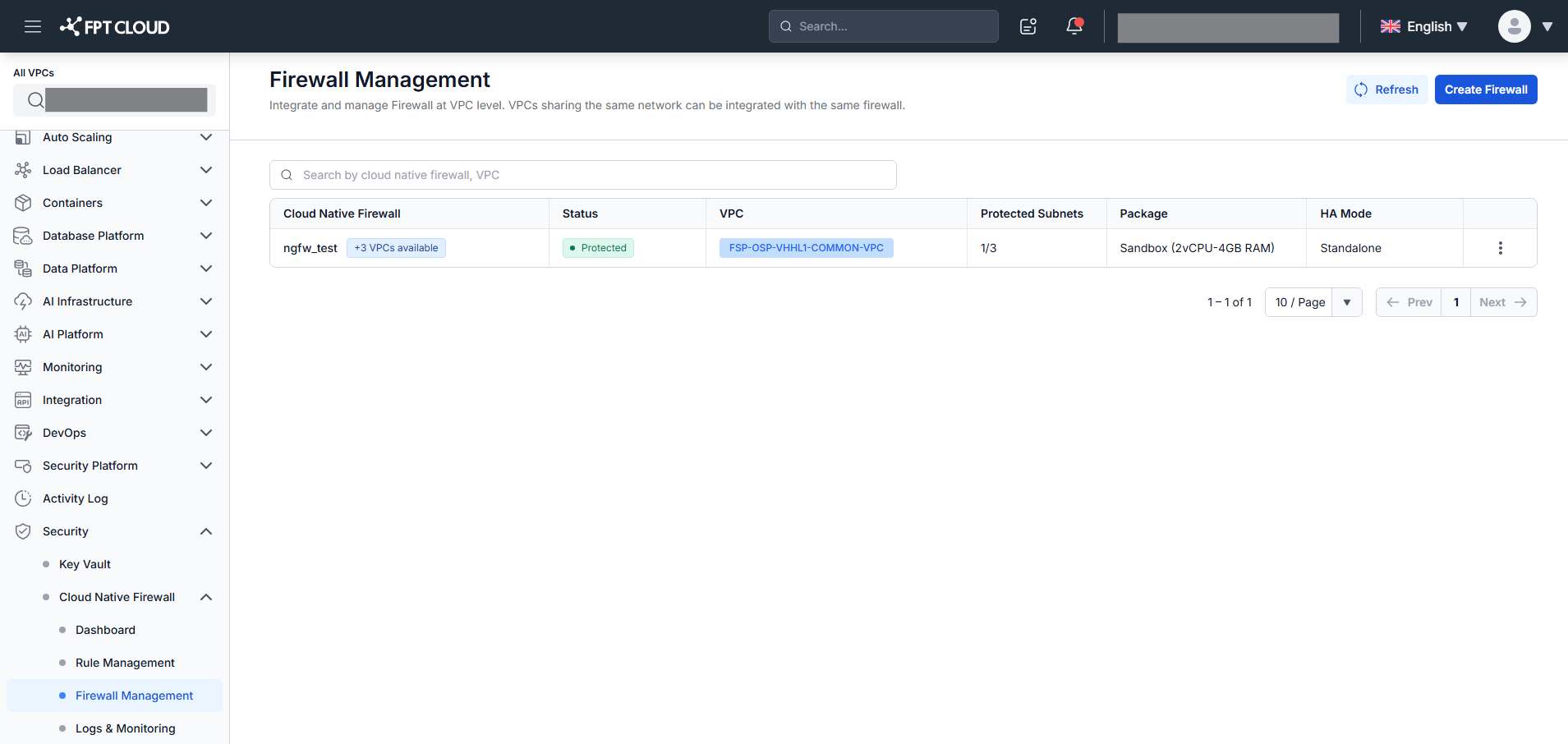
Firewall list columns
| Column | Description |
|---|---|
| Cloud Native Firewall | Firewall name. Shows +N VPCs available chip when additional VPCs in the same network are not yet integrated. |
| Status | Creating / Failed / Integrated / Protected |
| VPCs | VPCs currently integrated with this Firewall (chip tags). |
| Protected Subnets | X/Y — Protected subnets / total routed subnets. |
| Package | Service package — for example: Sandbox (4vCPU-8GB RAM). |
| HA Mode | Standalone (1 node) or Active-Standby (2 nodes, automatic failover). |
| Action (⋮) | Context menu — available actions depend on Firewall status. |
Available actions
| Action | When available | What it does |
|---|---|---|
| Associate subnet | Status = Integrated or Protected | Opens the Associate Subnet screen for this Firewall. |
| Retry | Status = Failed | Retries Firewall creation; status returns to Creating. |
| Delete | Status = Failed | Deletes the Firewall immediately — no confirmation popup. |
Search by Firewall name or VPC name using the search field.
note
When the system is syncing VPC and subnet data from the infrastructure, a Syncing VPCs & subnets banner appears below the header and disappears automatically on completion.