IDS/IPS Rule Management
IDS/IPS Rule Management lets you import and manage Suricata-format rule files to detect and block security threats. Access it from Rule Management → IDS/IPS Rule tab.
Prerequisites
The selected Firewall must have at least one associated subnet before you can enable IDS/IPS. If none are associated, click Associate Subnet first — see Associate / Dissociate Subnet.
Enable IDS/IPS
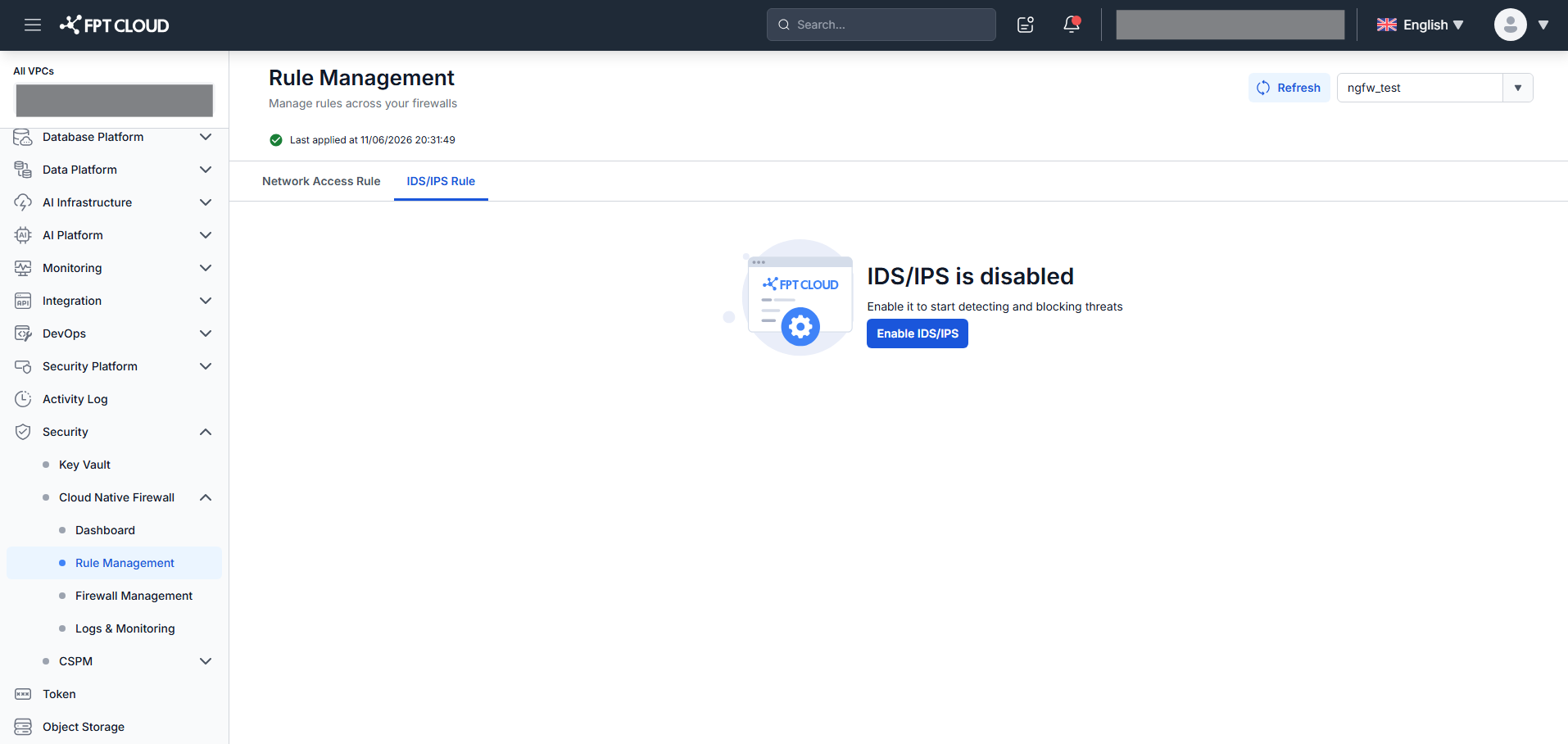
When IDS/IPS is not yet enabled, the screen shows "IDS/IPS is disabled".
-
Click Enable IDS/IPS.
-
Confirm in the popup.
After enabling, the system loads the rule file list. The default fpt-managed.rules file is pre-loaded.
View rule files
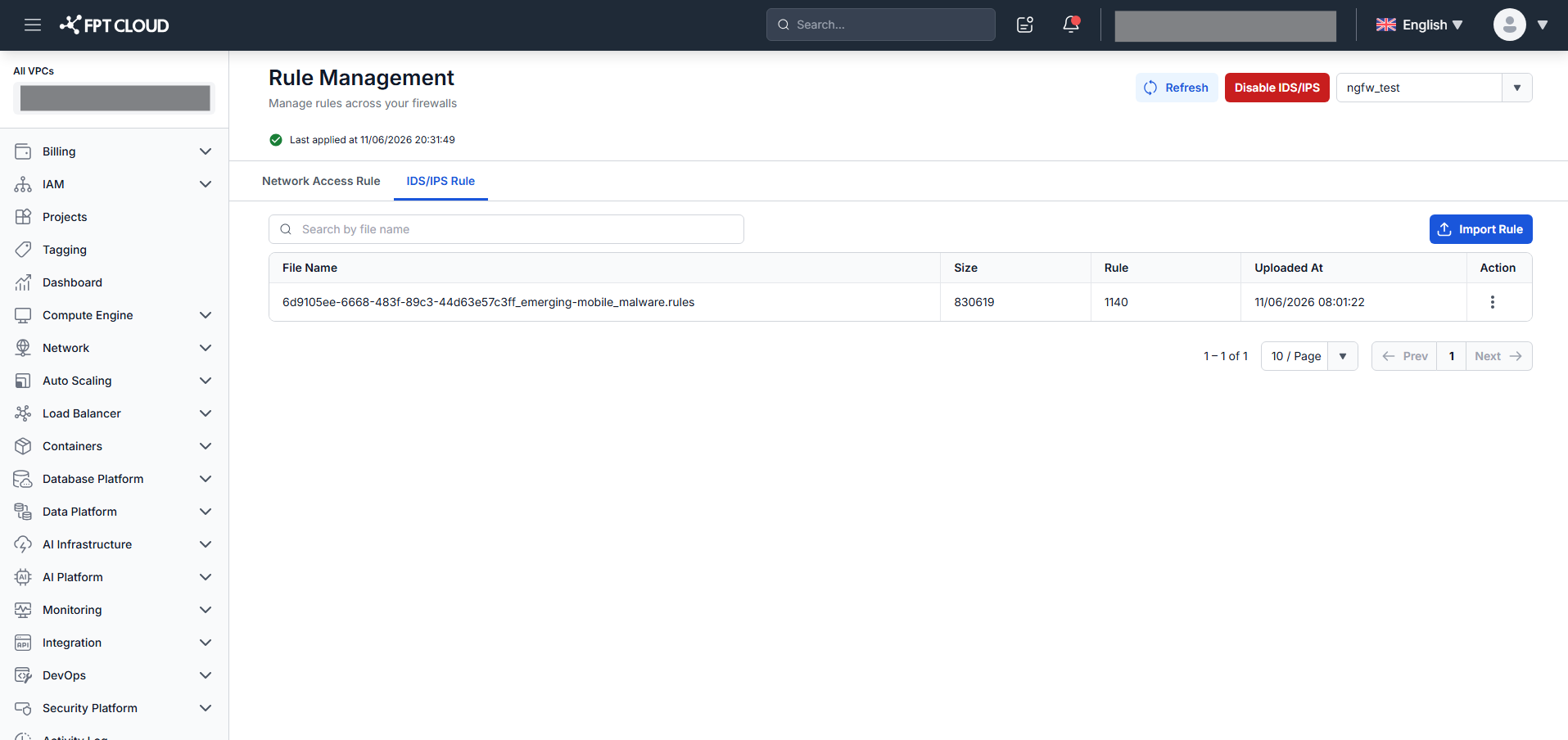
| Column | Description |
|---|---|
| File Name | Rule file name. |
| Size | File size. |
| Rules | Number of rules in the file. |
| Uploaded At | Upload timestamp. |
| Action | Download / Delete. |
Search by file name. The header shows total file count and total rule count.
Import a rule file
-
Click Import Rule.
-
Drag and drop a file or click to browse.
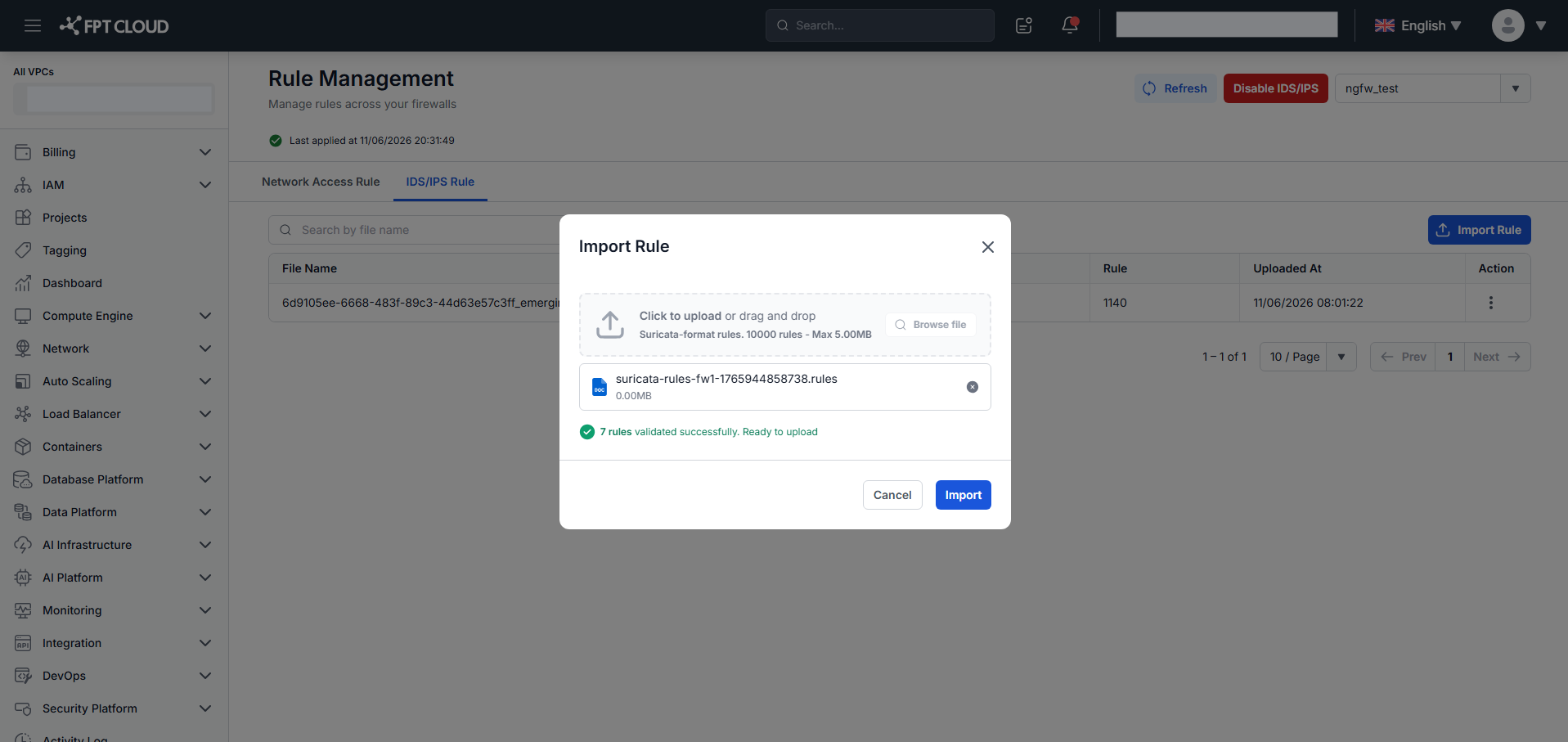
Requirements:
.rulesformat (Suricata), max 5 MB, max 10,000 rules.The system validates the file automatically:
- Valid — shows file name, size, and "X rules validated successfully. Ready to upload." The Import button is enabled.
- Invalid — shows an error summary and the first 5 error lines in
Line [N]: Error messageformat.
-
Click Import. Applied Status changes to In Progress, then Applied on completion.
- Files with a duplicate name are rejected.
- Duplicate SIDs within the file or matching an already-imported file cause a validation error.
- Click the X icon next to the selected file to replace it and restart the upload.
Download a rule file
Click Download in the Action column. The file downloads to your machine.
Delete a rule file
-
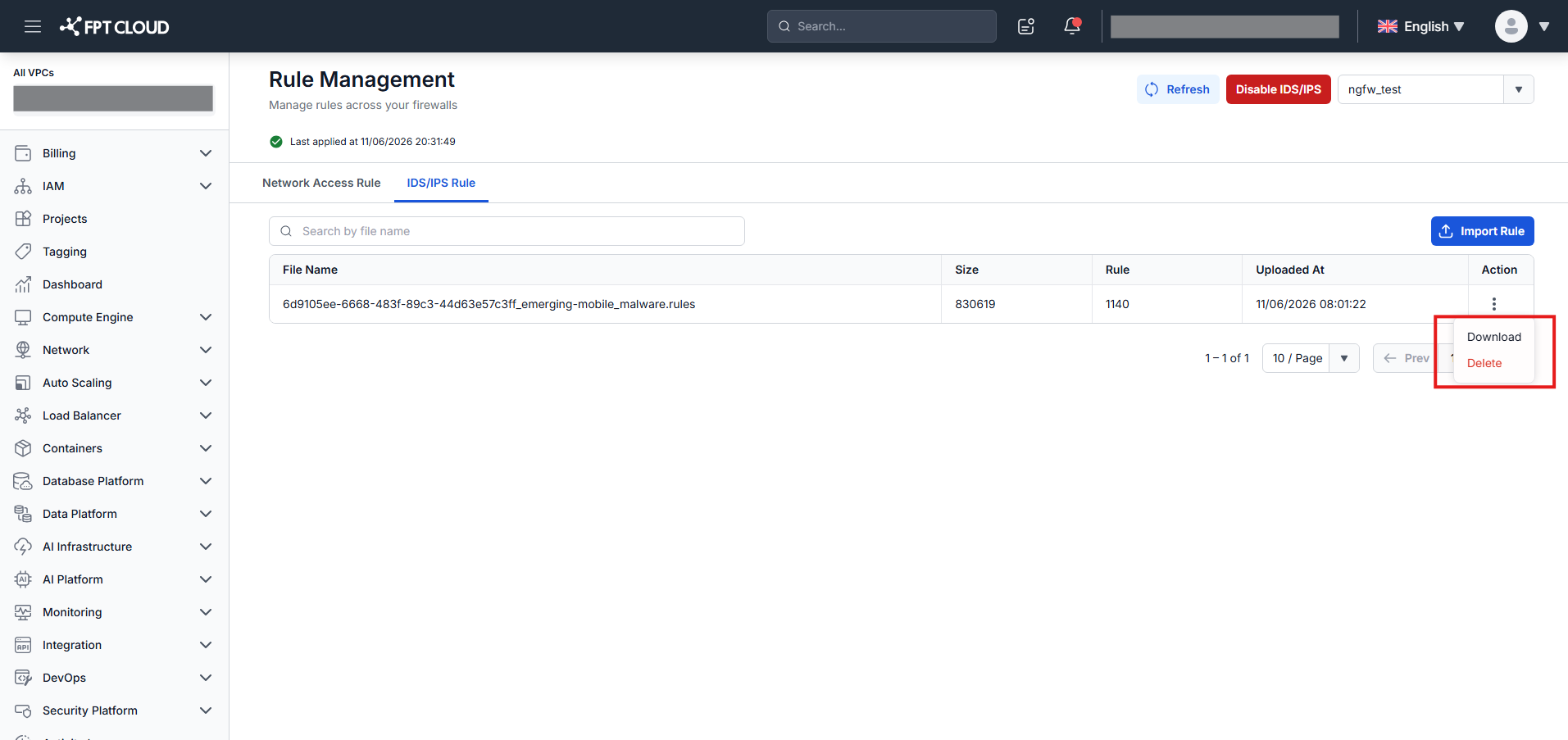
Click Delete in the Action column.
-
Confirm in the popup. The file is removed and the list updates.
Disable IDS/IPS
Click Disable IDS/IPS in the header, then confirm to turn off IDS/IPS for the selected Firewall.
While the Firewall is processing, Enable / Disable / Delete / Import actions show "Firewall is being updated. Please wait."