Create a VPN gateway
Create VPN Gateway is a single-page form with four groups: VPN Type, Gateway Information, Scope (Accessible Subnets and Tunnel Mode), and Network Configuration. The backend provisions the gateway asynchronously.
Before you begin
- The tenant has at least one Firewall.
- The selected Firewall has at least one associated subnet.
- The selected Firewall has not reached the 20-gateway limit.
Create the gateway
-
On the VPN Client-to-Site screen, click Create VPN Gateway. The system opens the Create screen; the Firewall context is inherited from the list and shown read-only.
-
Enter the gateway details.
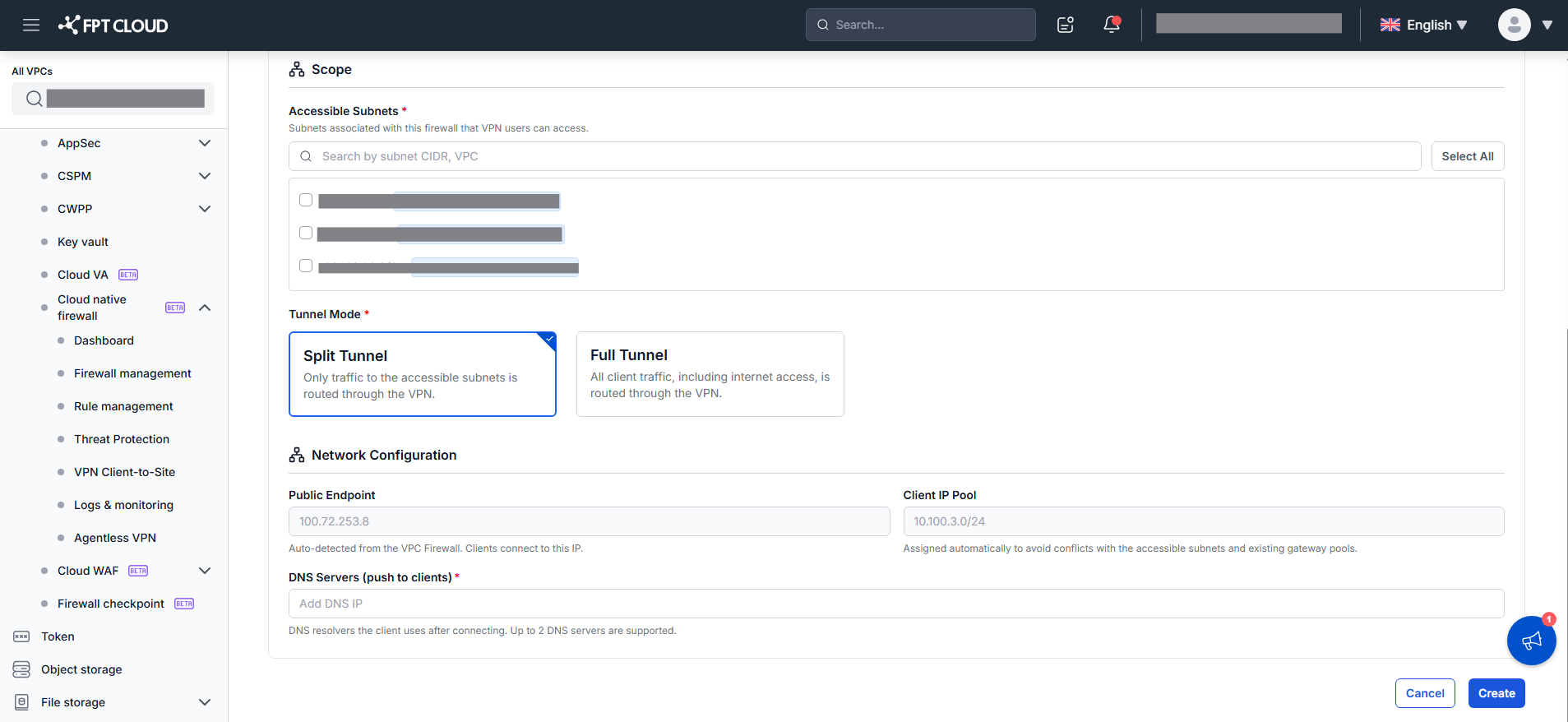
Field Description VPN Type IPsec(default) orOpenVPN. Cannot be changed after creation (delete and recreate instead). The protocol/port help text changes with the type: IPsec → "Connects over UDP ports 500 and 4500."; OpenVPN → "Connects over UDP. The port is assigned automatically after the gateway is created."Gateway Name Required. Letters (a–z, A–Z), numbers, hyphens (-), underscores (_); up to 50 characters; unique within the Firewall. Accessible Subnets Checkbox list of subnets associated with the Firewall (with a VPC badge). Supports Search (by CIDR or VPC name) and Select All / Deselect All. Select at least one subnet. Tunnel Mode Split Tunnel(default) orFull Tunnel, shown as cards, applied to both IPsec and OpenVPN.Split Tunnelroutes only traffic to Accessible Subnets through the VPN.Full Tunnelroutes all traffic (including internet) through the VPN.Full Tunnelstill requires selecting Accessible Subnets.Public Endpoint Public IP the client connects to. Read-only (system-assigned). Client IP Pool Virtual IP range for VPN clients (CIDR). Read-only (system-assigned; guaranteed not to overlap Accessible Subnets or other gateway pools). DNS Servers (push to clients) Required. Enter an IPv4 address and press Enter to add it as a chip. Up to 2 DNS servers. Duplicate entries are not allowed. 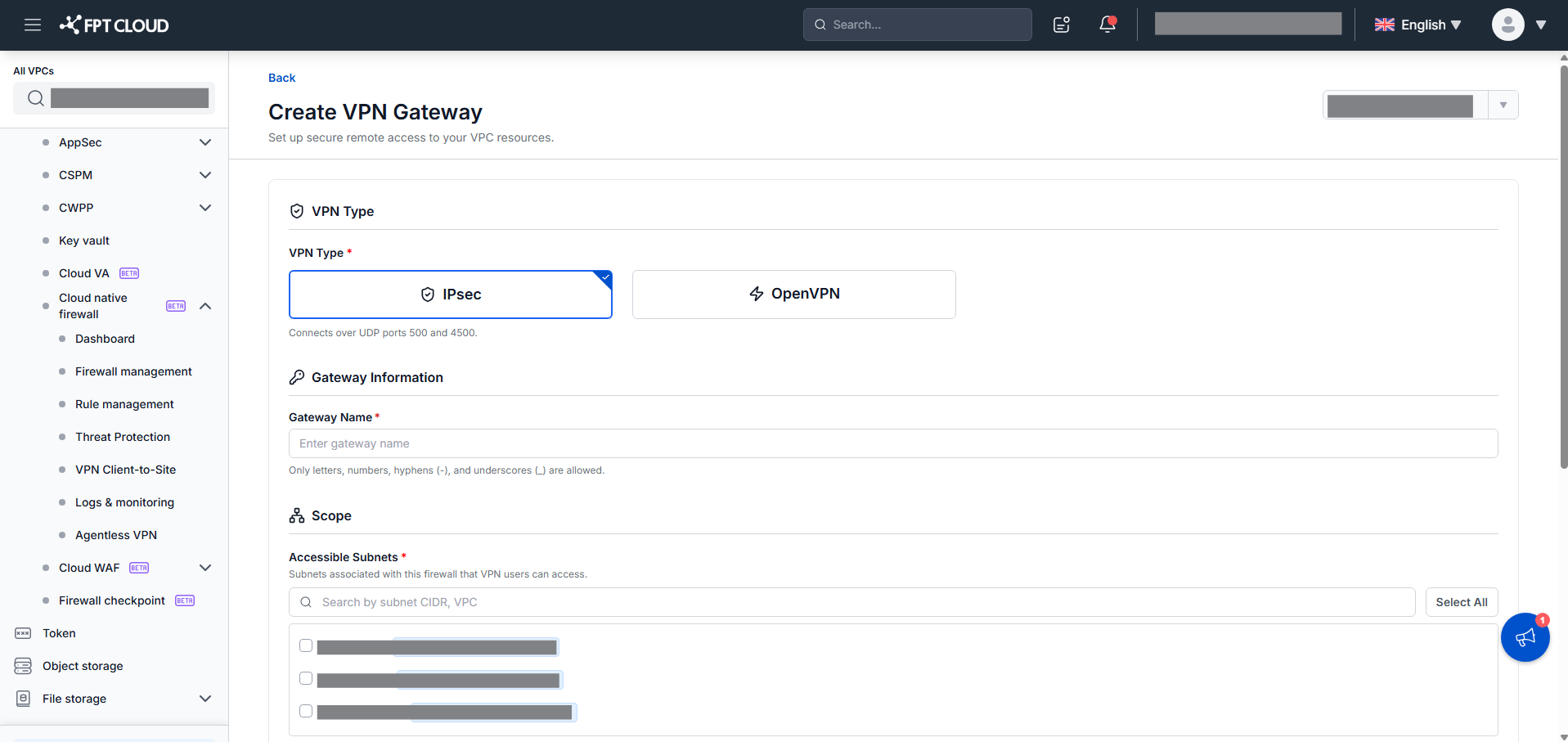
-
Click Create.
The system validates the whole form. On success it shows "Creating gateway. This may take a few minutes." and returns to the list. The new gateway appears at the top with Status =
Not Runningand a Creating spinner. When provisioning succeeds, Status becomesRunning. If it fails, Status staysNot Runningwith a failed icon; open the ⋮ menu to Retry or Delete.
The Gateway Name shows only the first violation, in this order: empty → "Gateway name is required."; invalid characters → "Only letters, numbers, hyphens, and underscores are allowed."; duplicate → "Gateway name already exists." An invalid IPv4 DNS entry shows "Enter valid IPv4 DNS server addresses."; no DNS shows "Add at least one valid IPv4 DNS server."; a duplicate DNS shows "This DNS server is already added." Selecting no subnet shows "Select at least one subnet." Click Cancel or Back to discard and return to the list.