Asset List
The Asset List shows every resource Security Hub monitors in your cloud environment. Use it to track exposure, search by name, and investigate the issues on any asset.
View assets
Step 1. Go to Security → Security Hub → Asset Inventory.
The Asset List appears with all resources detected for your tenant.
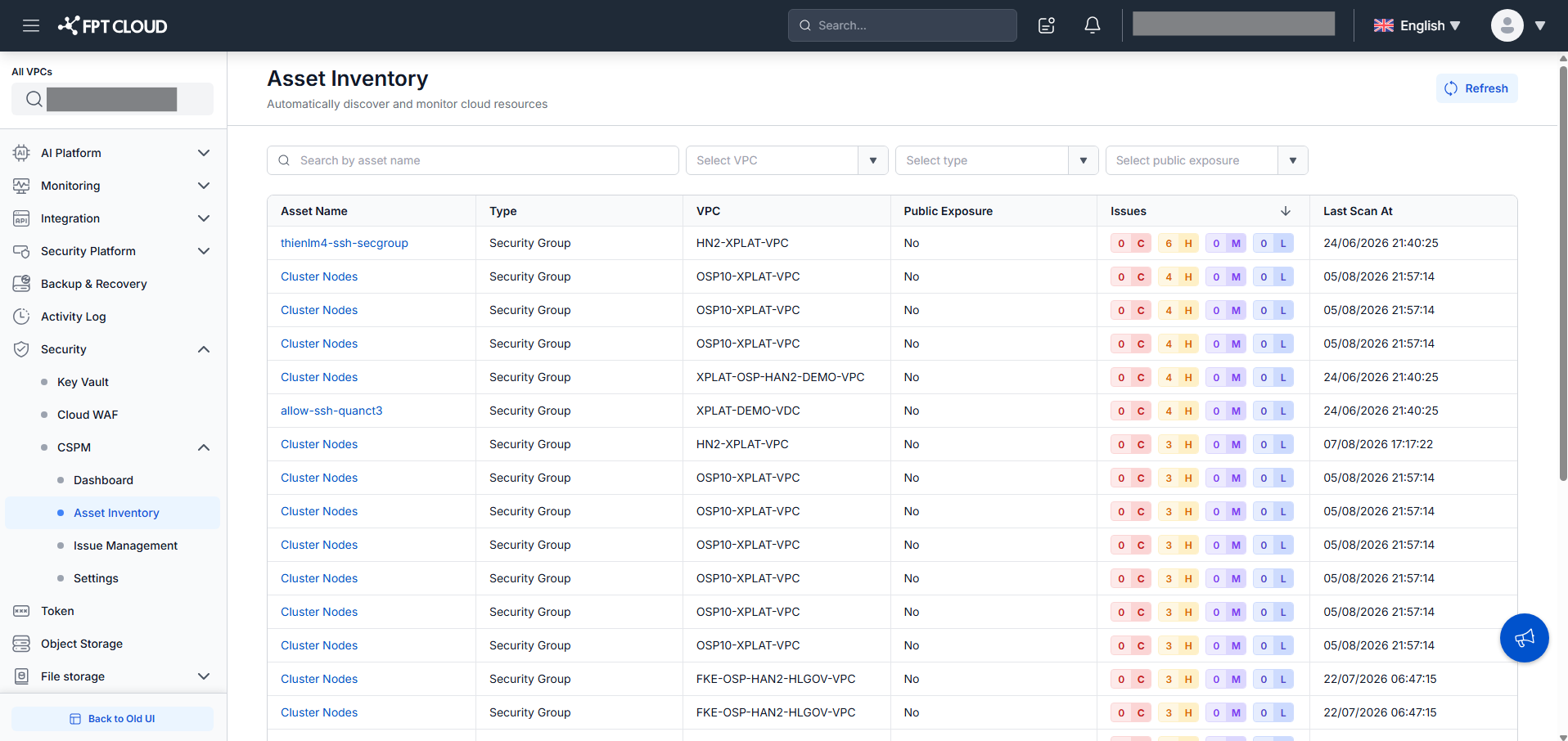
Step 2. Review the columns.
| Column | Description |
|---|---|
| Asset Name | Name of the cloud resource |
| Type | Resource type (e.g., Instance, Volume, Security Group) |
| VPC | The VPC that contains this asset |
| Public Exposure | Whether the asset is exposed to the internet — Yes or No |
| Last Scan At | Date and time of the most recent scan on this asset |
Step 3. Search for an asset.
Enter a name in the search field to find a specific resource.
Step 4. Filter the list.
Use the available filters to narrow results:
- VPC — show only assets in a specific VPC
- Asset Type — show only one resource type
- Public Exposure — show only publicly exposed or private assets
Step 5. View issues for an asset.
Click an asset name. A list of security issues detected on that asset appears.