Issue Detail
Issue Detail shows everything you need to understand, fix, and track a specific security issue — its description, remediation steps, references, affected asset configuration, and a complete activity history.
Open an issue
-
Click any row in the Issue List.
A popup opens with the full details of that issue.
-
Review the issue information.
| Field | Description |
|---|---|
| Severity | Risk level (Critical, High, Medium, Low) and numeric score |
| Issue name | Name of the security issue |
| Status | Current status: Open / False Positive / Accepted Risk / Resolved |
| Asset name | Name of the affected resource |
| Asset Type | Type of the affected resource |
-
Read the issue description.
Issue Description explains what misconfiguration or risk was detected and why it matters.
-
Follow the remediation guidance.
Issue Remediation provides specific steps to fix the issue on the affected asset.
-
Check references (optional).
References lists documentation links and guidelines related to this issue.
-
Review the affected asset.
Asset Information shows the resource's configuration details that triggered the finding.
-
Click Close to return to the Issue List.
Activity log
The Activity section at the bottom of Issue Detail records the complete history of every event for this issue, newest first.
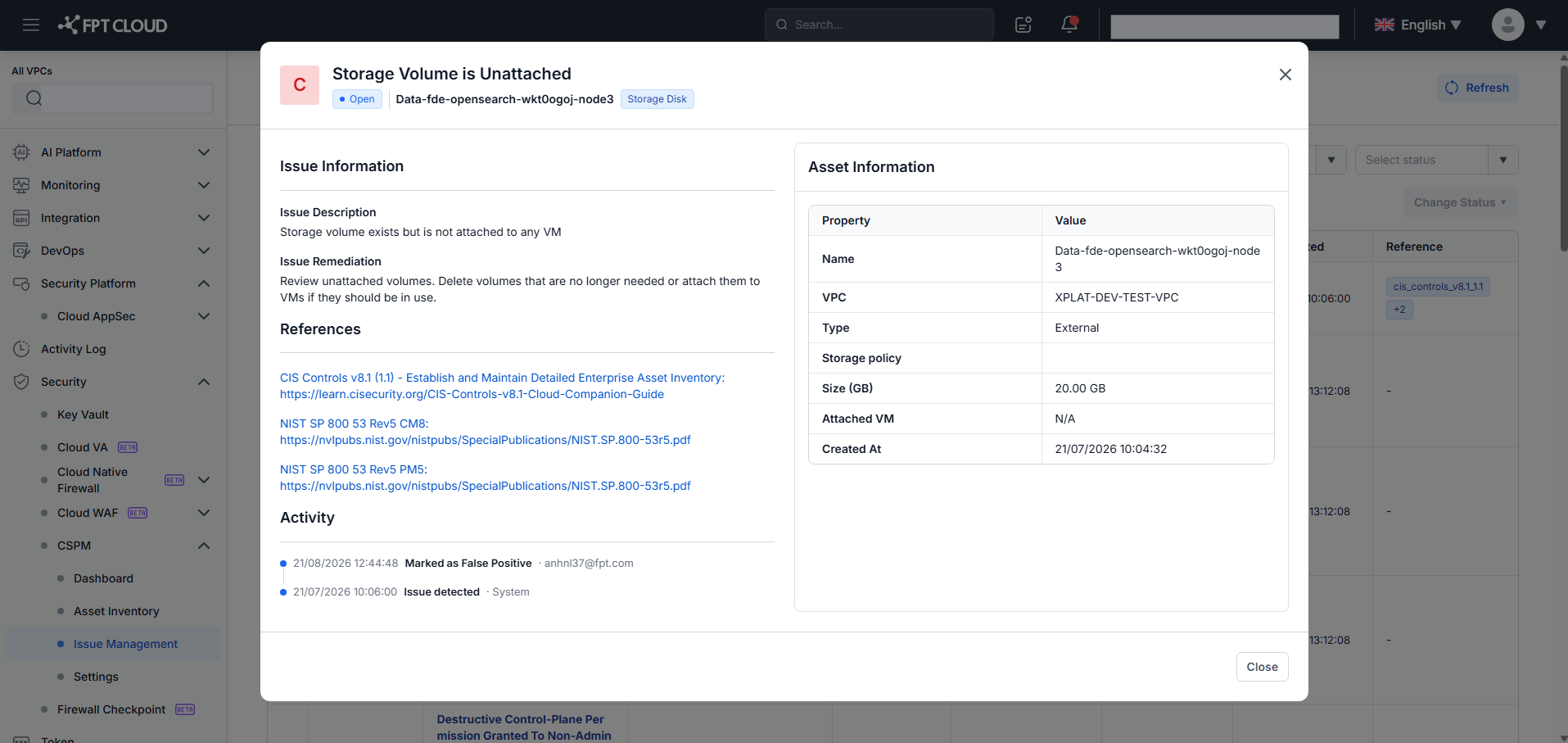
Each entry shows:
- Event type — what happened (see table below)
- Actor — who or what triggered the event: user email address or
System - Timestamp — date and time in
DD/MM/YYYY HH:mm:ssformat - Comment — user's note, if one was added during a manual status change
- Reason — system-generated explanation for automatic events
| Event | Actor | Additional info |
|---|---|---|
Issue detected | System | — |
Marked as False Positive | User email | Comment (if entered) |
Marked as Accepted Risk | User email | Comment (if entered) |
Reopened (manual) | User email | Comment (if entered) |
Auto-resolved | System | Reason: "Issue no longer detected in the latest scan" |
Reopened (automatic) | System | Reason: "Issue re-detected in the latest scan" |
Both manual and automatic "Reopened" events share the same label. Distinguish them by the Actor column: a user email address means a manual reopen; System means the issue was re-detected on rescan.