Model Catalog を参照する
Model Catalog を開く
左サイドバーの Dedicated Inference で Model Catalog をクリックします。
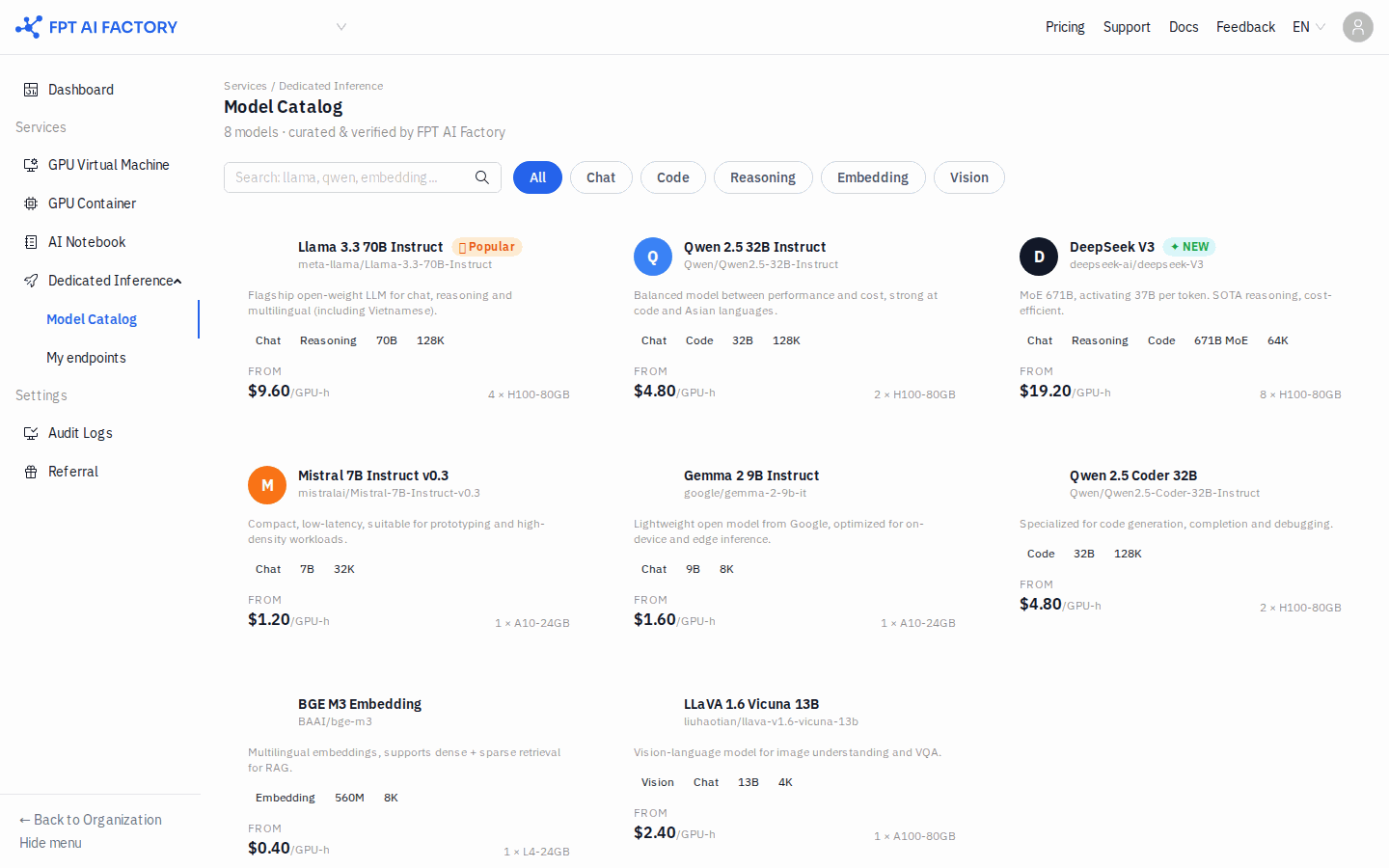
カタログには Hugging Face の利用可能なモデルがカード形式で表示されます。各カードには次の情報が表示されます。
- モデル名と Hugging Face リポジトリのパス(例:
meta-llama/Llama-3.3-70B-Instruct) - 機能タグ: Chat · Reasoning · Code · Embedding · Vision
- context window のサイズ(例: 128K)
- 開始価格: FROM $X.XX /GPU-h
モデルを絞り込む
上部のフィルタタブで機能タイプごとに絞り込めます。
All · Chat · Code · Reasoning · Embedding · Vision
検索バー(Search: llama, qwen, embedding...)では、モデル名やリポジトリで検索できます。
モデルをデプロイする
モデルカードの Deploy をクリックすると My endpoints に移動し、Deploy Dedicated Endpoint モーダルが開きます。Hugging Face リポジトリのパスは手動で入力する必要があります。
詳細は モデルをデプロイする を参照してください。