Orchestration の詳細を表示する
サービスの詳細ページでは、Airflow UI の URL とサインイン情報を調べ、サービスの設定を確認し、名前や説明を変更できます。
サービスの詳細を開く
- Data platform → Workspace management を選択し、workspace を選択します。
- Overview タブの Services で、Orchestration を選択します。
詳細ページが開きます。ページのタイトルは Orchestration: とサービス名で、サービスの Status と Created at、および Essential Information、Services Configuration、Advanced の 3 つのタブが表示されます。Actions メニューには、次の 2 つのオプションがあります。
- Restart: サービスを再起動します。
- Delete: サービスを削除します。Orchestration サービスを削除するを参照してください。
Essential Information タブ
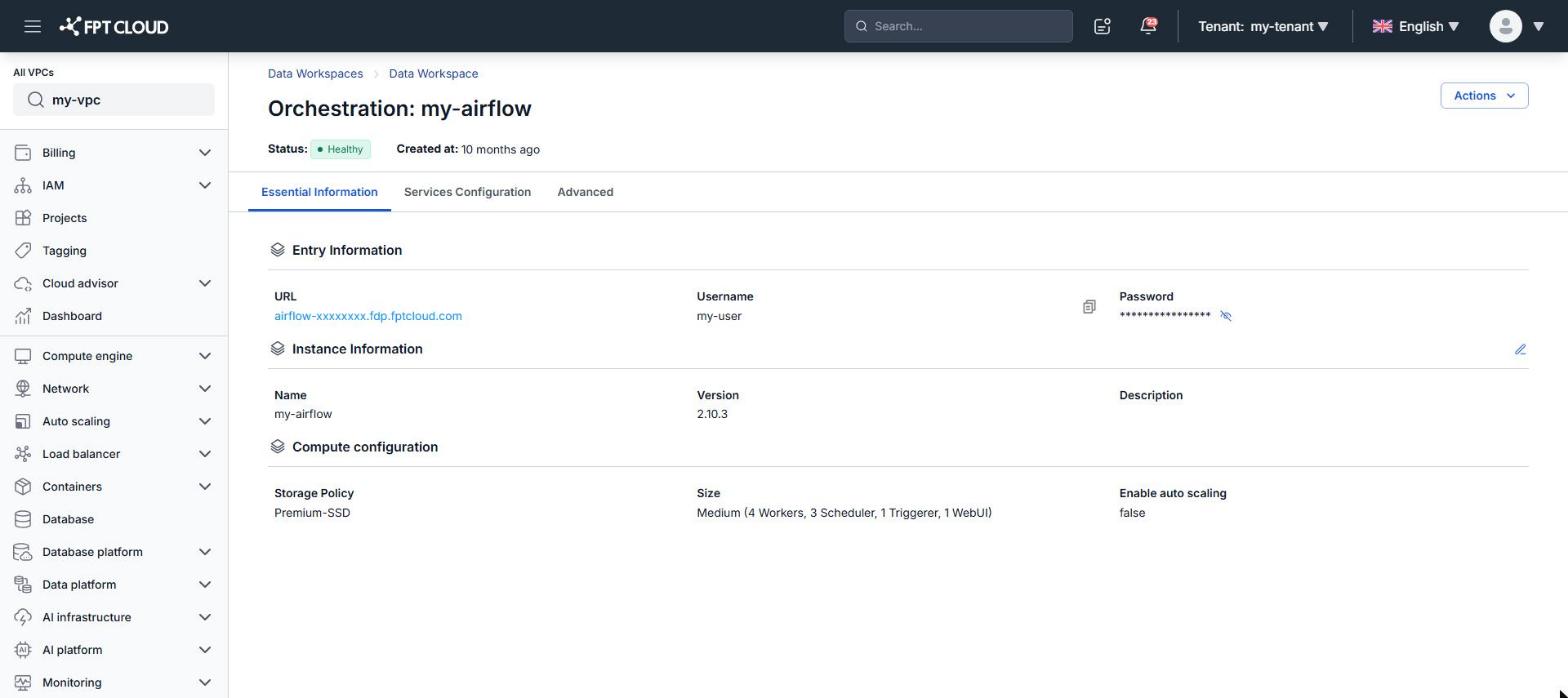
Essential Information タブには、Airflow UI を開く方法とサービスの設定が、3 つのセクションに分けて表示されます。
| セクション | フィールド |
|---|---|
| Entry Information | Airflow UI を開くための URL、Username、Password。コピーアイコンを選択すると、ユーザー名をコピーできます。パスワードはマスク表示されます。Show password の目のアイコンを選択すると、パスワードが表示されます。 |
| Instance Information | サービスの Name、Version、Description。 |
| Compute configuration | Storage Policy、構成要素を含む Size (例: Small (4 Workers, 2 Scheduler, 1 Triggerer, 1 WebUI))、Enable auto scaling (true または false)。 |
Airflow UI を開くには、URL にアクセスします。シングルサインオン (SSO) を使用しない場合は、Username と Password でサインインします。FPT ID による SSO の場合は、URL を開くと、Sign In with FPTCloud ID ボタンだけがある Sign In ページが表示されます。このボタンを選択してサインインします。
名前または説明を変更する
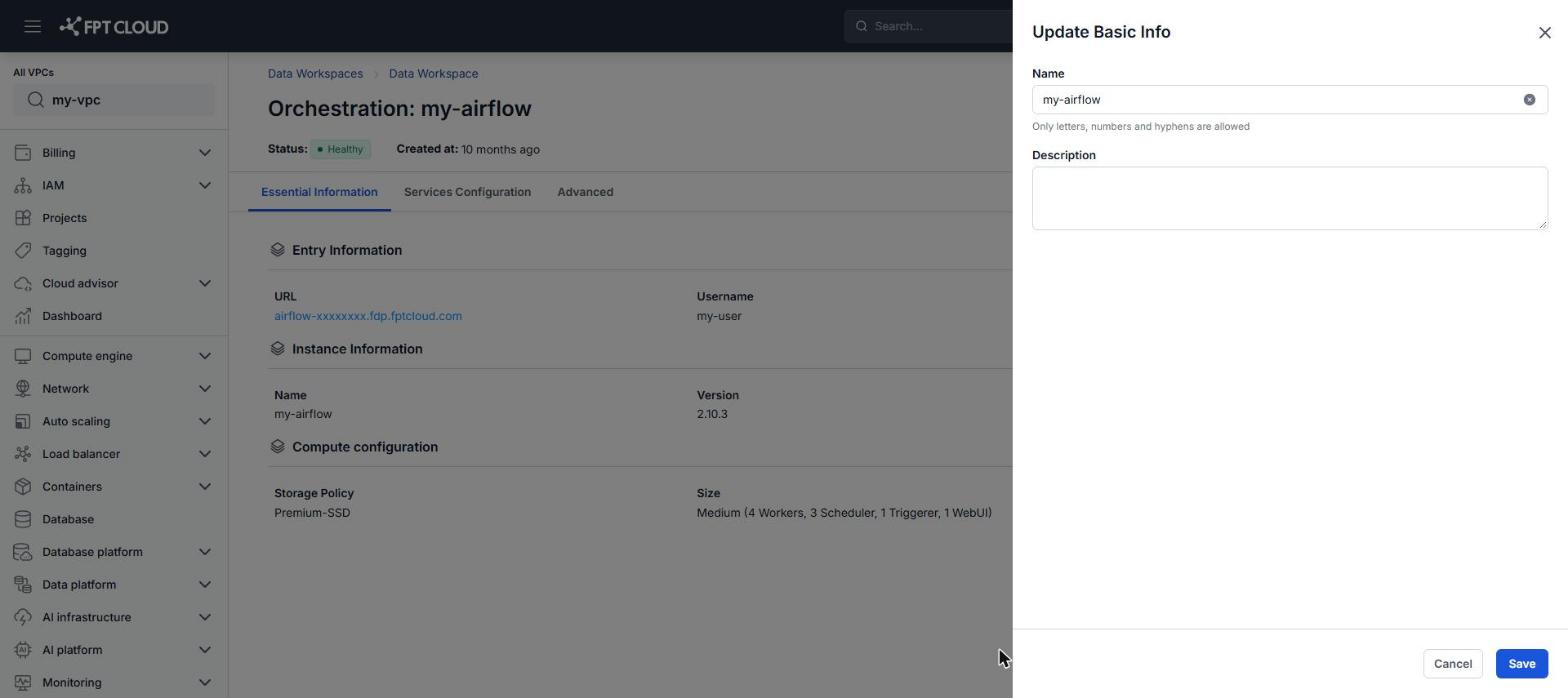
- Instance Information で、編集アイコンを選択します。
- Update Basic Info パネルで、Name または Description を変更します。
- Save を選択します。
Name には、英字、数字、ハイフンのみを使用できます。変更を保存せずにパネルを閉じるには、Cancel を選択します。
Services Configuration タブ
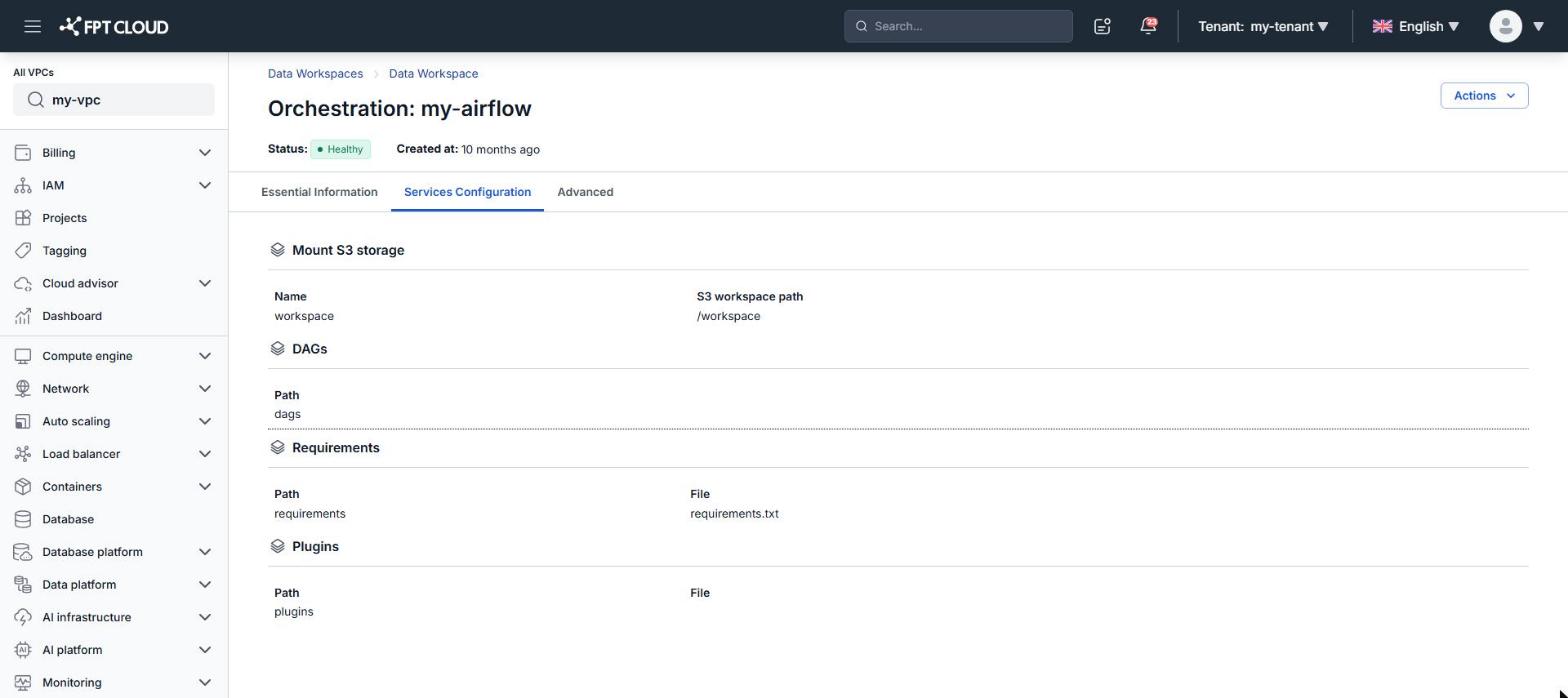
Services Configuration タブには、サービスがマウントするストレージと、DAG、requirements、plugin に使用するフォルダーが表示されます。このタブには編集アイコンはありません。
| セクション | フィールド |
|---|---|
| Mount S3 storage | ストレージの Name と S3 workspace path。 |
| DAGs | DAG ファイルを格納するフォルダーの Path (例: dags)。 |
| Requirements | Path と File (例: requirements と requirements.txt)。 |
| Plugins | Path (例: plugins) と File。 |
Advanced タブ
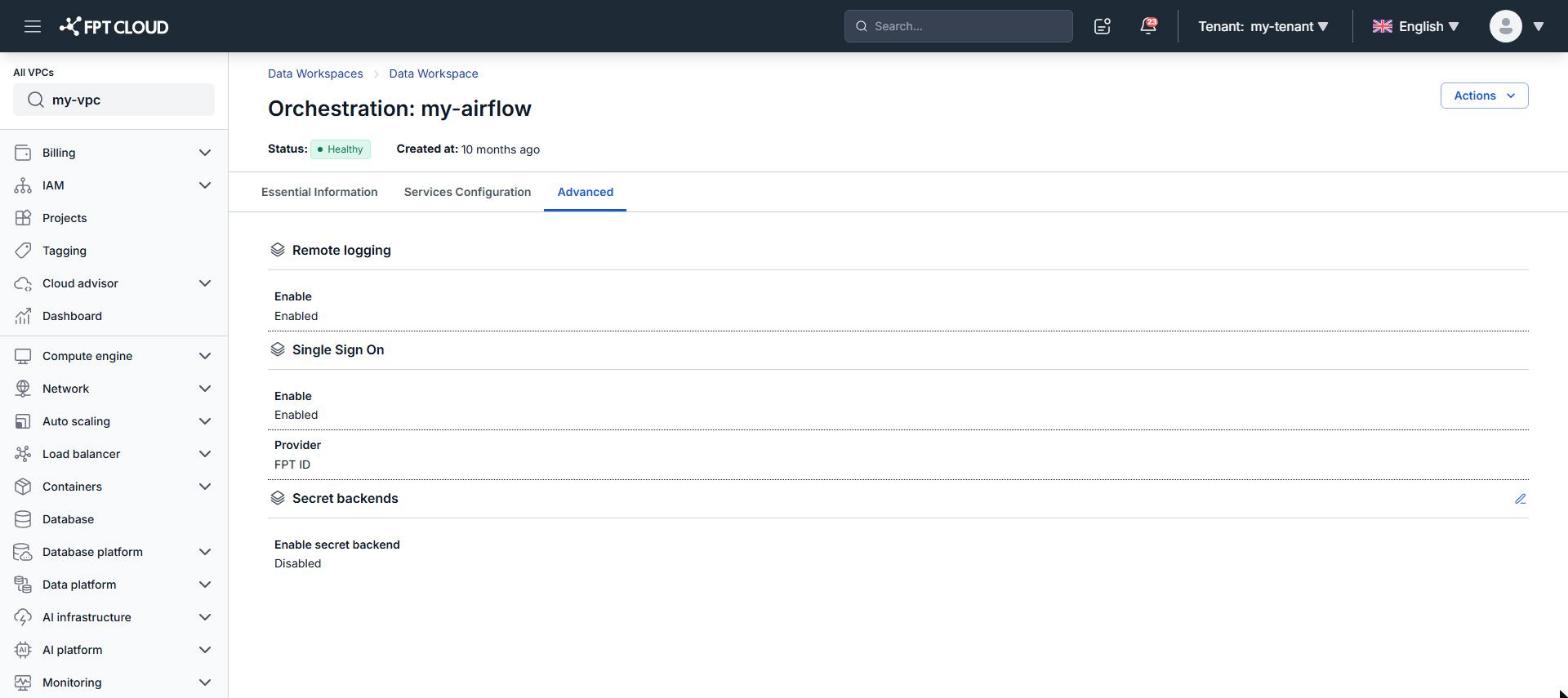
Advanced タブには、サービスのログ記録、サインイン、secret backend の設定が表示されます。サービスのデータベースと Redis は表示されません。
| セクション | フィールド |
|---|---|
| Remote logging | remote logging が有効かどうかを示す Enable。 |
| Single Sign On | サービスがシングルサインオン (SSO) を使用しているかどうかを示す Enable と、SSO が有効な場合の ID プロバイダー (identity provider) である Provider。 |
| Secret backends | Airflow が secret backend から connection と variable を読み取るかどうかを示す Enable secret backend。 |
Secret backends には編集アイコンがあります。secret backend を設定または変更するには、secret backend を設定するを参照してください。