Custom Domain の追加
Custom Domain を使うと、クライアントはデフォルトドメインの代わりに、api.yourcompany.com などの独自ドメインで API を呼び出せます。API Gateway は、選択した Certificate を使って Custom Domain を HTTPS で提供します。
警告
- ドメインを所有し、その DNS レコードを編集できる必要があります。
- 組織に、追加するドメインを Domains (SAN) に含む Certificate が必要です(例:
*.yourcompany.comはapi.yourcompany.comを含みます)。まだない場合は、先に Certificate をインポートするか、ステップ 2 で直接インポートします。
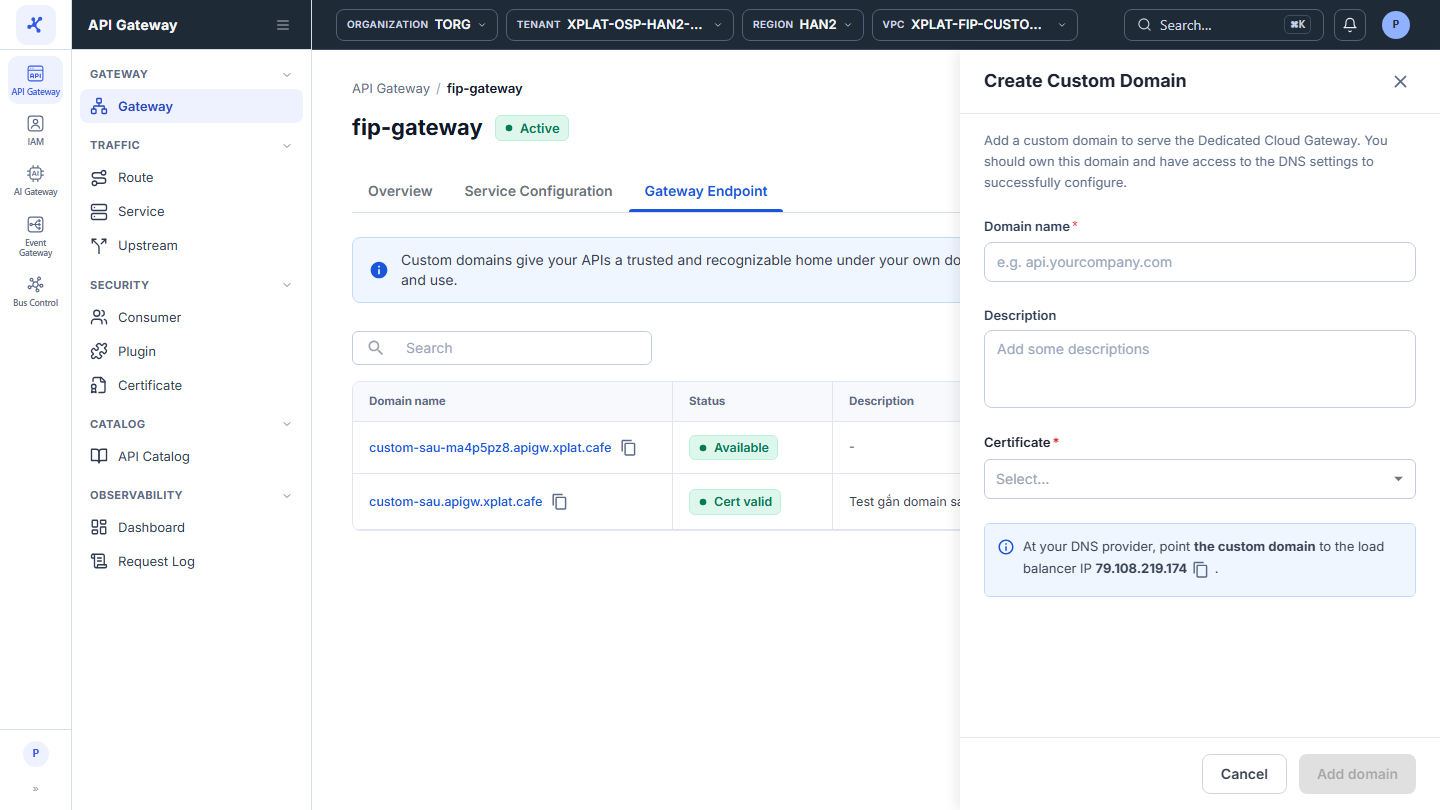
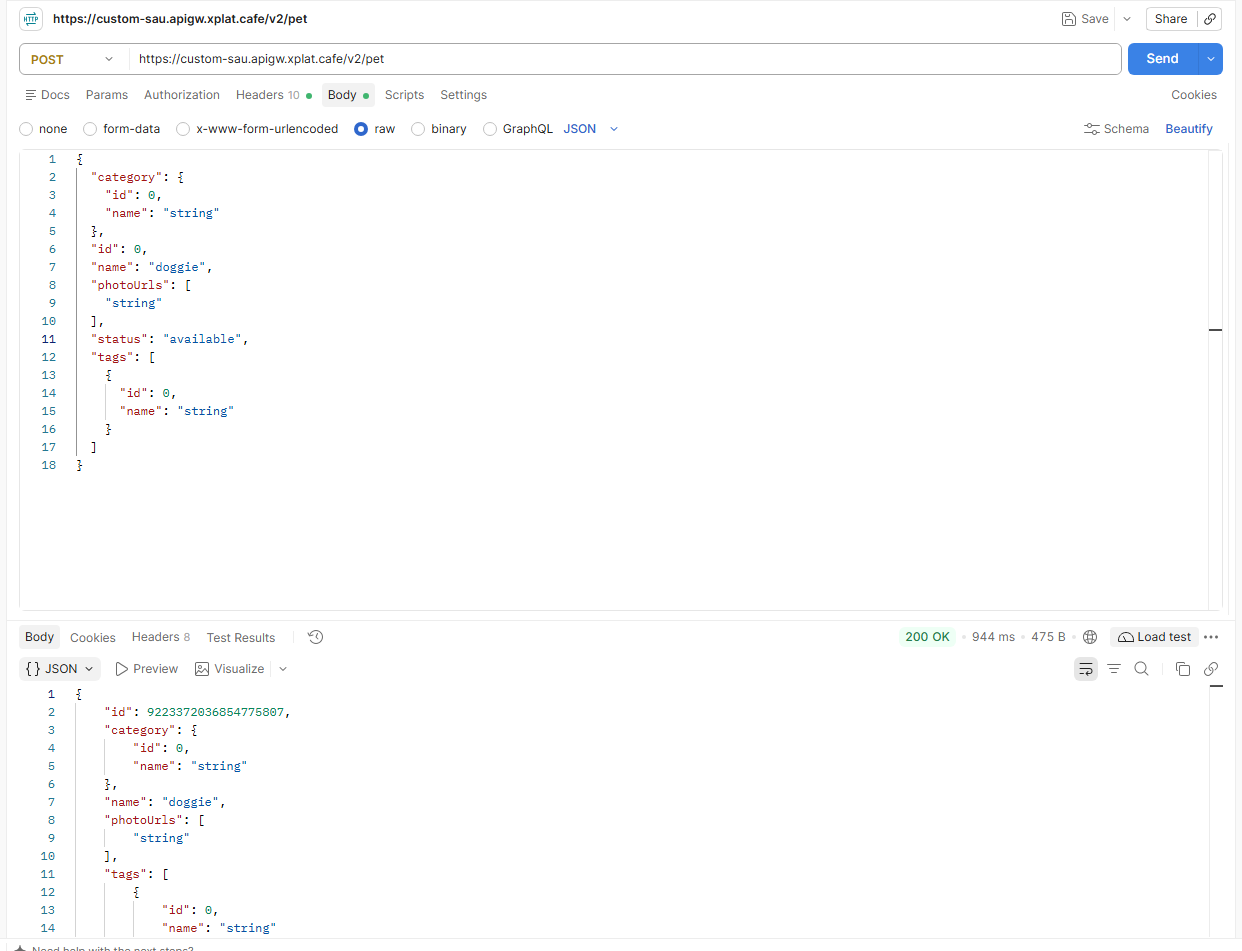
ステップ 1Gateway Endpoint タブを開き、Add Domain をクリックします
1 / 5
画像をクリックすると拡大します。
Custom Domain を追加する
Custom Domain を追加するには、次の手順を実行します。
- 左側のメニューで API Gateway → Gateway を選択し、API Gateway の名前をクリックします。Gateway Endpoint タブを選択してから、Add Domain をクリックします。
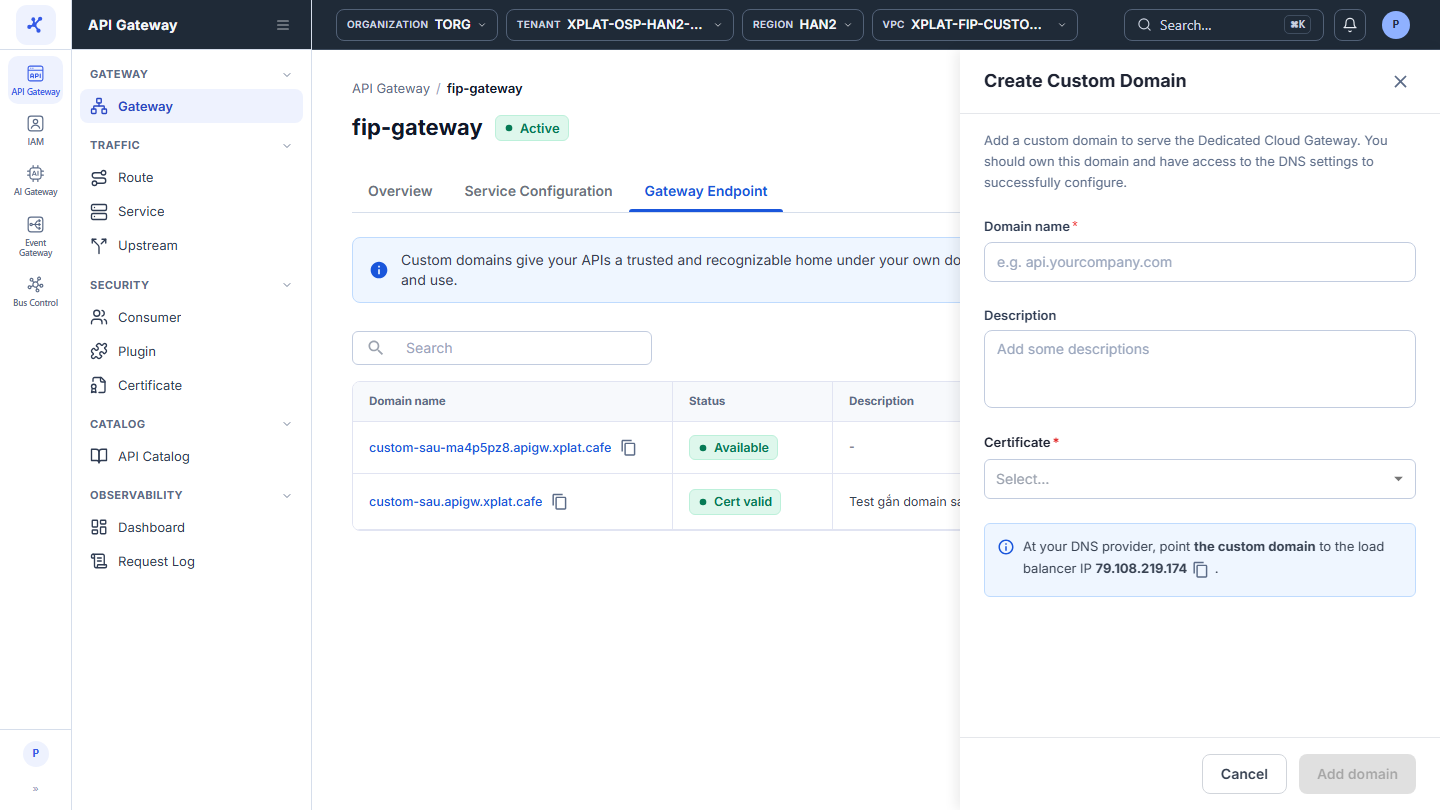
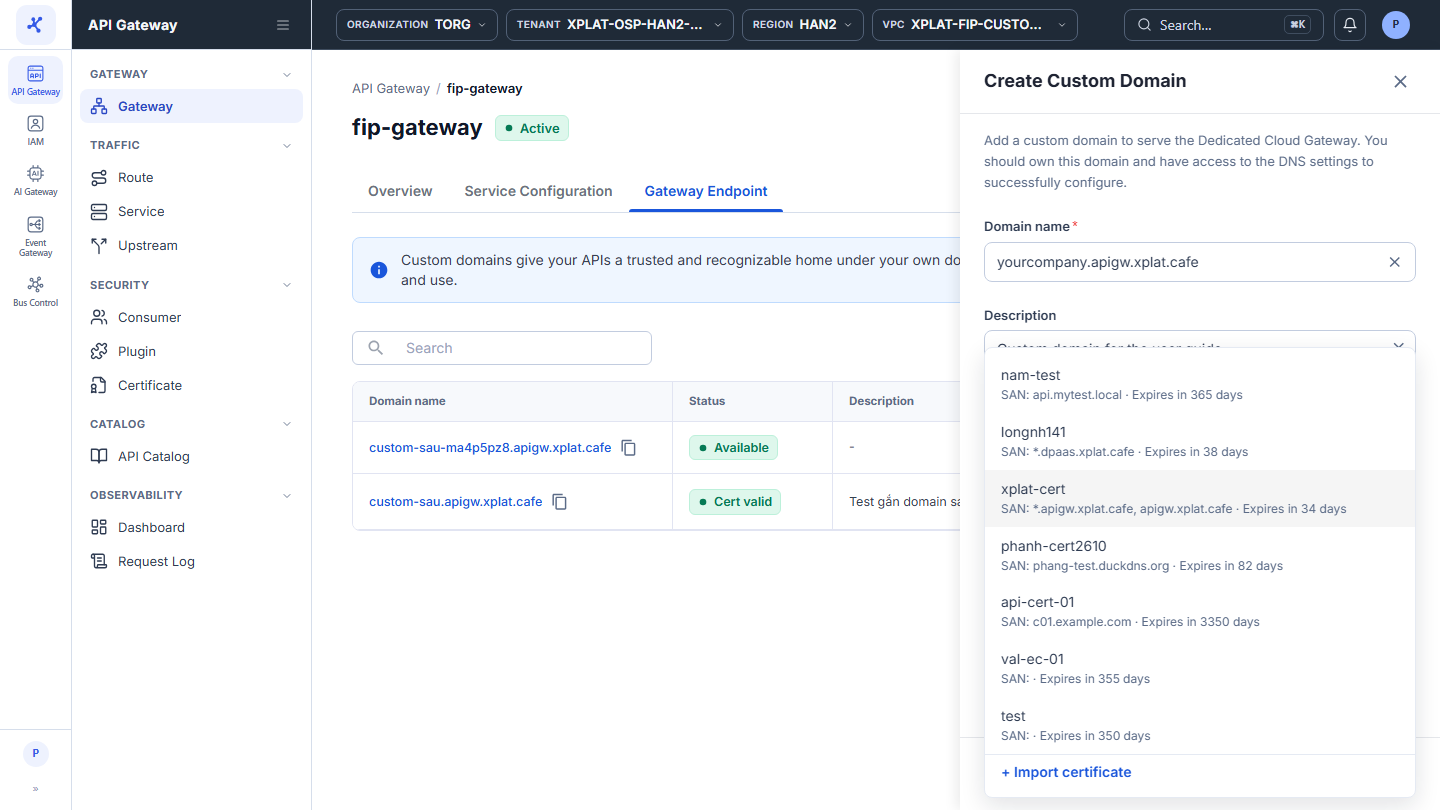
- Create Custom Domain フォームで次の情報を入力します。
| フィールド | 必須 | 説明 |
|---|---|---|
| Domain name | Y | 完全なドメイン名です(例: api.yourcompany.com)。https://、path、ワイルドカードは含めません。組織内の他の Custom Domain と重複できません。 |
| Description | N | ドメインの用途です。 |
| Certificate | Y | ドメインを含む Certificate です。一覧の各 Certificate には Domains (SAN) と有効期限が表示されます。新しい Certificate をインポートするには、一覧の下部にある + Import certificate をクリックします。 |
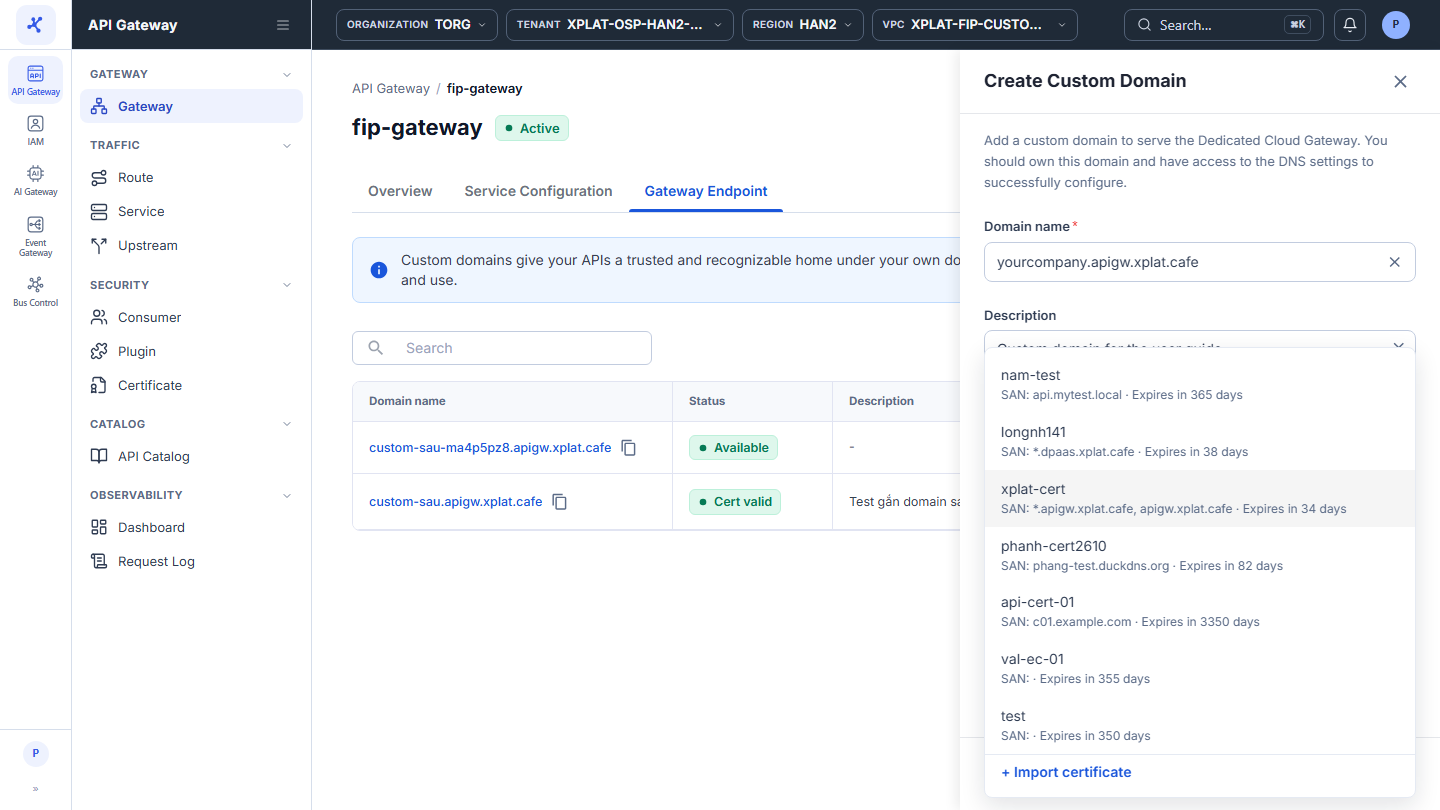
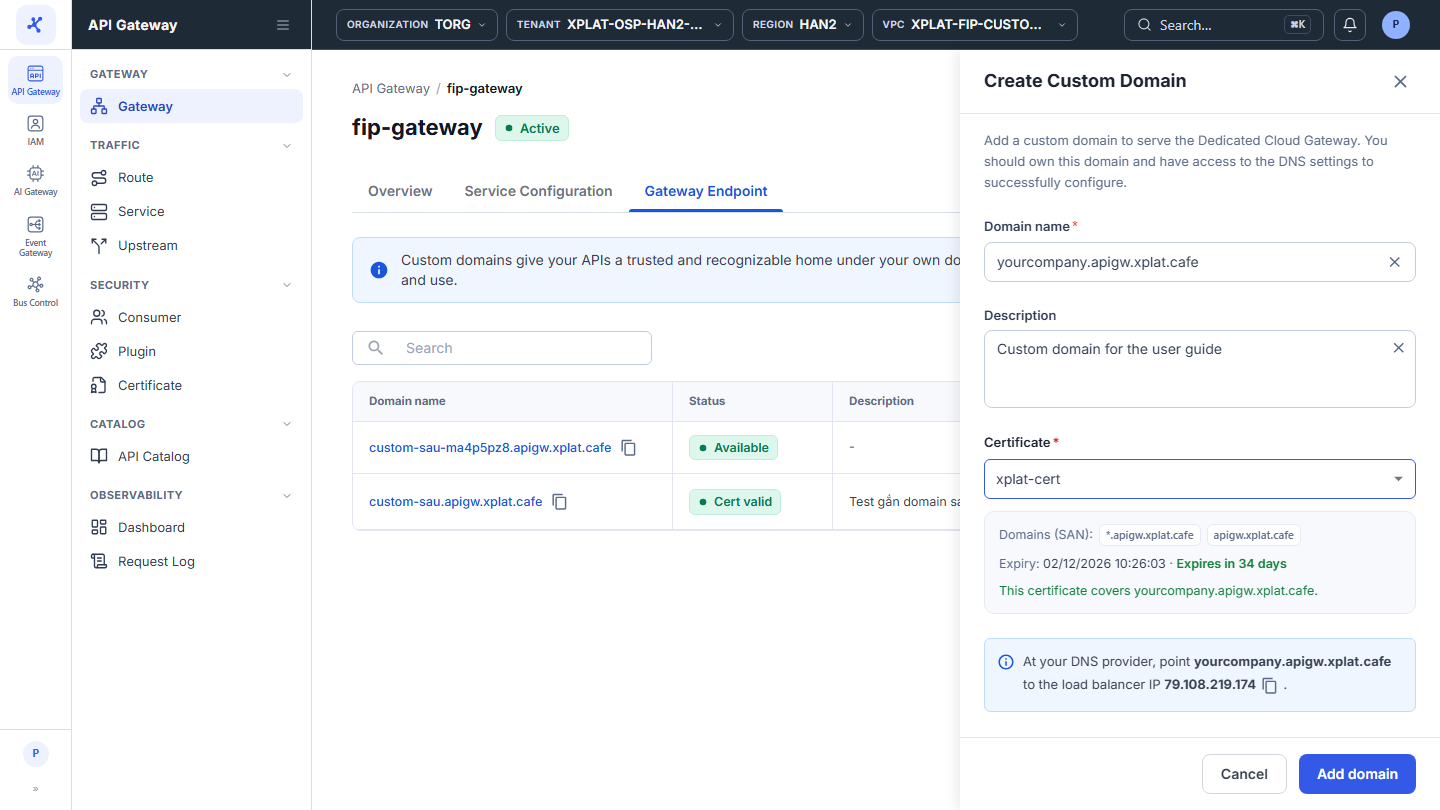
Certificate が有効でドメインを含む場合、フォームに This certificate covers <domain>. と表示されます。その下の青いボックスには、API Gateway の Load Balancer IP がコピーアイコン付きで表示されます。
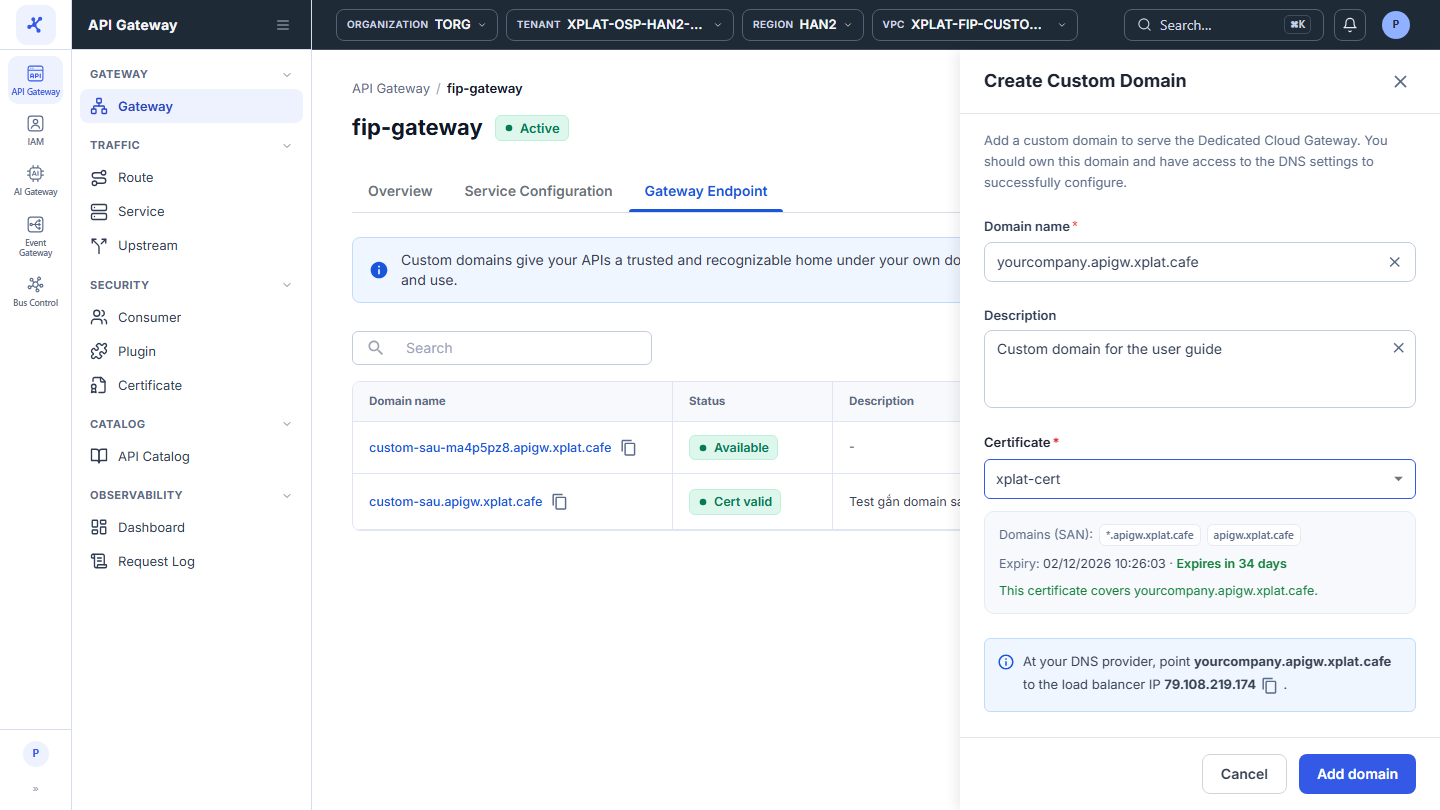
- Add domain をクリックします。このボタンは、ドメインと Certificate が有効な場合にのみ有効になります。
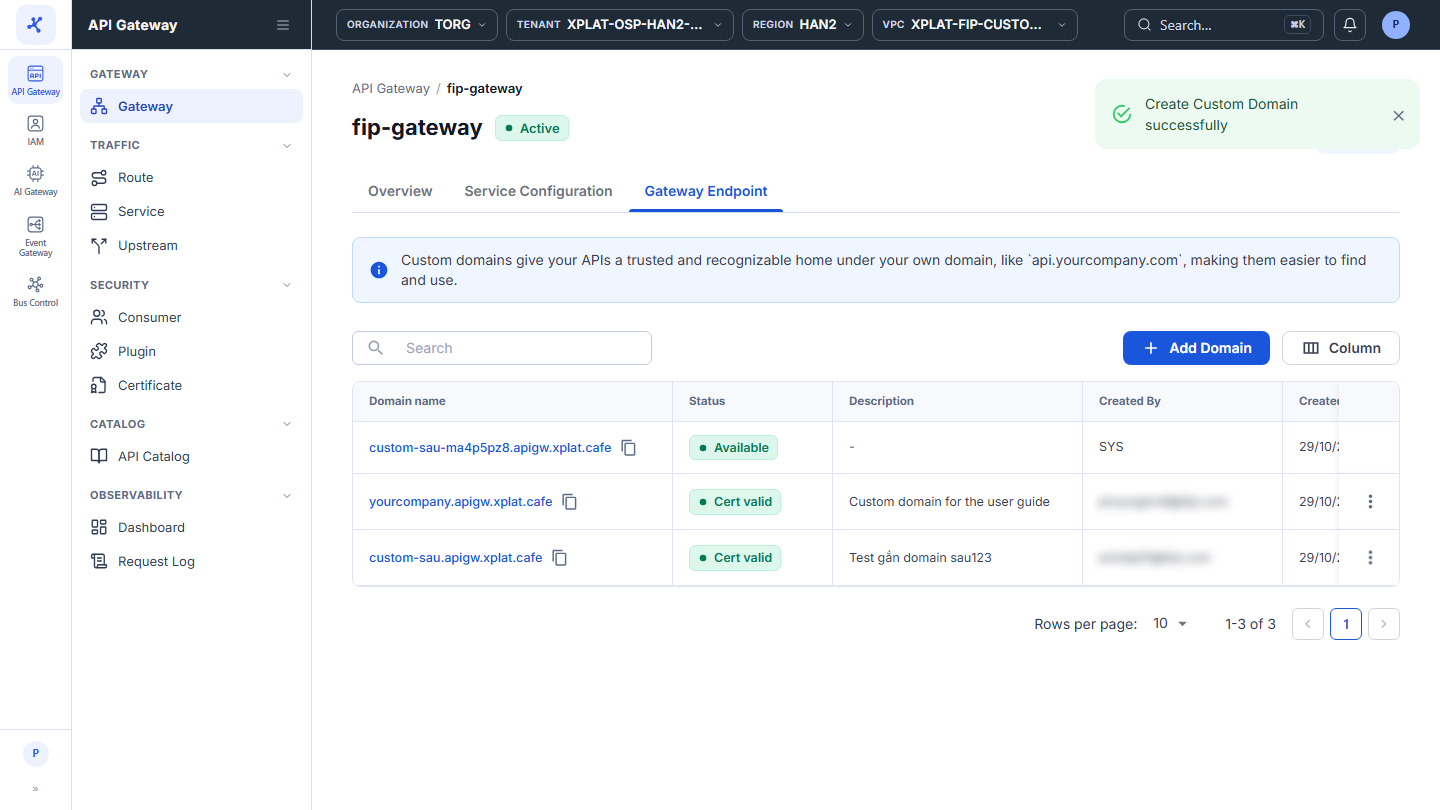
Create Custom Domain successfully というメッセージが表示されます。新しい Custom Domain が Gateway Endpoint タブの先頭に Cert valid の状態で表示されます。ドメインは API Gateway 一覧の Gateway URL 列と、Certificate の SNIs 列と Used by 列にも表示されます。
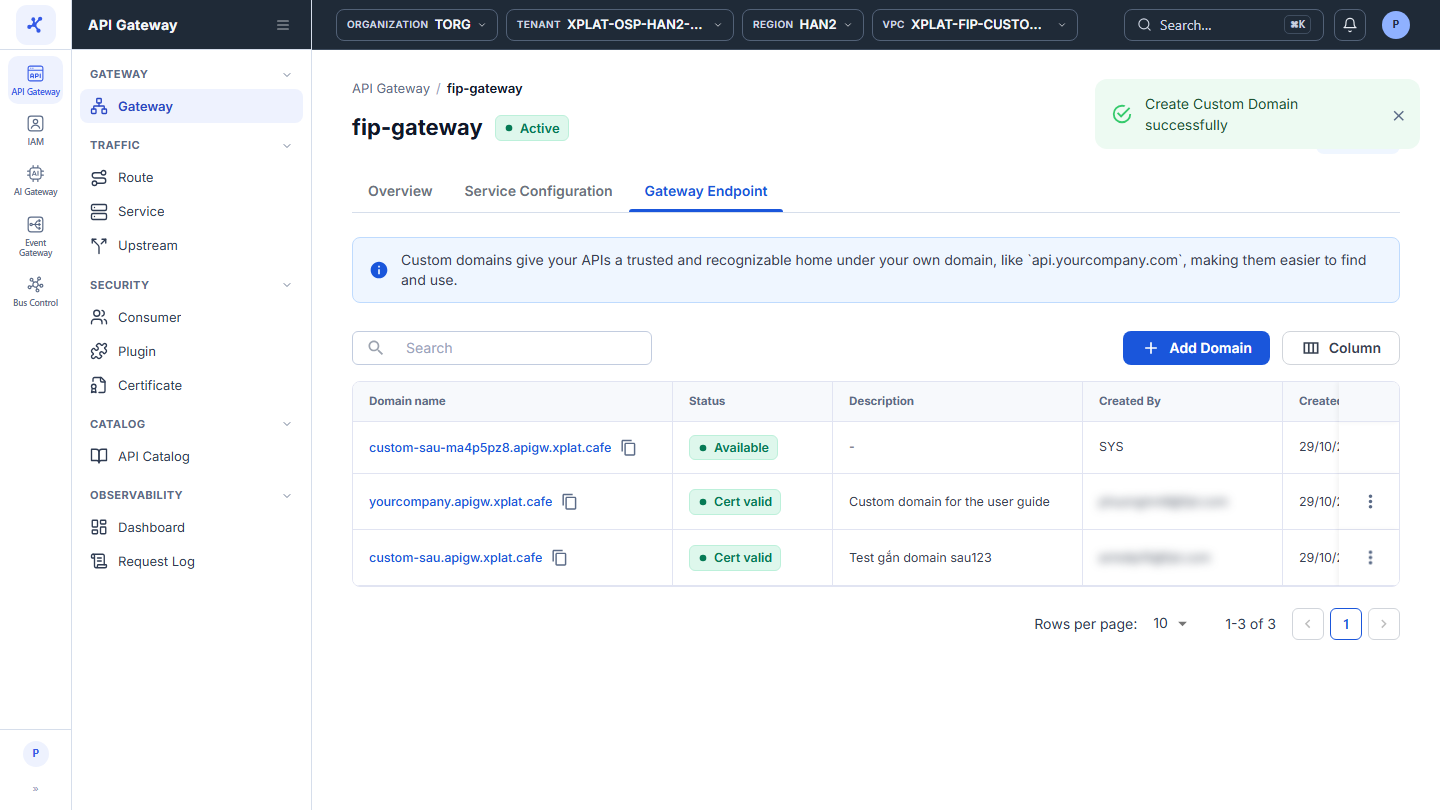
- DNS プロバイダーで、ドメインをフォームに表示された Load Balancer IP に向ける DNS レコードを作成します。この IP は、API Gateway の Service Configuration → Load Balancer Configuration → Load Balancer IP でも確認できます。
注記
システムは DNS を確認しません。ドメインがトラフィックを処理できるのは、DNS レコードが Load Balancer IP を指し、DNS の変更の反映が完了した後です。
ヒント
API Gateway を作成するときに、Endpoint ステップで Custom Domain を追加することもできます。API Gateway の作成を参照してください。
よくある問題
| エラー | 原因 | 対処方法 |
|---|---|---|
| Domain name must be a valid domain, e.g. api.example.com. | ドメインに https://、path、無効な文字が含まれているか、階層が 1 つしかありません | 完全なドメイン名を入力します(例: api.yourcompany.com)。 |
| Wildcard domains are not supported. Enter a fully qualified domain name, e.g. api.example.com. | ドメインに * が含まれています | 特定のドメインを 1 つ入力します。ワイルドカードは Certificate の Domains (SAN) でのみ使用します。 |
| A custom domain must be unique within the organization | このドメインはすでに組織内の別の API Gateway の Custom Domain です | 別のドメインを使うか、先にもう一方の API Gateway からドメインを削除します。 |
| <domain> is not in the domains (SAN) of this certificate, so clients would get a certificate name mismatch. Select a certificate that covers this domain. | Certificate がドメインを含んでいません | Domains (SAN) にドメインまたは一致するワイルドカードを含む Certificate を選択します。 |
| This certificate is expired. Select another certificate or renew it first. / This certificate is not yet valid … | Certificate の有効期限が切れているか、まだ有効になっていません | 別の Certificate を選択するか、この Certificate を更新します。 |
Custom Domain を確認する
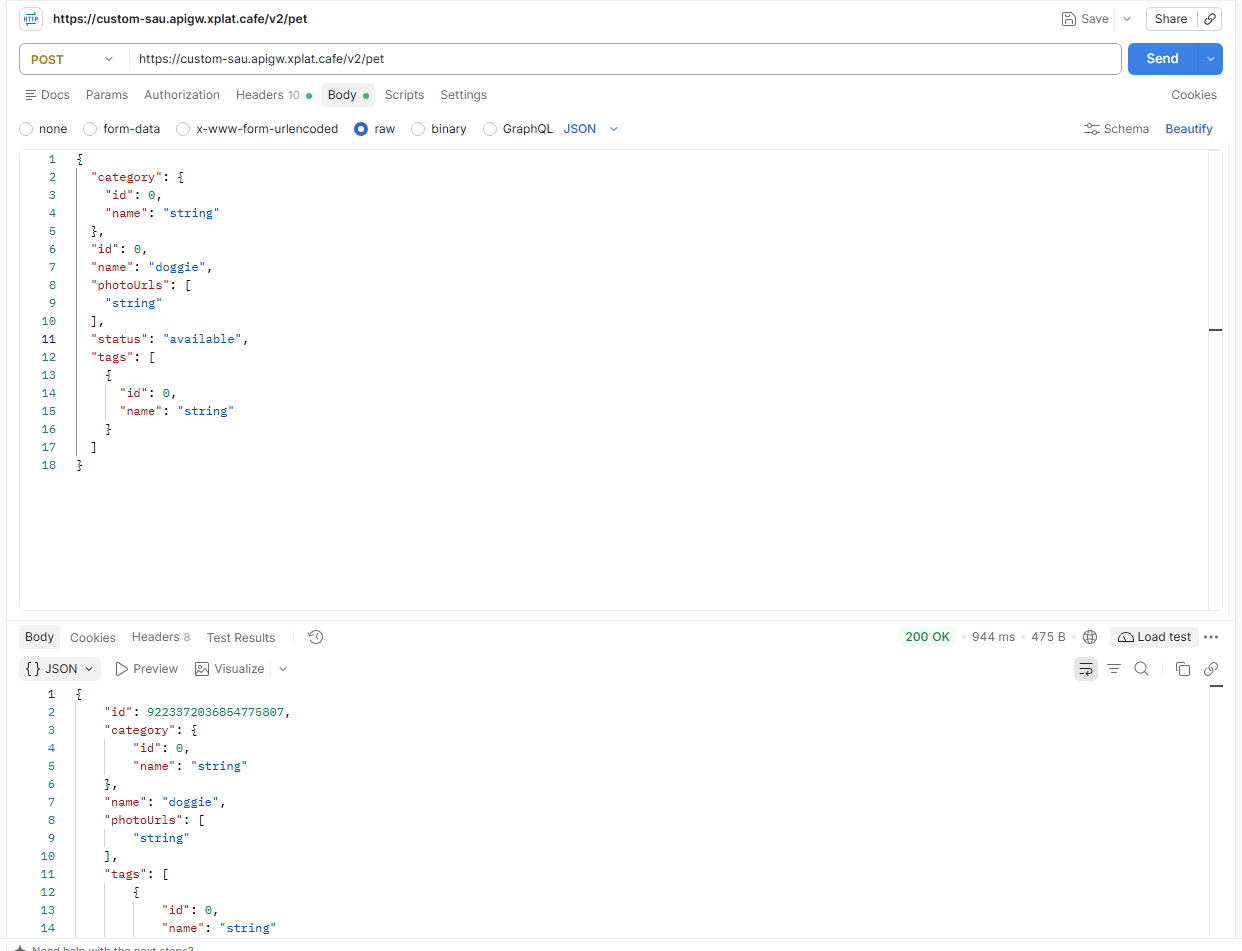
- Postman または curl で、Custom Domain 経由で Route にリクエストを送信します:
https://<Custom Domain>/<Route の path>。レスポンスは、デフォルトドメインを呼び出したときと同じである必要があります。
よくある問題
| エラー | 原因 | 対処方法 |
|---|---|---|
| 状態が Cert valid なのにドメインへのリクエストが失敗する | DNS レコードがない、誤った IP を指している、または DNS の変更がまだ反映されていません | DNS レコードを Load Balancer IP と照合し、DNS の更新を待ちます。 |