Custom Domain の編集
Custom Domain で変更できるのは Certificate だけです。Domain name は変わりません。変更はすぐに適用され、Load Balancer IP は変わらないため DNS を更新する必要はありません。
ヒント
有効期限が近い Certificate を、それを使用しているすべての Custom Domain で置き換えるには、Custom Domain を 1 つずつ編集する代わりに Certificate を更新します。
ステップ 1–2Gateway Endpoint タブを開き、編集する Custom Domain の行で ⋮ → Edit をクリックします
1 / 2
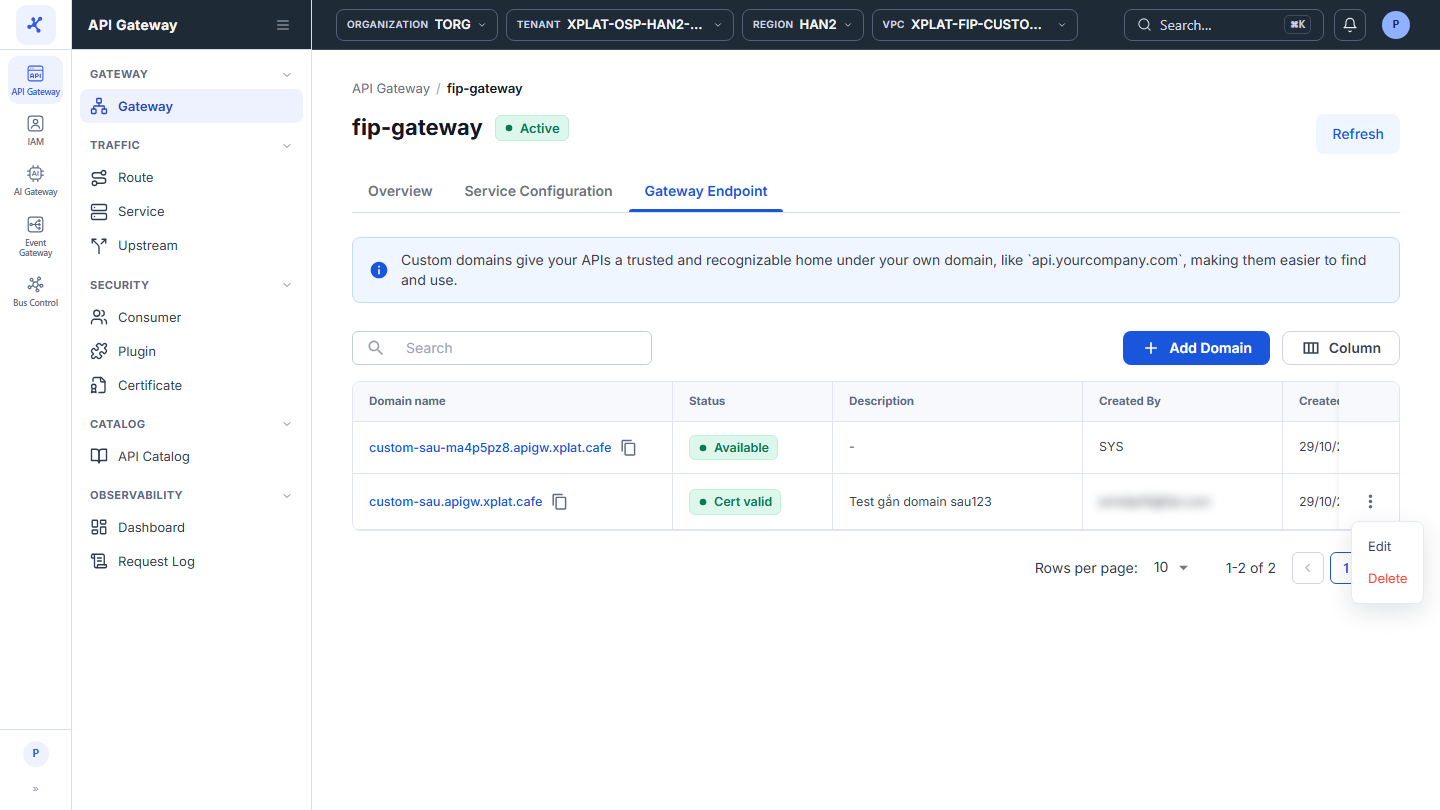
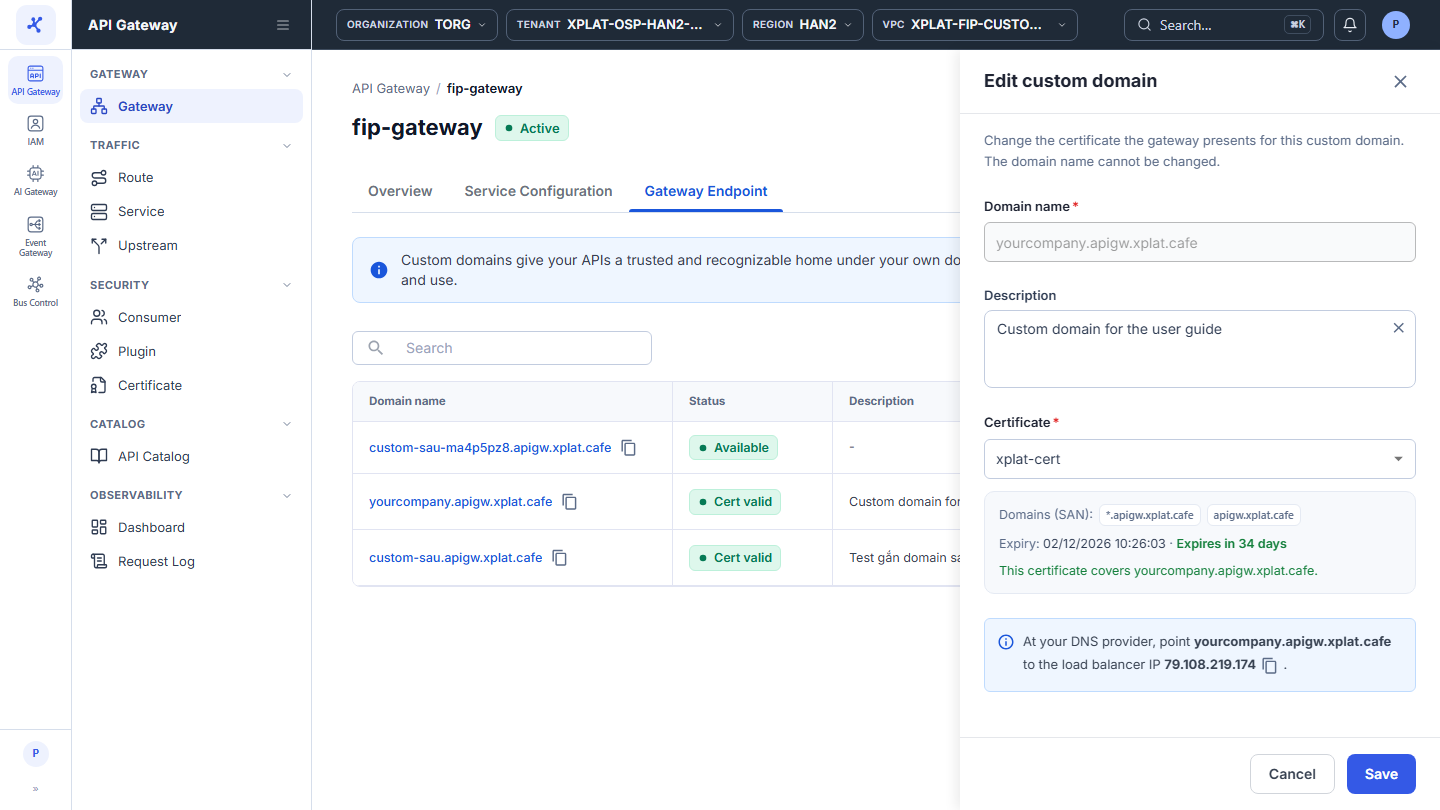
画像をクリックすると拡大します。
Custom Domain を編集する
Custom Domain を編集するには、次の手順を実行します。
-
左側のメニューで API Gateway → Gateway を選択し、API Gateway の名前をクリックしてから、Gateway Endpoint タブを選択します。
-
編集する Custom Domain の行で、⋮ → Edit をクリックします。
-
Edit custom domain フォームで別の Certificate を選択します。Certificate の一覧と + Import certificate オプションは、Custom Domain の追加と同じです。
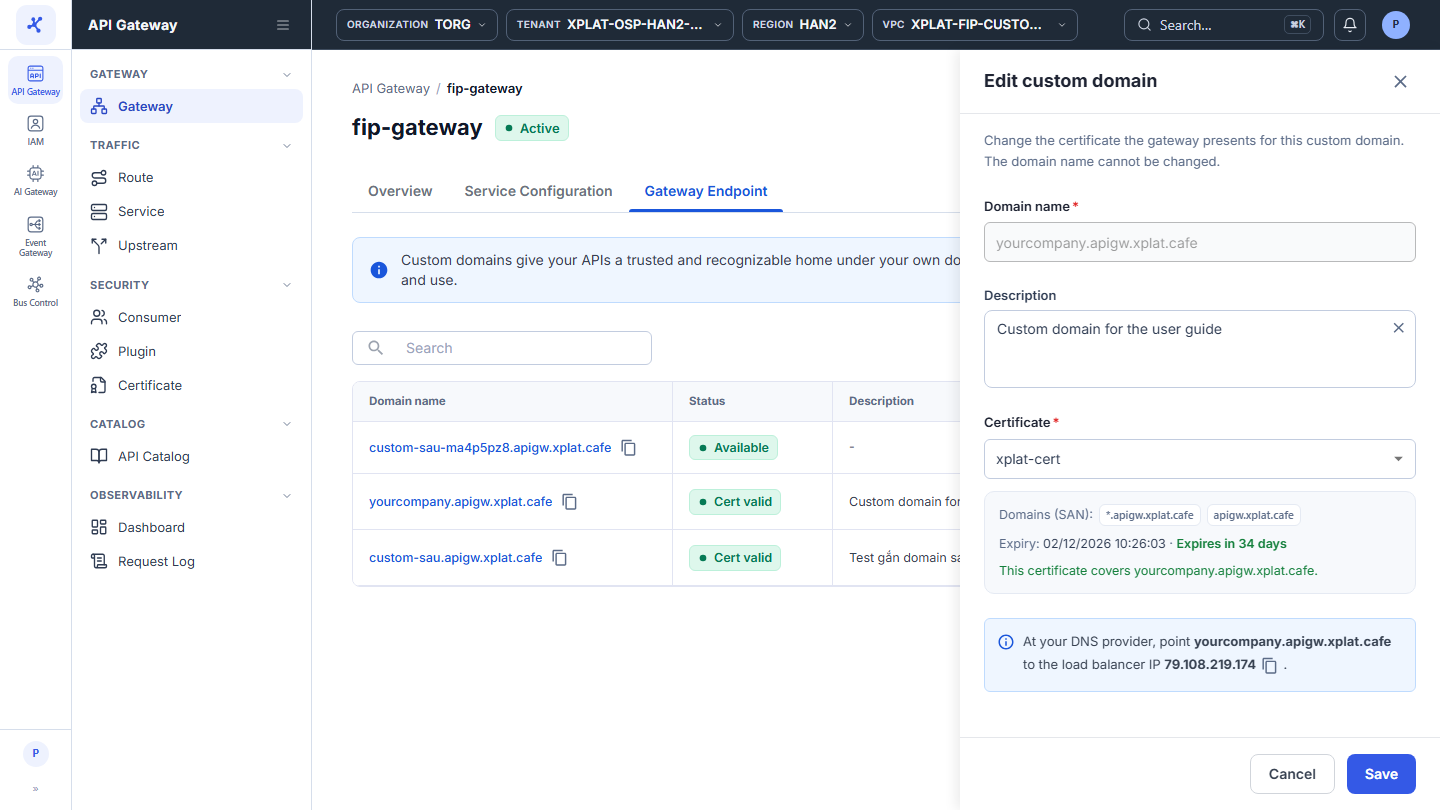
- Save をクリックします。このボタンは、選択した Certificate が有効でドメインを含む場合にのみ有効になります。
Update Custom Domain successfully というメッセージが表示されます。ドメインは古い Certificate の SNIs 列と Used by 列から新しい Certificate に移り、ドメインの状態は新しい Certificate に基づいて再計算されます。
よくある問題
| エラー | 原因 | 対処方法 |
|---|---|---|
| This certificate is expired. Select another certificate or renew it first. | 選択した Certificate の有効期限が切れています | 有効な Certificate を選択するか、先に Certificate を更新します。 |
| <domain> is not in the domains (SAN) of this certificate … | Certificate がドメインを含んでいません | ドメインを含む Certificate を選択します。 |
| This custom domain has already been modified or deleted. Please check and try again later. | 他のユーザーが Custom Domain を変更または削除しました | Gateway Endpoint タブを再読み込みします。 |