View details and reconfigure a gateway
Gateway Detail画面は2つのタブで構成されます: Details(Network Configurationの表示と再構成)とUsers(VPN userの管理、Manage VPN usersを参照)。Detailsタブがデフォルトで選択されます。
詳細の確認
-
VPN Gateway一覧で、開くGateway Nameをクリックします。
-
ヘッダーを確認します: gateway名、operation icon(処理中またはエラー時)、Statusバッジ(Running / Not Running)、VPN Typeバッジ(OpenVPN / IPsec)、read-onlyのFirewall context、Refreshボタン。
-
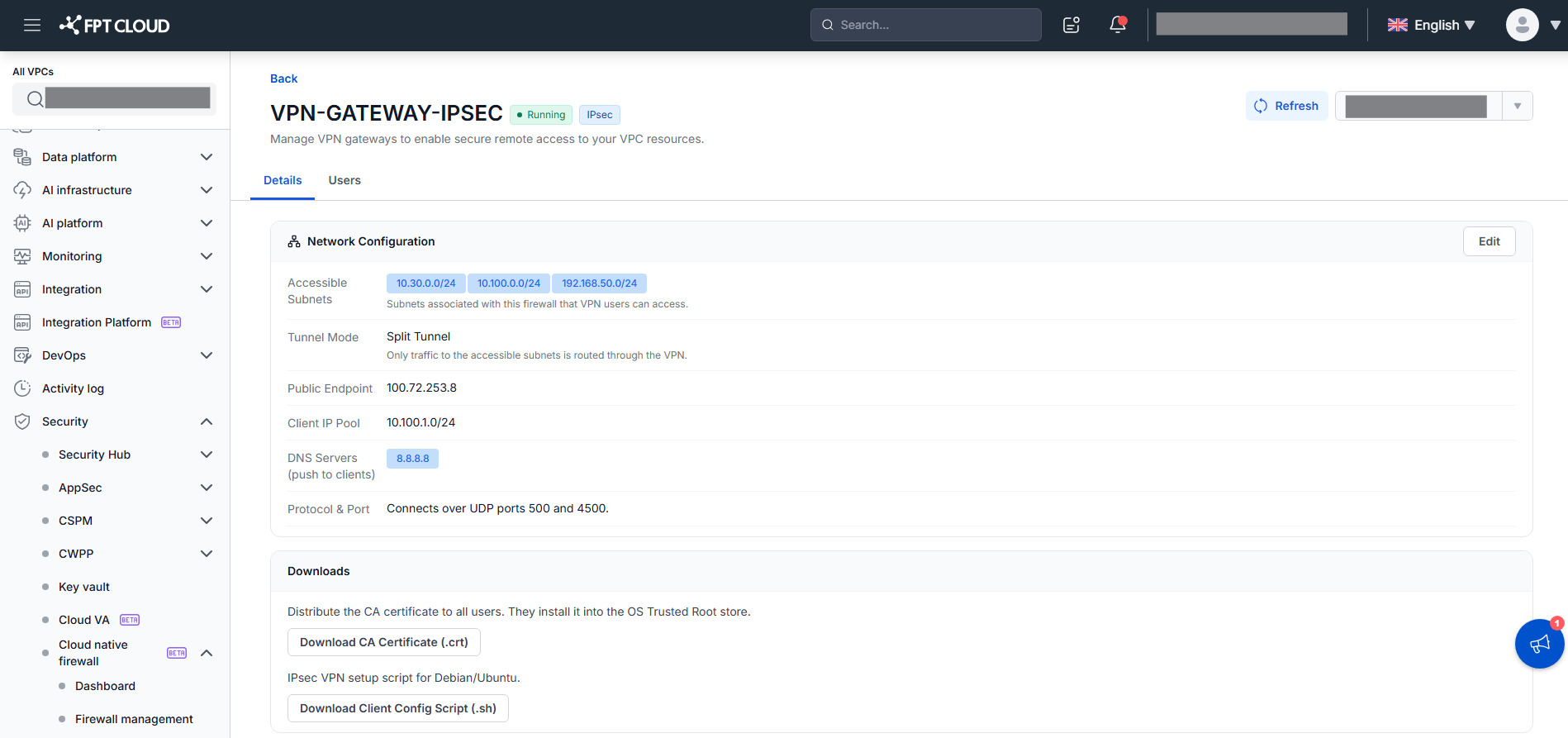
DetailsタブのNetwork Configurationセクション(read-only)を確認します:
- Accessible Subnets — 到達できるsubnet(CIDR)。
- Tunnel Mode —
Split Tunnel(Accessible Subnets宛てのtrafficのみ)またはFull Tunnel(internetを含むすべてのtraffic)。IPsecとOpenVPNの両方に適用。 - Public Endpoint — クライアントが接続する公開IP。
- Client IP Pool — クライアントに割り当てられる仮想IPレンジ。
- DNS Servers (push to clients) — クライアントにpushされるDNSサーバー。
- Protocol & Port(ヘルプテキスト)— OpenVPN: "Connects over UDP on port [port]."(実際のportはバックエンドが割り当て、デフォルト1194); IPsec: "Connects over UDP ports 500 and 4500."
-
VPN TypeがIPsecの場合、2つのリンクを持つDownloadsセクションが追加表示されます:
- Download CA Certificate (.crt) — CA certificateをダウンロードして配布し、ユーザーがOS Trusted Root storeにインストールできるようにします。
- Download Client Config Script (.sh) — 接続パラメータが埋め込まれたクライアント設定スクリプト(
vpn_client_to_site.sh、Debian/Ubuntu向け)をダウンロードします。ユーザーはsudo ./vpn_client_to_site.shを実行し、Usersタブのusername/passwordを入力します。
OpenVPNにはDownloadsセクションはなく、Usersタブのユーザーごとの
.ovpnファイルを使用します。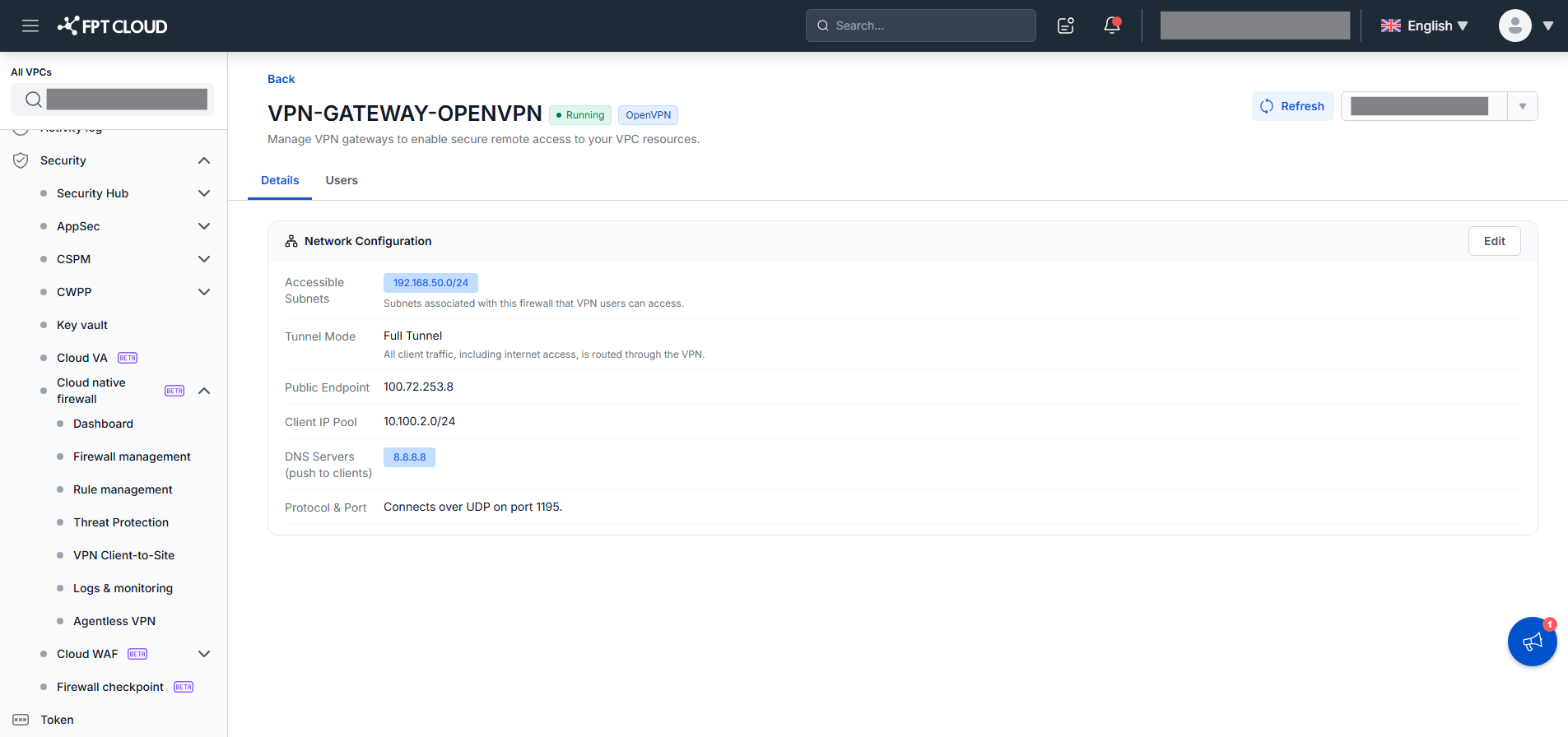
gatewayの再構成
-
DetailsタブでEditをクリックします。Accessible Subnets、Tunnel Mode、DNS Serversフィールドがその場で編集可能になります。Public EndpointとClient IP Poolはread-onlyのままです。
-
Accessible Subnets(subnetのチェック/解除、SearchとSelect All付き)、Tunnel Mode(
Split Tunnel/Full Tunnel、現在の値がpre-select)、DNS Servers(chipの追加/削除、最大2、重複なし)を変更します。 -
Save Changesをクリックします。
システムがvalidateします。有効な場合、toast "Updating gateway. This may take a few minutes." を表示し、gatewayはUpdatingになり(バッジはRunningのまま
Updating...icon付き)、バックエンドが再provisionします。成功するとStatusはRunningに戻り、新しいconfigが適用されます。失敗すると、gatewayはUpdate failedを表示し、以前のconfigを保持したままRunningのままです。再度Editして再試行します。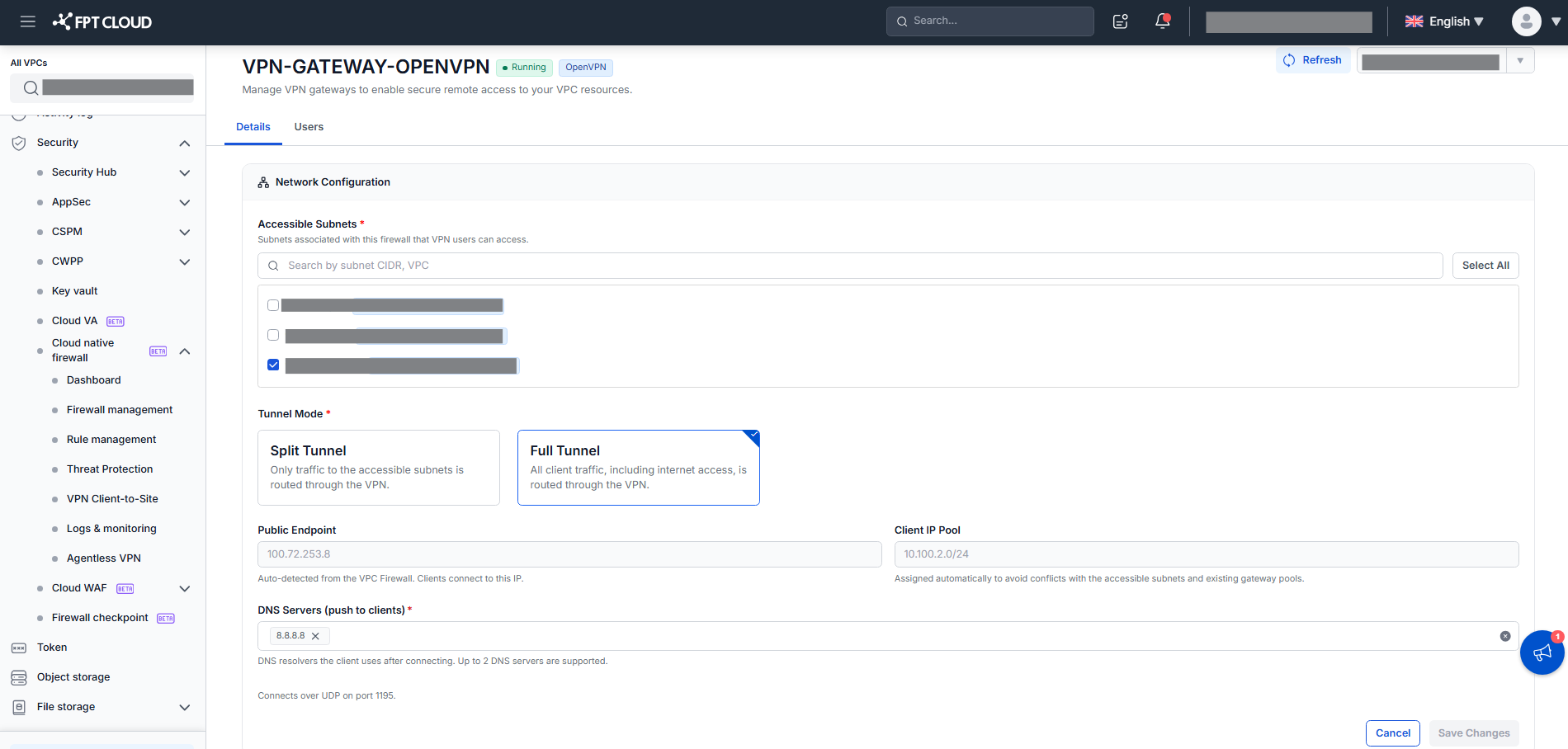
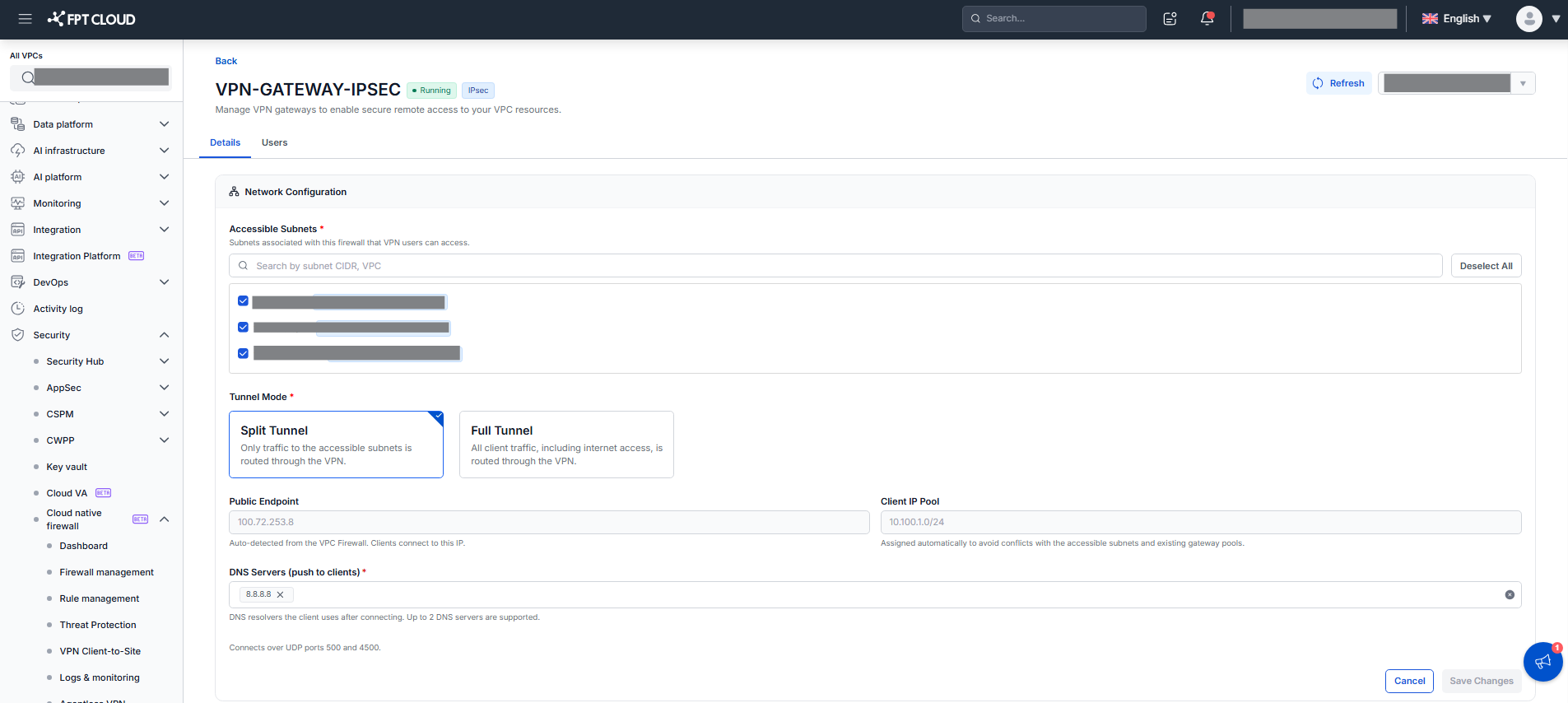
編集できるのはAccessible Subnets、Tunnel Mode、DNS Serversのみです。VPN Type、Public Endpoint、Client IP Poolは変更できません。Save Changesは実際に変更があった場合のみ有効になります。EditはgatewayがActive、Update failed、Delete failedの場合のみ利用でき、Creating、Updating、Deleting、Create failedの間は無効です。Cancelで変更を破棄して表示モードに戻ります。