Create a Checkpoint Firewall
This guide provisions a Checkpoint Firewall through the Console wizard, and assumes your VPC already meets the capacity requirements. If you are not sure, check prerequisites and architecture first.
Prerequisites
- A tenant (org) in the FPT Cloud Console.
- 3 free isolate subnets in the target VPC.
- 1 free public IP (without HA) or 3 free public IPs (with HA).
Steps
- Sign in to the FPT Cloud Console.
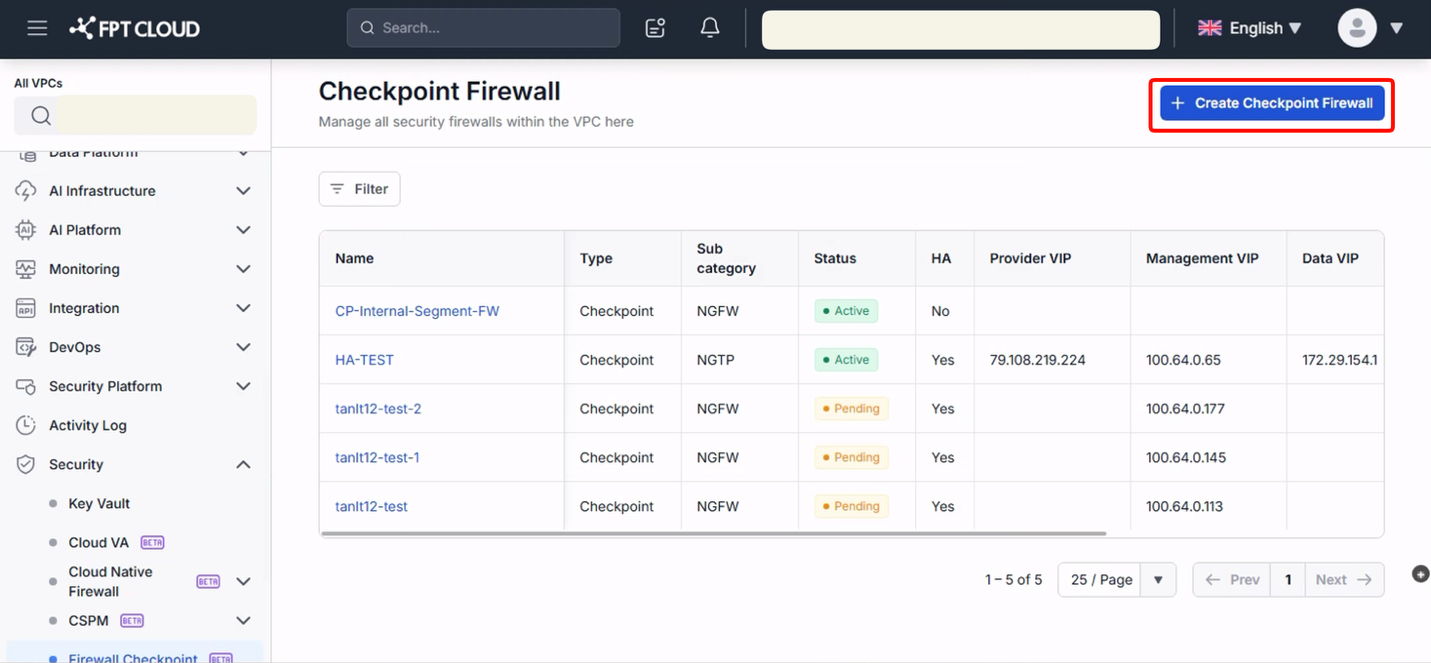
- Open Security → Checkpoint Firewall from the left menu.
- Click Create Checkpoint Firewall.
- Set Region, VPC, Package Type, and Template in Basic Configuration. Enable High Availability if you need a Master and Slave.
- Click Next. In Host Information, name each host and select an isolate Subnet for the Master. Leave Private IP blank to let the system assign it.
- Click Next, review the summary, then click Create Firewall.
The system provisions the cluster and emails a maintenance account when the firewall is ready.
注記
Leave Private IP empty on each host unless you have a specific address to pin. The system assigns 1 IP without HA, or 3 IPs with HA.