Bắt đầu nhanh
Deploy model endpoint đầu tiên và thực hiện lời gọi API đầu tiên. Bạn cần một tài khoản FPT AI Factory còn credit — vào Billing để nạp thêm trước khi bắt đầu.
Bước 1: Deploy một model
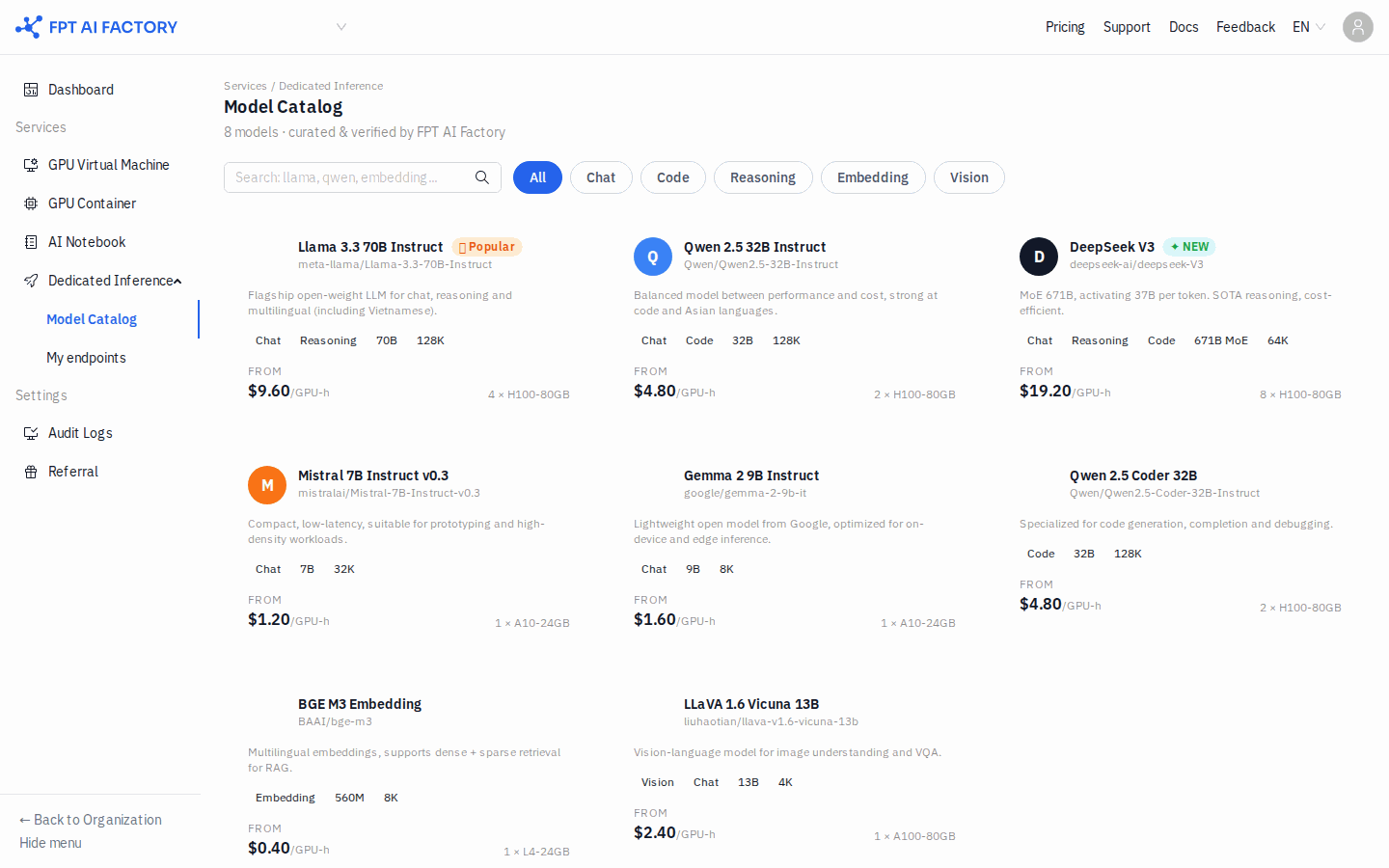
- Ở sidebar bên trái, trong Dedicated Inference, nhấn Model Catalog.
- Duyệt catalog và nhấn Deploy trên thẻ model. Để thử nhanh, chọn model nhỏ (ví dụ Mistral 7B).
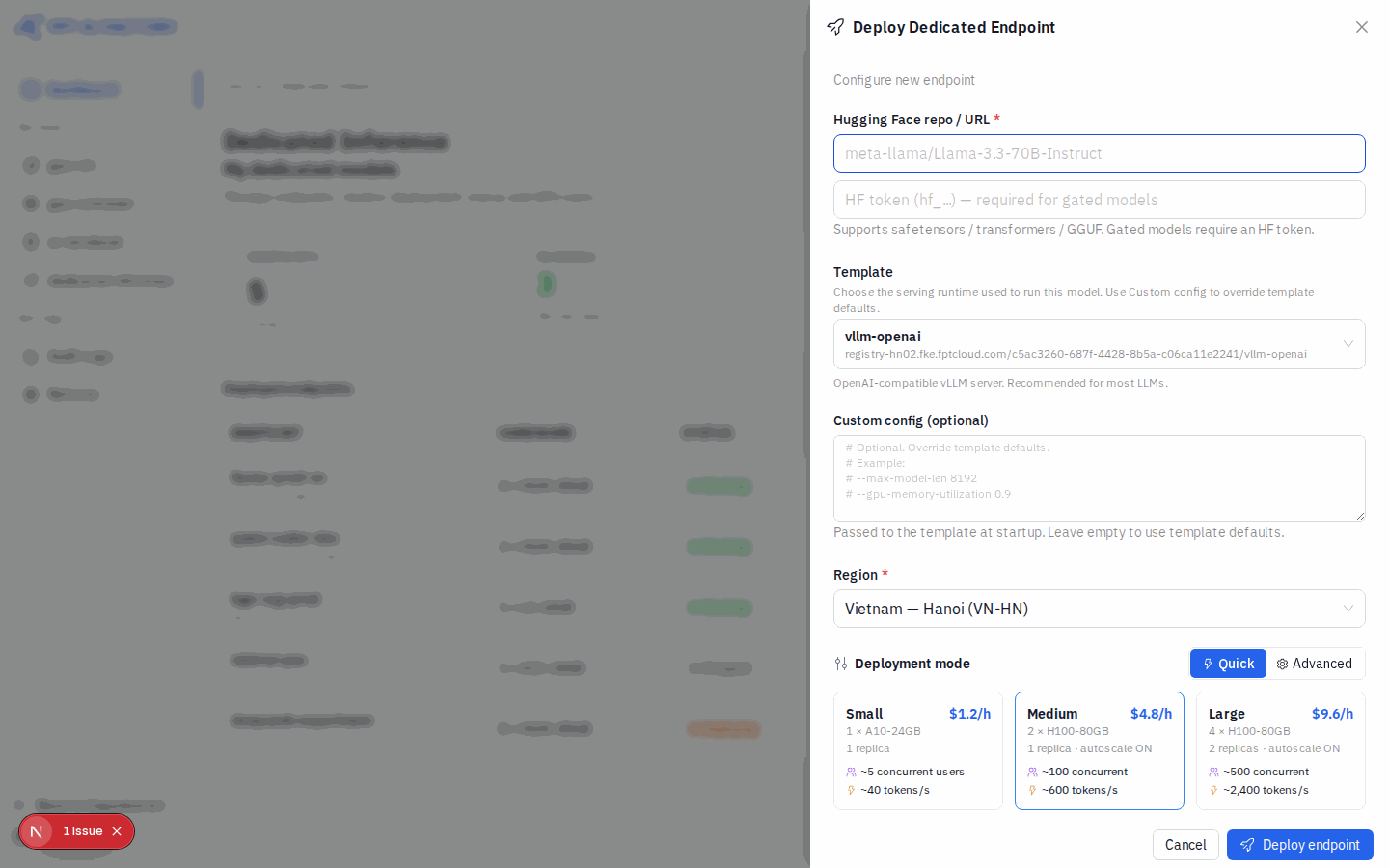
- Trong modal Deploy Dedicated Endpoint:
- Nhập Hugging Face repo / URL (ví dụ
mistralai/Mistral-7B-Instruct-v0.3). - Chọn Region.
- Chọn chế độ Quick và chọn Size (Small / Medium / Large).
- Kiểm tra ESTIMATED COST (PER HOUR / BIZ HOURS / 24/7).
- Nhập Hugging Face repo / URL (ví dụ
- Nhấn Deploy endpoint.
Xem hướng dẫn chi tiết: Deploy một model
Bước 2: Chờ endpoint chuyển sang Running
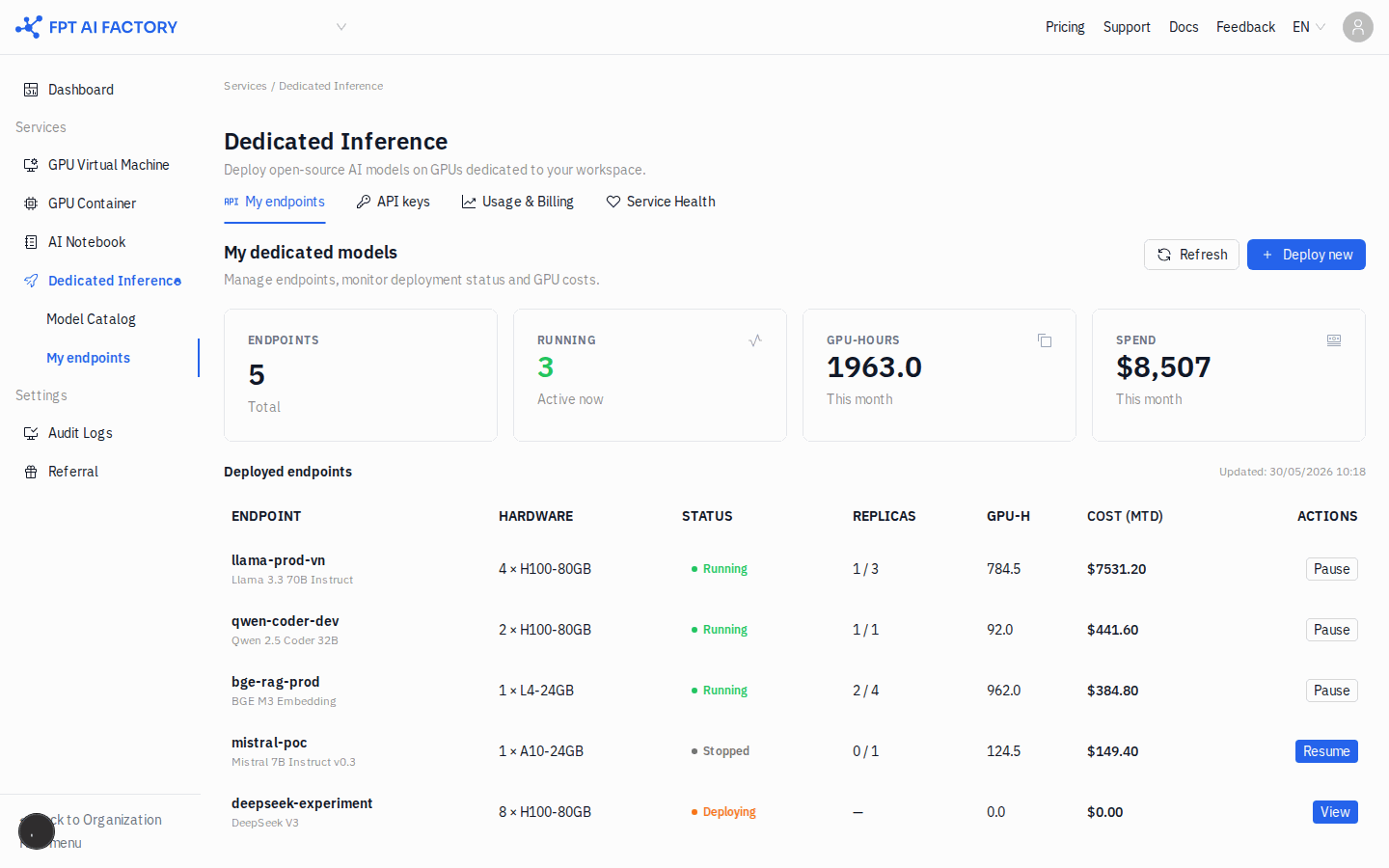
- Ở sidebar bên trái, trong Dedicated Inference, nhấn My endpoints.
- Tìm endpoint vừa tạo — trạng thái đang là Deploying.
- Chờ đến khi trạng thái chuyển sang Running.
Xem hướng dẫn chi tiết: Quản lý endpoint
Bước 3: Lấy API key
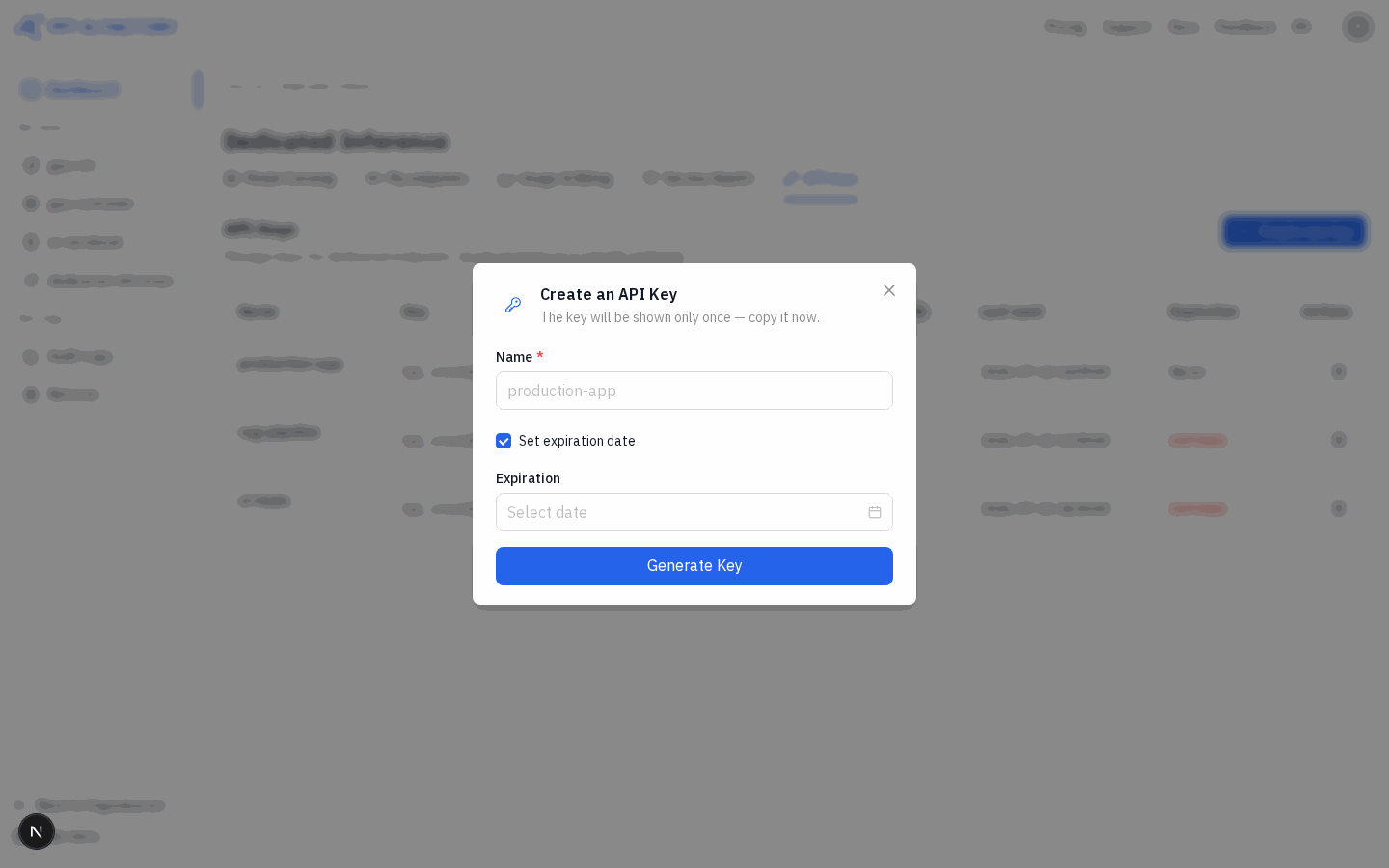
- Nhấn tab API keys trong Dedicated Inference.
- Nhấn + Create new key.
- Nhập Name cho key (ví dụ
quickstart-test). - Nhấn Generate Key, rồi copy key — key chỉ hiển thị một lần duy nhất.
Xem hướng dẫn chi tiết: Tạo API key
Bước 4: Gọi API
Dùng gateway URL lấy từ trang chi tiết endpoint:
curl https://<ddi-gateway-domain>/v1/chat/completions \
  -H "Authorization: Bearer sk-vgw-xxxxxxxxxxxxxxxxxxxxxxxxxxxxxxxxxxxxxx" \
  -H "Content-Type: application/json" \
  -d '{
    "model": "mistralai/Mistral-7B-Instruct-v0.3",
    "messages": [{"role": "user", "content": "Hello!"}],
    "max_tokens": 256
  }'
Gateway domain nằm ở trang chi tiết endpoint. Lấy API key tại My endpoints → API keys.
Xem hướng dẫn chi tiết: Gọi Inference API
Bước 5: Dừng endpoint khi dùng xong
Để tránh phát sinh phí GPU không cần thiết, dừng endpoint khi không dùng:
- Ở sidebar bên trái, trong Dedicated Inference, nhấn My endpoints.
- Tìm endpoint và nhấn Pause ở cột Actions.
- Xác nhận thao tác.
Xem hướng dẫn chi tiết: Quản lý endpoint