How Billing Works
The FPT AI Factory Portal uses a prepaid Wallet model. Before you can run GPU resources, your Organization Wallet must have a credit balance. This page explains how the Wallet works and what each balance type means.
Organization wallet
Every Organization has a single Wallet. The Wallet balance is shared across all Workspaces in the Organization. When a Workspace consumes GPU resources, the cost is deducted from the Organization Wallet.
The Wallet balance is shown on the Billing overview page.
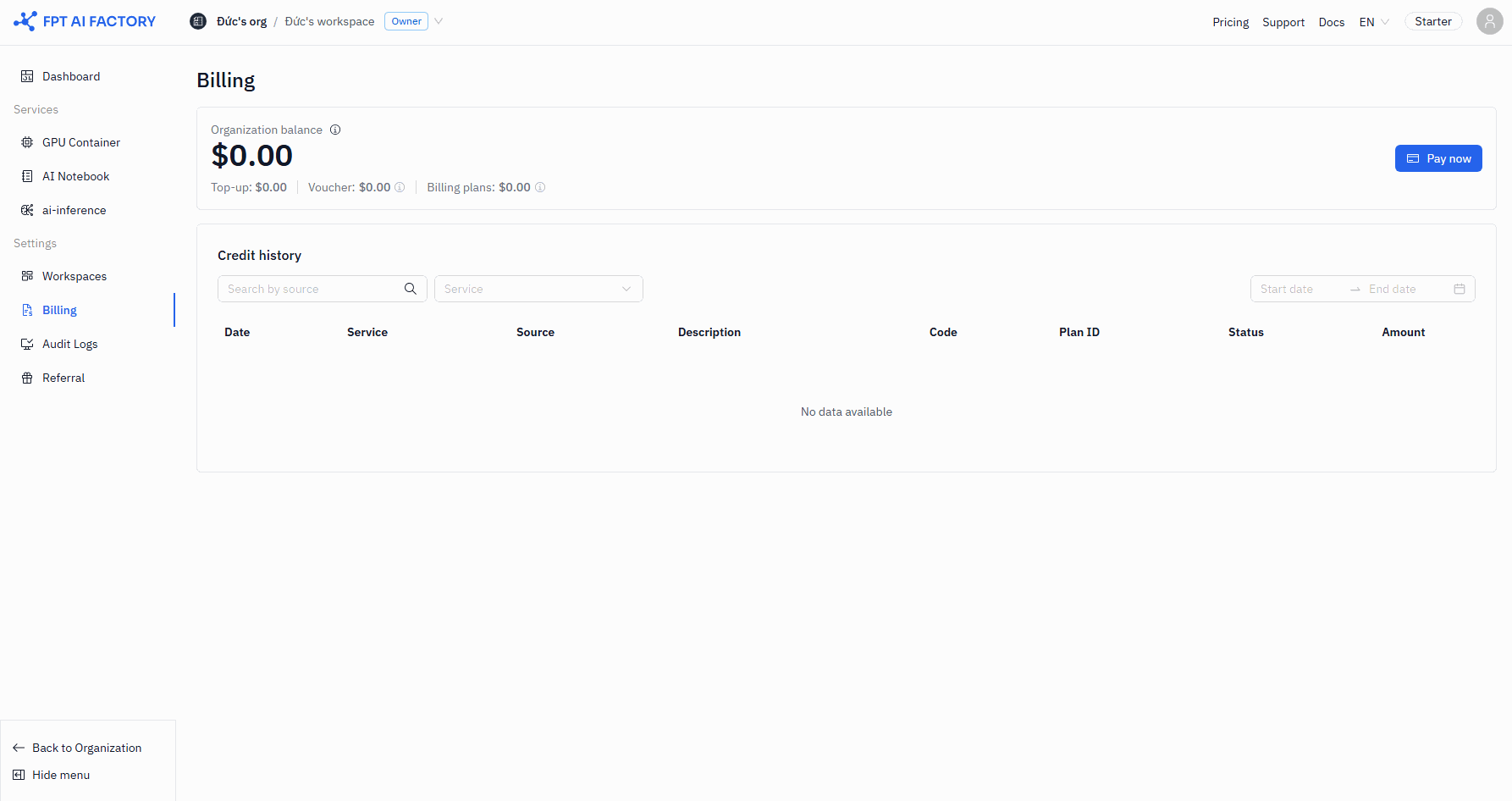
The balance has three components:
| Component | What it is | How to add |
|---|---|---|
| Top-up | Credits you purchased directly through the portal | Click Pay now and complete a payment |
| Voucher | Promotional credits granted by FPT | Redeem a voucher code on the Vouchers page |
| Billing plans | Credits from an active subscription plan | Purchased separately through FPT |
Top-up credits, Voucher credits, and billing plan credits are consumed in a specific order. Billing plan credits are used first, then Voucher credits, then top-up credits.
Credits vs vouchers
Credits and Vouchers are both balance types in the Wallet, but they behave differently:
| Credits (Top-up) | Vouchers | |
|---|---|---|
| Source | Purchased by the Organization Owner | Provided by FPT |
| Expiry | No expiry | Expire automatically |
| Scope | General — usable for any service | May be product-scoped (e.g., AI Notebook only) |
| Refundable | No — all purchases are non-refundable | N/A |
Voucher credits are shown in the Wallet balance as a separate line. When a Voucher is product-scoped, it can only be used for that specific Service. If a Workspace tries to use a product-scoped Voucher for a different Service, it falls back to top-up credits.
Billing currency
The billing currency is set when you make your first top-up payment and cannot be changed afterward. Choose carefully — you cannot switch from VND to USD, for example, after the first purchase.
Supported currencies: VND, USD, JPY.
How GPU resource costs work
- Billing starts when a resource reaches
RUNNINGstatus. - Billing stops when you explicitly stop the resource.
- Closing the browser or logging out does not stop billing.
- Stopping a resource terminates the GPU instance and stops the hourly charge.
- Persistent storage costs continue even when a resource is stopped — storage is billed at a lower rate.
To check Workspace credit usage, go to Billing in the Workspace sidebar.
What's next
- Topping up your Wallet — add credits via VNPAY, Stripe, or PayPal.
- Using Vouchers — redeem a Voucher code.
- Setting up a low-balance alert — get notified before you run out of credits.