Xem chi tiết Hive Metastore
Dùng trang chi tiết service để tìm Private URL của service Hive Metastore và kiểm tra cài đặt bạn đã chọn khi tạo service.
Mở trang chi tiết service
- Chọn Data platform → Workspace management, rồi chọn workspace.
- Trên tab Overview, ở mục Services, chọn Hive Metastore.
Tiêu đề trang hiển thị loại service và tên bạn đặt cho service. Bên dưới tiêu đề là phần tóm tắt của service, tiếp theo là tab Essential Information. Menu Actions chứa Delete. Xem Xóa service Hive Metastore.
| Trường | Mô tả |
|---|---|
| Status | Trạng thái của service, ví dụ Healthy. |
| Created at | Thời điểm tạo service, ví dụ 19 days ago. |
Tab Essential Information
Tab Essential Information hiển thị thông tin kết nối và cài đặt của service, chia thành năm phần.
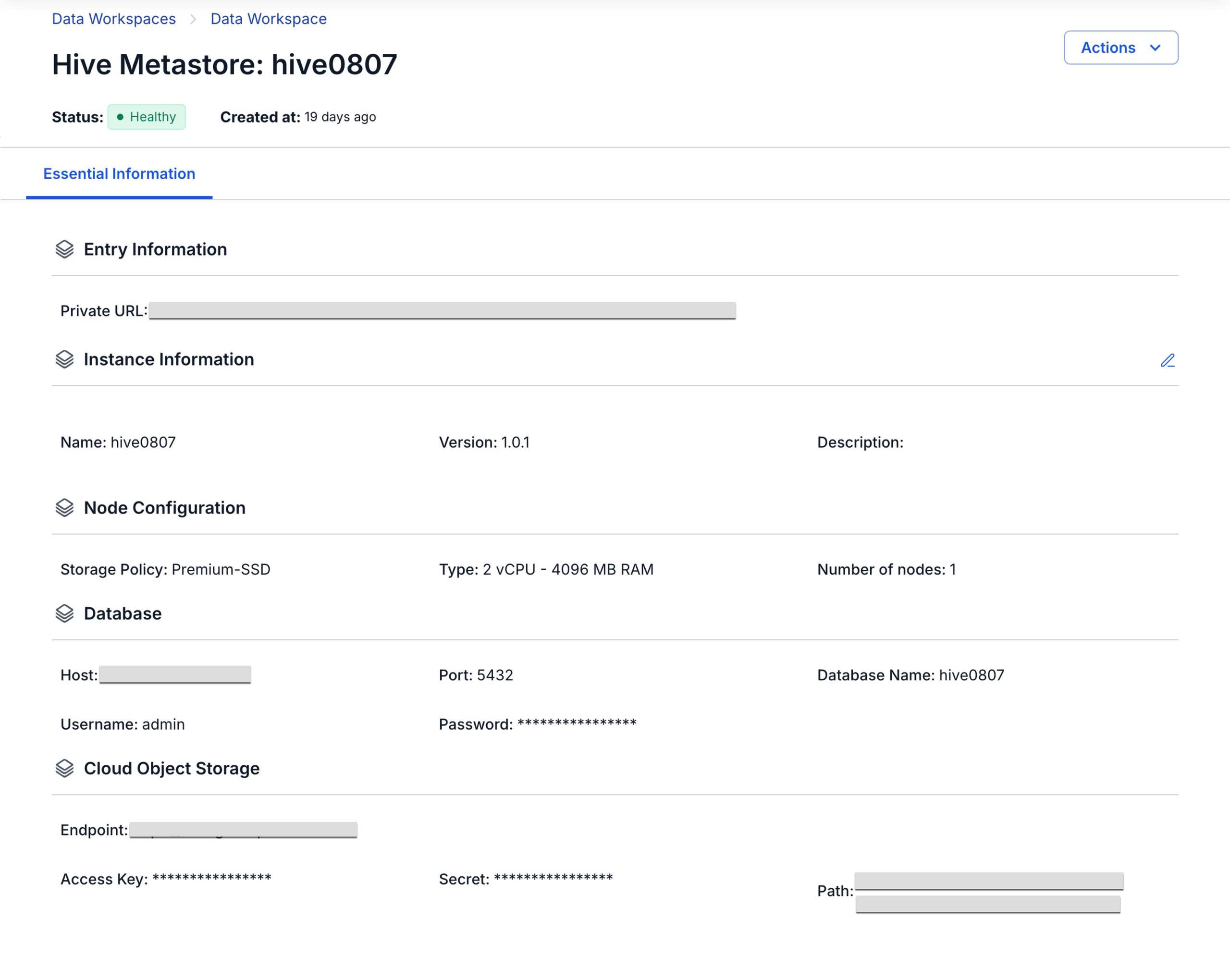
| Phần | Nội dung hiển thị |
|---|---|
| Entry Information | Private URL. Các service khác dùng Hive Metastore qua URL này. |
| Instance Information | Name, Version và Description bạn đã nhập khi tạo service. |
| Node Configuration | Storage Policy, Type và Number of nodes. |
| Database | Host, Port, Database Name, Username và Password của cơ sở dữ liệu. Mật khẩu hiển thị dạng ẩn. |
| Cloud Object Storage | Endpoint, Access Key, Secret và Path của object storage. Access key và secret hiển thị dạng ẩn. |
Chỉnh sửa service
Sau khi tạo, bạn có thể đổi tên và mô tả của service.
- Mở trang chi tiết service. Xem Mở trang chi tiết service.
- Ở phần Instance Information, chọn biểu tượng chỉnh sửa.
- Trong panel Update Basic Info, đổi Name hoặc Description, rồi chọn Save.