Xem chi tiết JupyterHub
Dùng trang chi tiết service để tìm URL mở JupyterHub và kiểm tra cài đặt của service.
Mở trang chi tiết service
- Chọn Data platform → Workspace management, rồi chọn workspace.
- Trên tab Overview, ở mục Services, chọn JupyterHub.
Trang chi tiết mở ra, lấy JupyterHub: và tên service làm tiêu đề, kèm Status, Created at của service và hai tab: Essential Information và Advanced. Menu Actions chứa Delete. Xem Xóa service JupyterHub.
Tab Essential Information
Tab Essential Information hiển thị cách mở JupyterHub và cài đặt của service, chia thành ba phần.
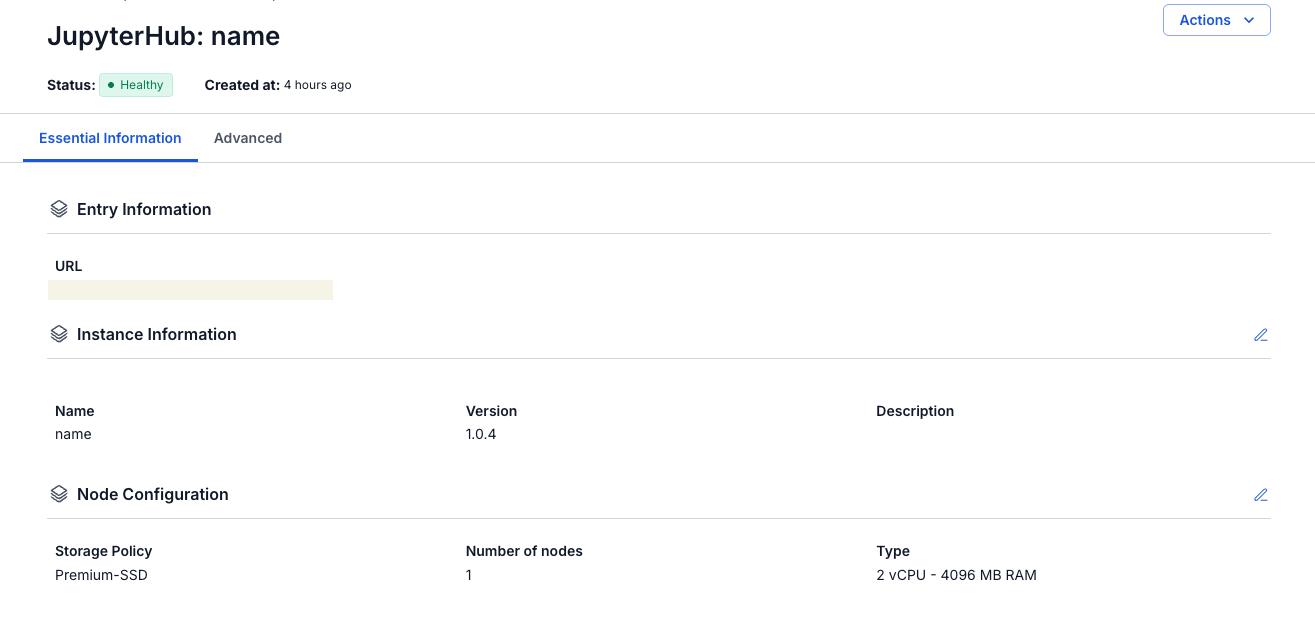
| Phần | Trường |
|---|---|
| Entry Information | URL để mở JupyterHub. |
| Instance Information | Name, Version và Description của service. |
| Node Configuration | Storage Policy, Number of nodes và Type của các node, ví dụ 2 vCPU - 4096 MB RAM. |
Để mở JupyterHub, truy cập URL. Với xác thực cơ bản, tạo tài khoản admin trong lần mở đầu tiên. Với single sign-on (SSO) qua FPT ID, URL mở trang đăng nhập có nút Sign in with FPT-ID. Xem Quản lý user của JupyterHub.
Instance Information và Node Configuration đều có biểu tượng chỉnh sửa. Đổi các trường cần thiết trong panel mở ra, rồi chọn Save. Để đóng panel mà không lưu thay đổi, chọn Cancel.
| Biểu tượng chỉnh sửa của | Panel | Trường đổi được |
|---|---|---|
| Instance Information | Update Basic Info | Name (từ 1 đến 30 ký tự, gồm chữ cái, số và dấu gạch ngang) và Description. |
| Node Configuration | Update Node Configuration | Storage Policy, Type và Number of nodes (từ 1 đến 10). |
Tab Advanced
Tab Advanced hiển thị nơi JupyterHub lưu dữ liệu của user, cùng cài đặt cơ sở dữ liệu, mã hóa, đăng nhập và custom domain của service.
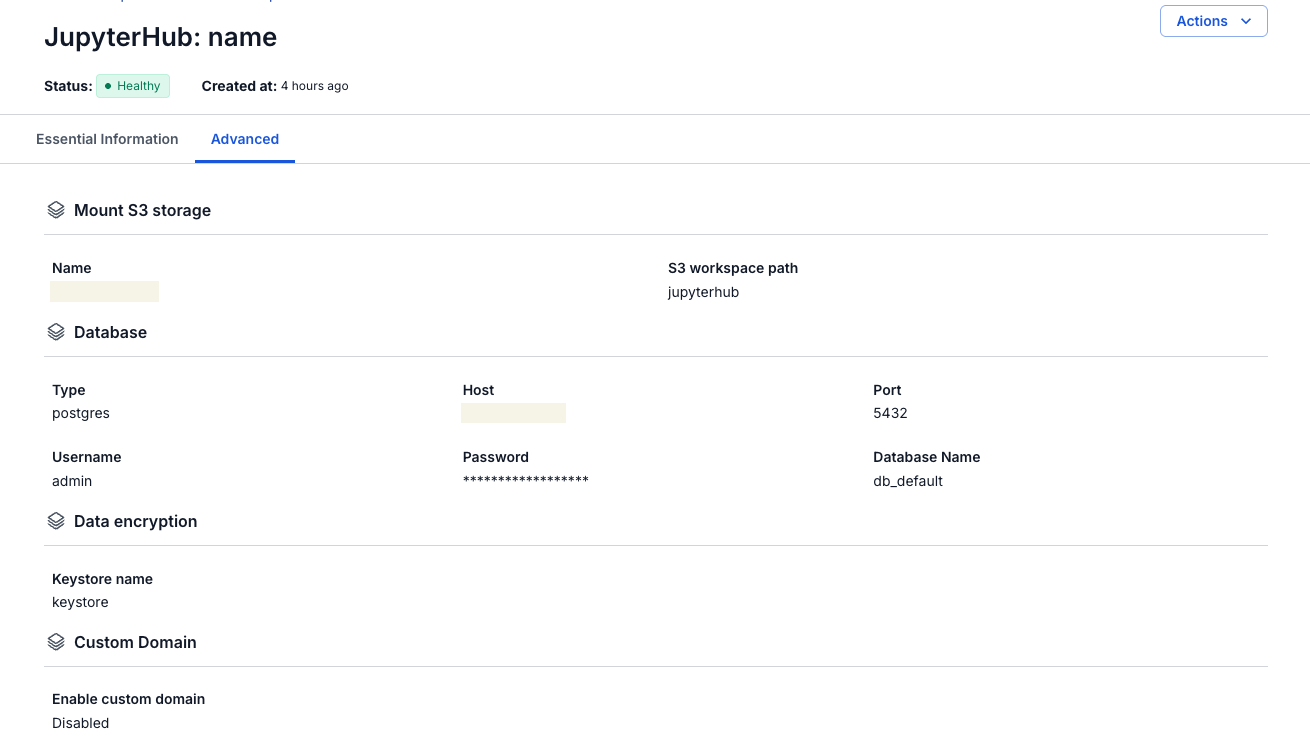
| Phần | Trường |
|---|---|
| Mount S3 storage | Name của storage và S3 workspace path của dữ liệu user. |
| Database | Type (postgres), Host, Port, Username, Password (hiển thị dạng ẩn) và Database Name của cơ sở dữ liệu PostgreSQL. |
| Data encryption | Keystore name, keystore dùng để mã hóa dữ liệu nhạy cảm. |
| Single Sign On | Type và Email. Phần này hiển thị khi service dùng single sign-on (SSO). |
| Custom Domain | Enable custom domain, cho biết service có dùng custom domain hay không. |
Bạn quản lý profile ngay trong JupyterHub, không phải trên tab này. Xem Quản lý profile của JupyterHub.