Thêm Build and push job
1 Build and push Job build Docker image từ Dockerfile trong Pipeline Source và push lên container registry. Đây thường là Job đầu tiên trong Pipeline, thêm ngay sau khi cấu hình Pipeline Source — các Job sau đó, như security scan hoặc deploy, sẽ dùng image do Job này tạo ra.
Điều kiện tiên quyết
- Đã tạo và lưu Pipeline, có Code source đã cấu hình. Xem Cấu hình Pipeline Source.
- Đã cấu hình Container registry connection. Xem Quản lý Credentials.
Thêm Build and push job
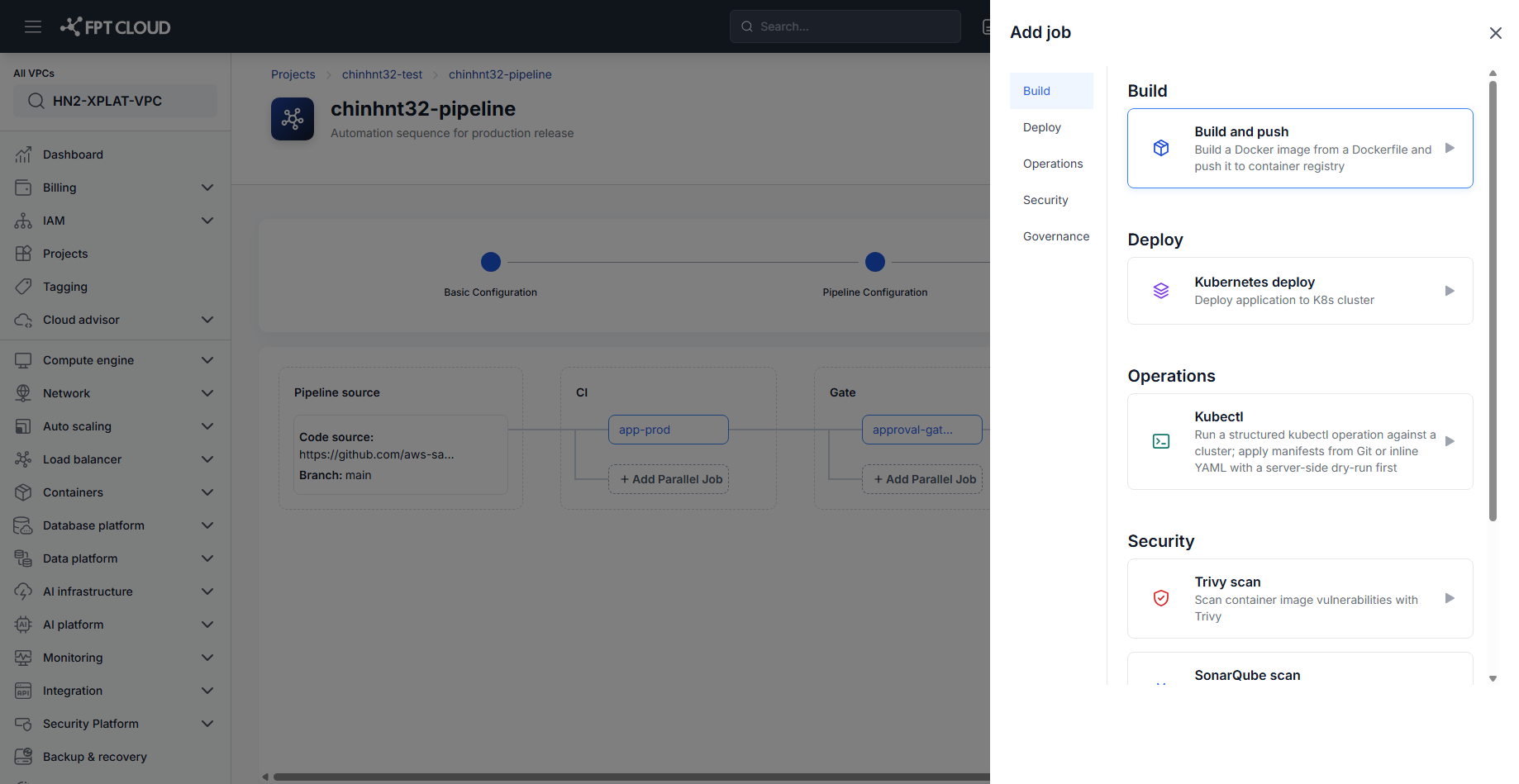
- Trong Pipeline Editor, nhấn Add Job (hoặc Add Parallel Job) trên Stage cần build.
- Ở mục Build, chọn Build and push.
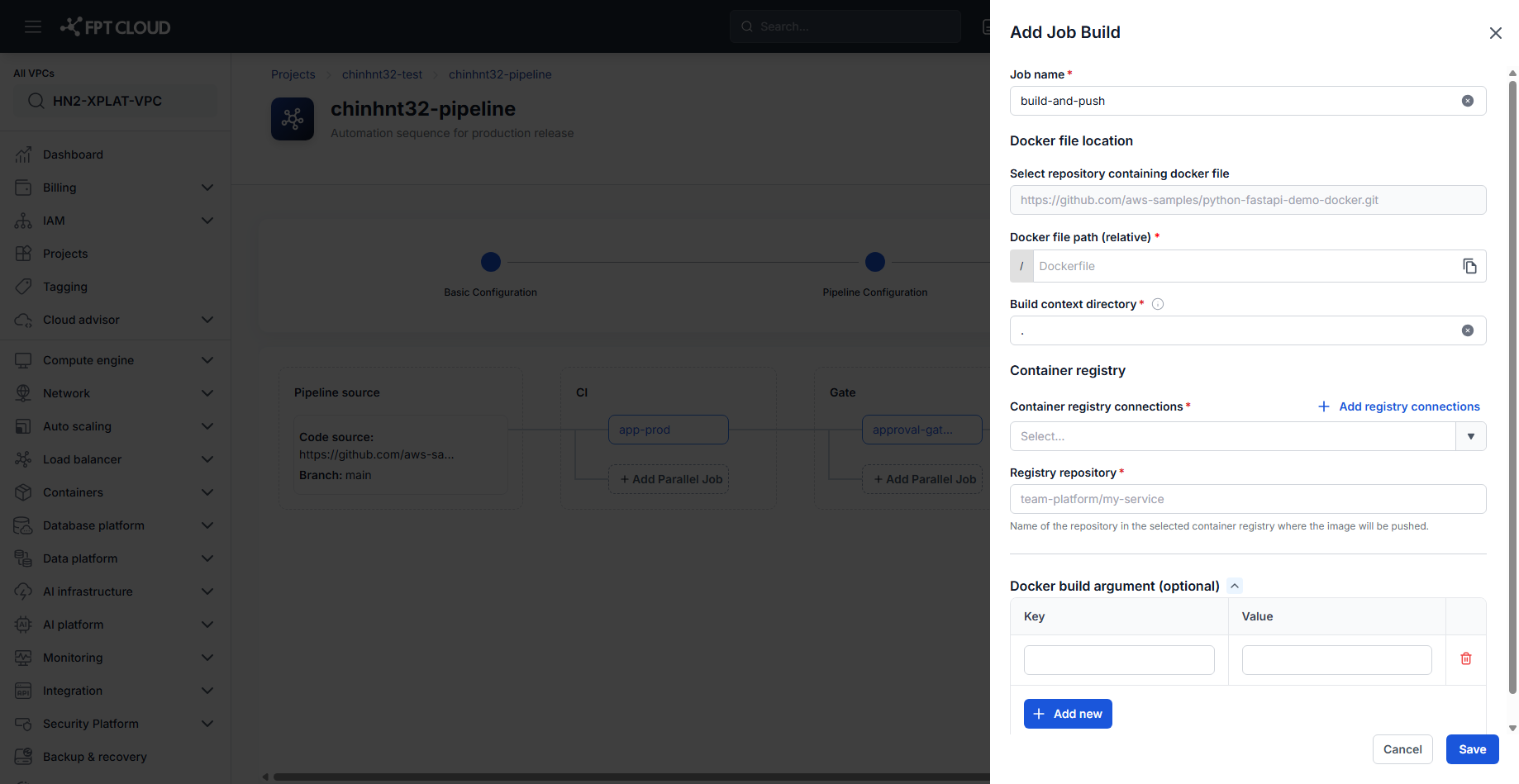
- Nhập Job name.
- Nhập Docker file path (relative) — đường dẫn tới Dockerfile trong repository, tính từ gốc.
- Nhập Build context directory — mặc định là
.(gốc repository). - Chọn 1 Container registry connection, hoặc nhấn Add registry connections để tạo mới.
- Nhập Registry repository — tên repository trong registry đã chọn, nơi image sẽ được push tới (ví dụ
team-platform/my-service). - Tuỳ chọn thêm Docker build argument(s) dạng key/value. Nhấn Add new cho mỗi argument tiếp theo.
- Nhấn Save.
Build and push Job được thêm vào Stage.
mẹo
Docker file location trong panel là read-only — luôn trỏ tới Code source đã cấu hình cho Pipeline. Xem Cấu hình Pipeline Source để đổi.
mẹo
Job name mặc định là build-and-push — đổi tên nếu định thêm nhiều hơn 1 Build and push Job vào cùng Pipeline.
Bước tiếp theo
- Thêm security scan job — scan image do Job này tạo ra.
- Cấu hình Deploy & Deploy ứng dụng — deploy image Job này push lên.
- Tài liệu tham khảo Build and push — field reference.